Aned Book help › Menu › Masters
HSN / SAC Codes
In the software: Masters › HSN / SAC Codes
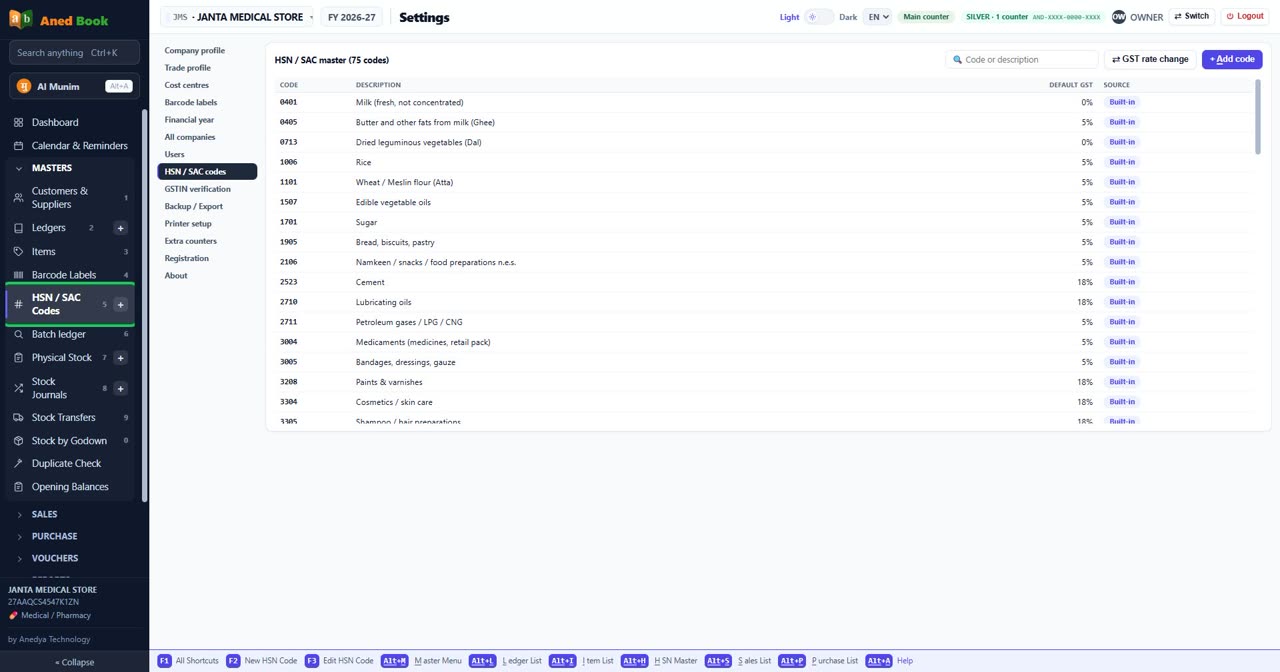
Every editionHSN / SAC codes and the GST slab each item hangs off.
Step by step
- How to set up your printer — and print without the preview
- How to start a new financial year
- How to change your shop’s details, bank account and invoice footer
- How to add staff, set PINs, and get back in if a PIN is forgotten
- How to switch a feature on or off for your shop
- How to find, add and re-rate HSN / SAC codes
- How to check a GST number before you bill
Questions about this screen
Every option on this screen
Buttons
- ⇄ GST rate change — The Council has moved a product to a different slab
- + Add code
Boxes to fill in
- Code or description
Sections on this screen
- HSN / SAC master (75 codes)
Columns in the list
- Code
- Description
- Default GST
- Source
Still stuck? Press Alt + A inside the software and ask in your own words — it
works with no internet. Or talk to us on WhatsApp, phone or e-mail.