Aned Book help › Menu › Vouchers
Day Book Entry — cash and bank, many days
In the software: Vouchers › Day Book Entry — cash and bank, many days
Silver, Gold onlyDay book entry: cash and bank for many days in one grid.
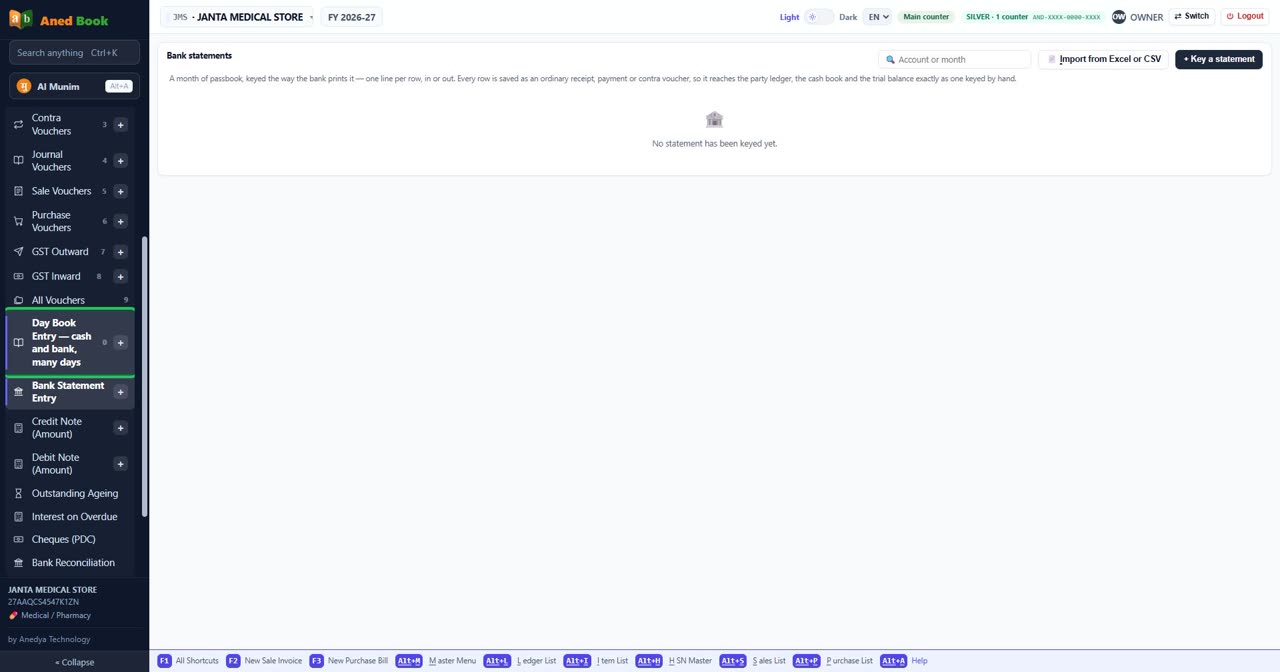
Every option on this screen, under its heading
In the same order and under the same headings as the software. A heading shut in the software is shut here too: click it, or type in the search box above.
Bank statements
The statements you have typed in or imported.
Box
Account or month
Type an account name or a month to find a statement.
📄 Import from Excel or CSV
Reads entries from an Excel or CSV file — for example a bank statement — so you do not type them one by one.
+ Key a statement
Types in a bank statement or a day’s cash book, row by row, as it is printed.
In the window: Key a day book
At the top of the screen
← Back to bank statements
Go back to bank statements (Esc)
Key a day book
Many days of cash and bank entries in one grid, each row with its account.
Box
Statement from
The first date the statement covers.
Box
Statement to
The last date the statement covers.
Column
#
The line number.
Column
Type
What kind of entry this is.
Column
Date
The date of this entry. It must fall inside the financial year that is open.
Column
Account
The account.
Column
Voucher No.
Your own number for this voucher, if you keep a voucher book. Leave it as suggested and the next one follows on from it.
Column
Particulars
The description of the row, as printed.
Column
Amount
The amount in rupees.
Column
Instr / UTR
The cheque number or the UTR of the transfer.
Column
Narration
A line saying what this entry is for, as on a paper voucher.
Column
Voucher
The voucher this line belongs to.
Box
Type
What kind of entry this is. Choices: Withdrawal (Dr) · Deposit (Cr)
Box
Date
The date of this entry. It must fall inside the financial year that is open.
Box
Account
The account. Choices: Which account? · Cash in Hand · Bank
Box
Voucher No.
Your own number for this voucher, if you keep a voucher book. Leave it as suggested and the next one follows on from it.
Box
Particulars
The description of the row, as printed.
Box
Amount
The amount in rupees.
Box
Instr / UTR
The cheque number or the UTR of the transfer.
Box
Narration
A line saying what this entry is for, as on a paper voucher.
Cancel
Leaves without saving anything.
Save F10
Saves this entry. Shortcut: F10.
Questions and guides
Step by step
Still stuck? Press Alt + A inside the software and ask in your own words — it
works with no internet. Or talk to us on WhatsApp, phone or e-mail.