Aned Book help › Menu › Settings
Financial year
In the software: Settings › Financial year (Settings, then the tab on the left)
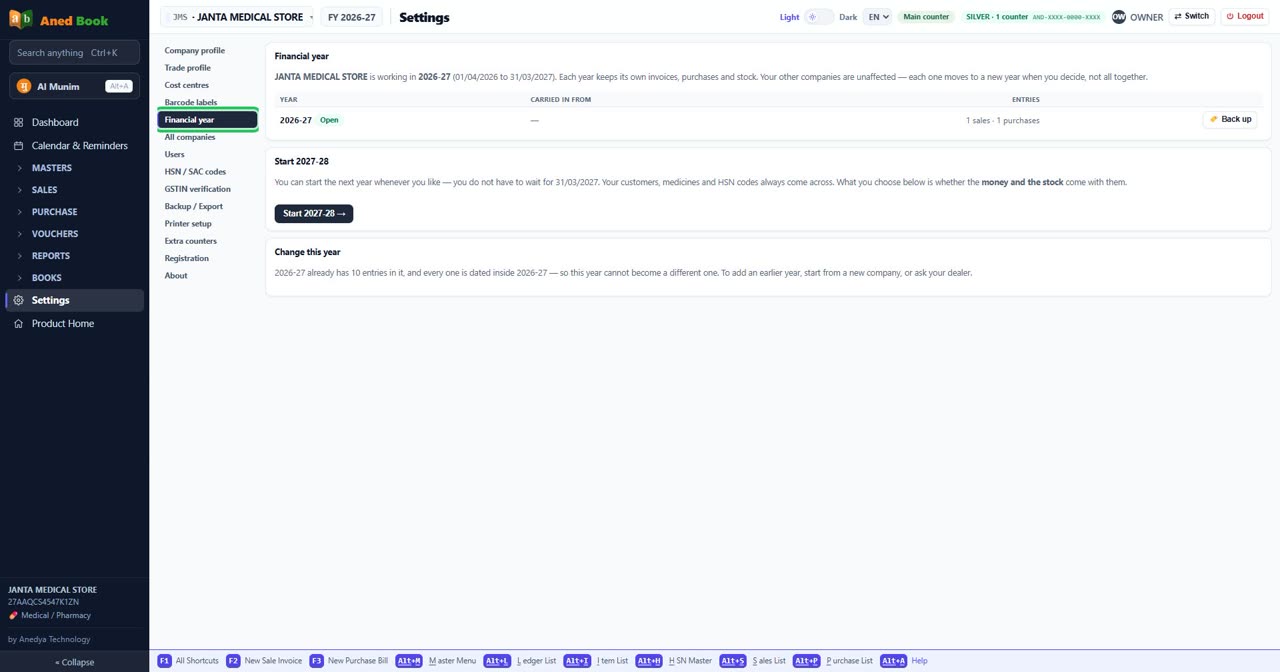
Step by step
Questions about this screen
Every option on this screen
Buttons
- 🏷️ Back up — Save this year on its own
- Start 2027-28 →
Sections on this screen
- Financial year
- Start 2027-28
- Change this year
Columns in the list
- Year
- Carried in from
- Entries
Still stuck? Press Alt + A inside the software and ask in your own words — it
works with no internet. Or talk to us on WhatsApp, phone or e-mail.