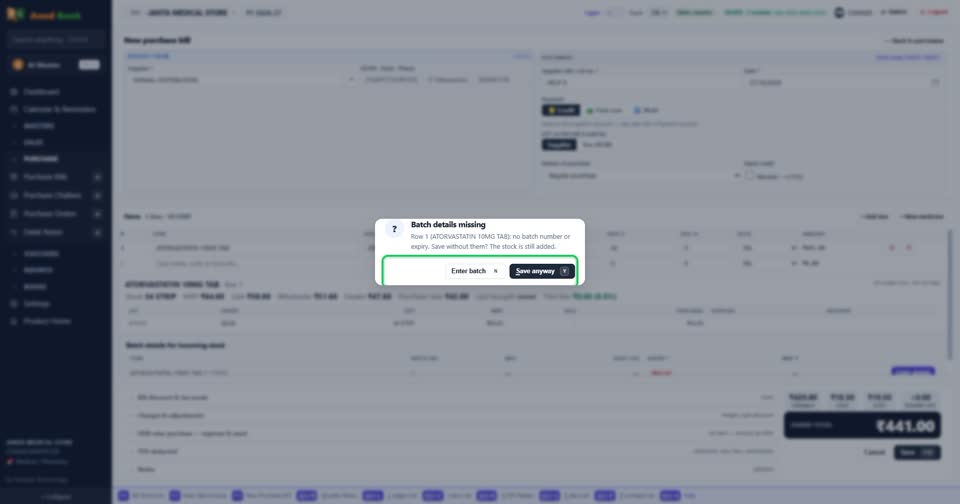
Why can I save a medicine without a batch?
WhyA busy counter often has the goods before it has time to type every batch. Refusing the bill would leave stock off the books, so the software asks once and then lets you save. The stock goes into a batch named after the date, with no expiry, and sells after the batches that have one. Type the batch when you can, so expiry alerts stay right.
Save anyway saves; Enter batch takes you to the batch window.

More questions on Purchase Bills
- How do I enter a supplier’s bill?
- Where do I type the batch number and expiry?
- I paid the supplier when the goods came. How do I enter that?
- The supplier gave free goods on a scheme. How do I enter them?
- How do I add freight or transport charges on the bill?
- Can the software read the supplier’s bill for me?
- It says “Select a supplier”
- It says “You already entered bill … from this supplier”
- It says “Batch details missing”
- It says “you cannot receive expired stock”
- It says “MRP is below your purchase rate”
- Why doesn’t the purchase bill number come by itself?
Still stuck? Press Alt + A inside the software and ask in your own words — it
works with no internet. Or talk to us on WhatsApp, phone or e-mail.