Can the software read the supplier’s bill for me?
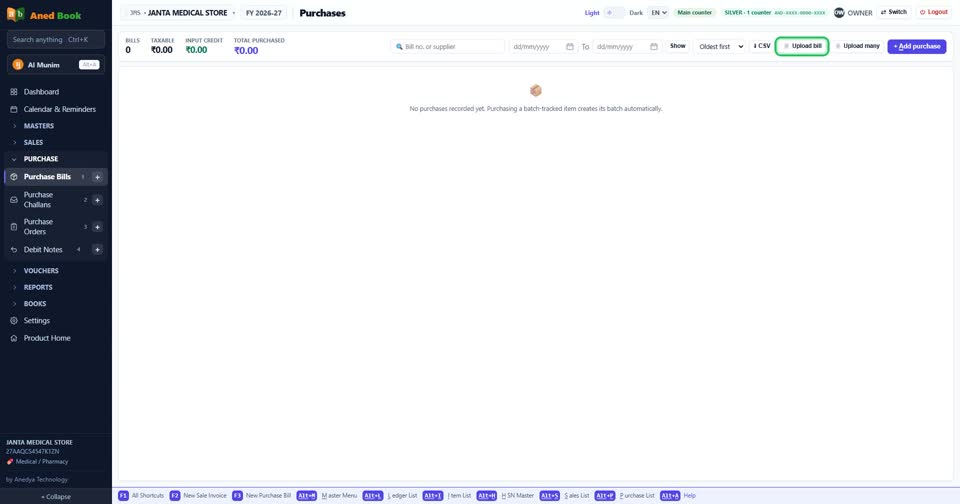
How toYes. On Purchase Bills press Upload bill and choose the PDF or photo of the bill. The software reads it and fills the purchase form for you. Check the lines and press Save — nothing is saved until you do.
On Purchase Bills: Upload bill. Upload many takes a pile of bills at once.
More questions on Purchase Bills
- How do I enter a supplier’s bill?
- Where do I type the batch number and expiry?
- I paid the supplier when the goods came. How do I enter that?
- The supplier gave free goods on a scheme. How do I enter them?
- How do I add freight or transport charges on the bill?
- It says “Select a supplier”
- It says “You already entered bill … from this supplier”
- It says “Batch details missing”
- It says “you cannot receive expired stock”
- It says “MRP is below your purchase rate”
- Why doesn’t the purchase bill number come by itself?
- Why can I save a medicine without a batch?
Still stuck? Press Alt + A inside the software and ask in your own words — it
works with no internet. Or talk to us on WhatsApp, phone or e-mail.