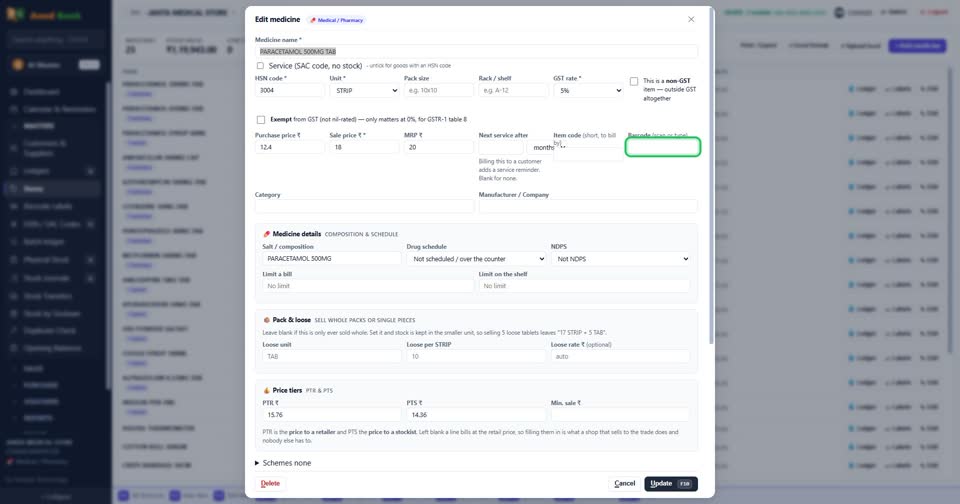
How do I give an item a barcode?
How toEdit the item, click in the Barcode box and scan the product with your scanner (or type the number). Save. From then on, scanning it on the bill adds the item.
Barcode — scan it straight into the box.

More questions on Items
- How do I add a new item?
- How do I change an item’s sale price?
- How do I see every in and out of one item?
- How do I sell loose tablets out of a strip?
- How do I see which items are running low?
- It says “HSN code is required”
- It says “… is already an item”
- It says “Minimum sale price cannot be above the sale price”
- Why does every item need an HSN code?
- Why can two items have the same name?
Still stuck? Press Alt + A inside the software and ask in your own words — it
works with no internet. Or talk to us on WhatsApp, phone or e-mail.