How do I add a new item?
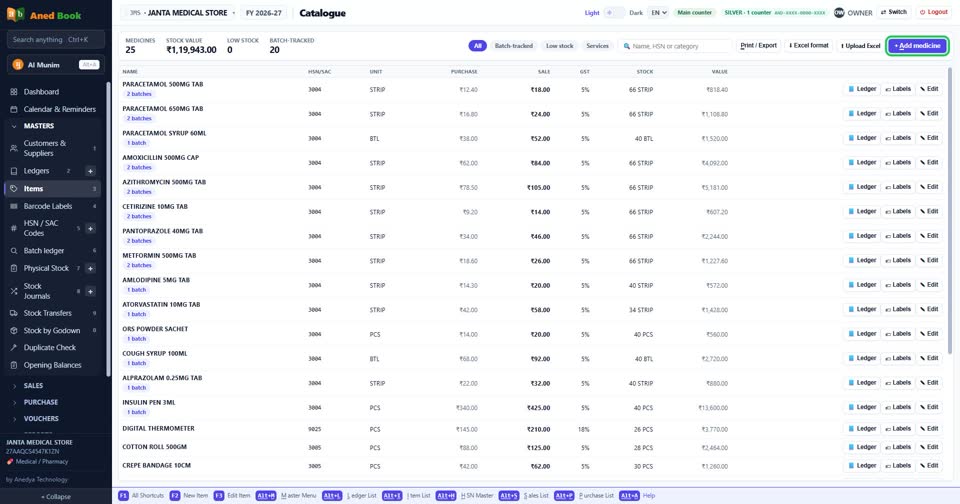
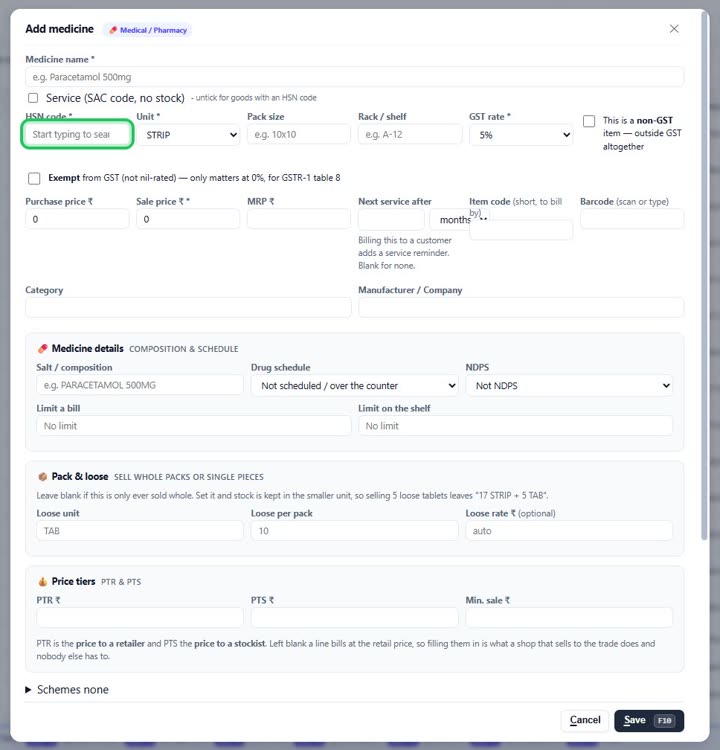
How toOpen Masters, Items, and press + Add. Type the name, the HSN code and GST rate, and the sale price, and press Save. Opening stock and batches can be typed in the same window.
Press + Add on the Items screen.
Type the name as you want it on the bill.


The HSN code and the GST rate — the bill takes its tax from here.

More questions on Items
- How do I change an item’s sale price?
- How do I see every in and out of one item?
- How do I sell loose tablets out of a strip?
- How do I give an item a barcode?
- How do I see which items are running low?
- It says “HSN code is required”
- It says “… is already an item”
- It says “Minimum sale price cannot be above the sale price”
- Why does every item need an HSN code?
- Why can two items have the same name?
Still stuck? Press Alt + A inside the software and ask in your own words — it
works with no internet. Or talk to us on WhatsApp, phone or e-mail.