Mobile app — quotation, और उसी से bill
Silver और Gold edition में।इस video में — quotation। यानी customer को भाव लिखकर देना। Quotation से ना bill बनता है, ना stock घटता है। Bill की screen पर ये चौथा button — Quote।
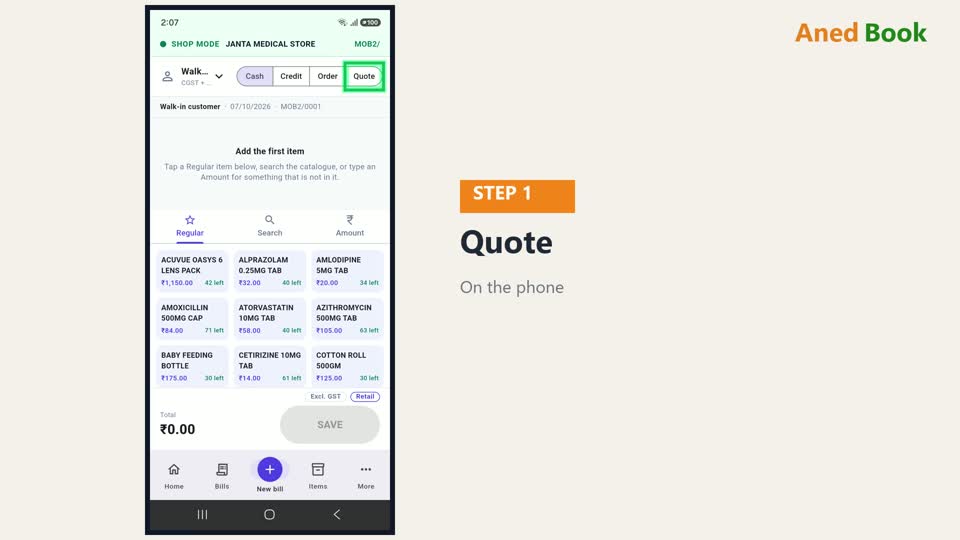
Quotation भी हमेशा किसी customer के नाम पर बनता है। Customer चुनिए।

अब item जोड़िए। Quotation में सिर्फ़ आपकी item list का माल आता है — Amount वाली खुली line नहीं, क्योंकि बाद में bill इसी list से बनता है।
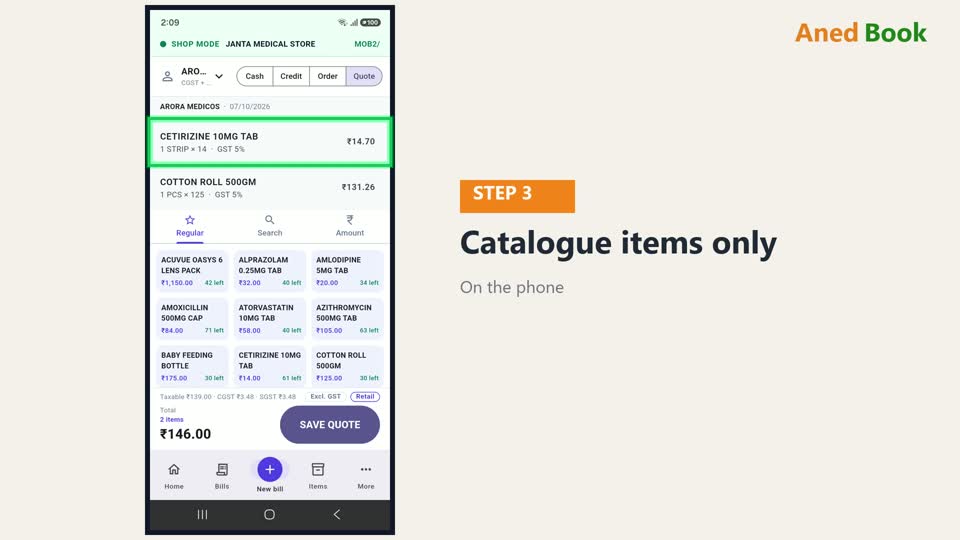
नीचे पूरा हिसाब — GST के साथ, customer के state के हिसाब से। Customer को यही रकम दिखेगी।

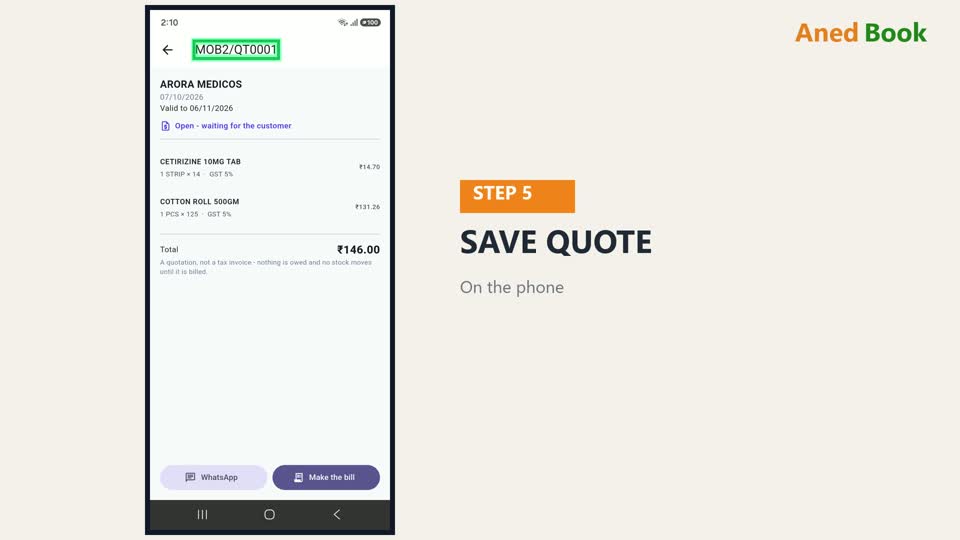
SAVE QUOTE दबाइए। Quotation बन गया — इस phone की quotation series में।
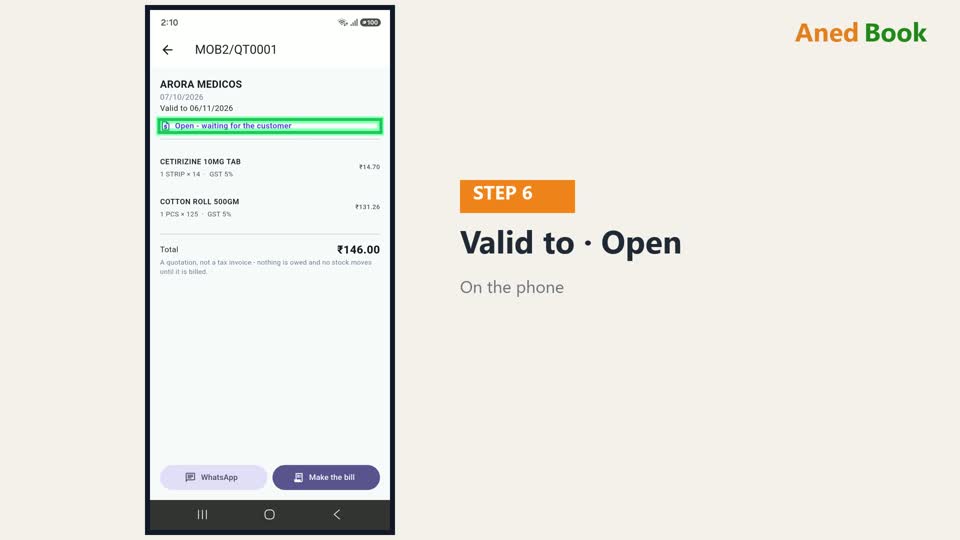
ऊपर लिखा है — Valid to, यानी ये भाव कब तक पक्का है। और हालत — Open, waiting for the customer — customer के जवाब का इंतज़ार।
WhatsApp दबाकर, ये quotation सीधे customer को भेजिए।
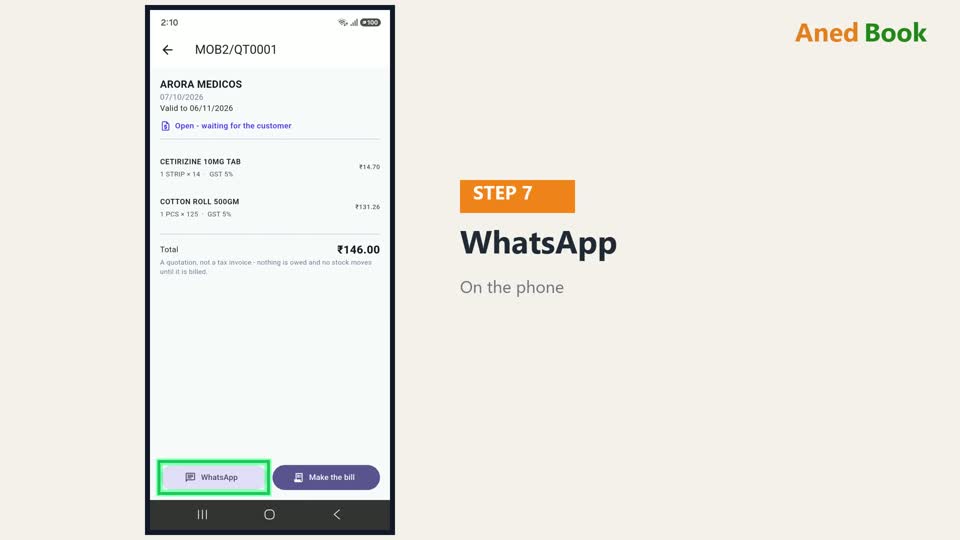
Customer मान गया? तो दोबारा कुछ type मत कीजिए। Make the bill दबाइए — quotation की हर line के साथ bill अपने आप भर जाता है।
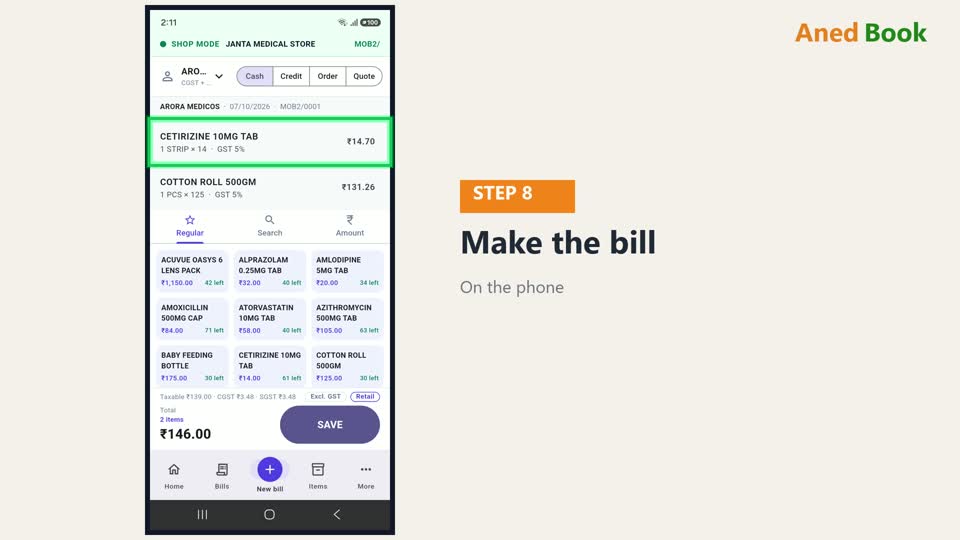
SAVE दबाइए — bill बन गया।
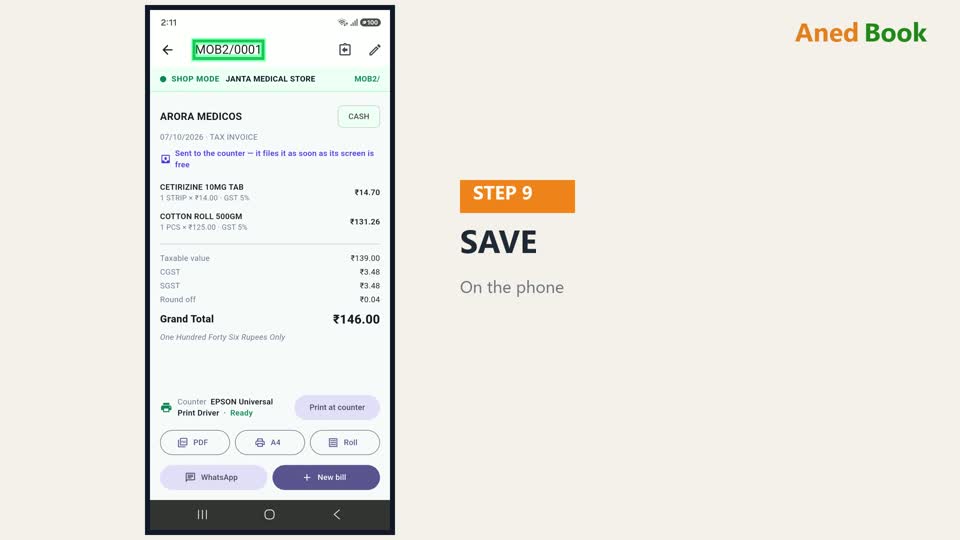
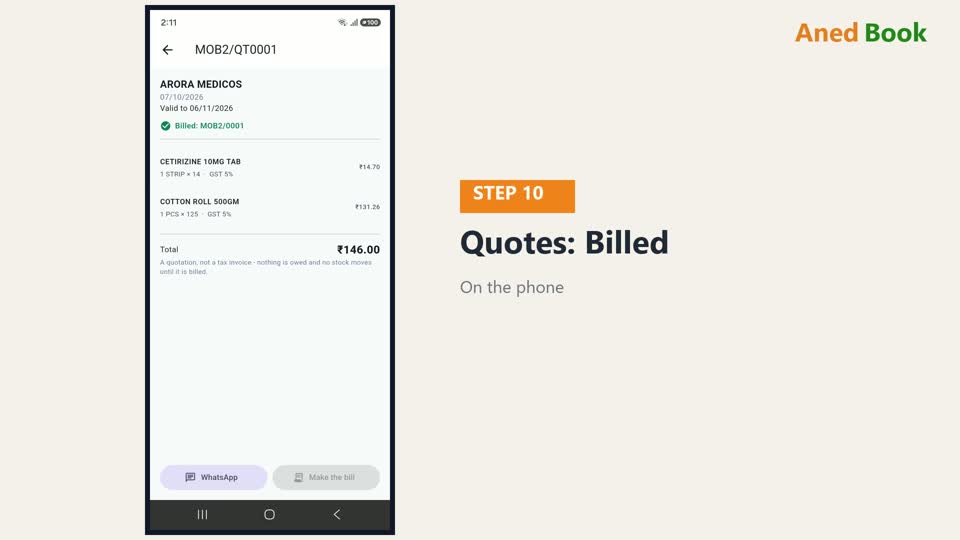
Bills में ऊपर Quotes का हिस्सा खोलिए। उस quotation के आगे अब लिखा है — Billed, और bill का number।
और जो quotation समय पर bill नहीं बना, वो Expired दिखता है — क्योंकि तब तक भाव बदल चुके हो सकते हैं।

Counter पर Quotations की list में, Converted के हिस्से में ये quotation आ गया — यानी इसका bill बन चुका है।

बस इतना ही। अगले video में — delivery challan: माल अभी, bill बाद में।
