Mobile app — barcode scan करके bill
Silver और Gold edition में।इस video में — barcode scan करके bill बनाना। Item पर barcode हो, तो नाम ढूँढने की ज़रूरत ही नहीं। Bill में Search खोलिए — ऊपर दाईं तरफ़ ये Scan barcode का button।
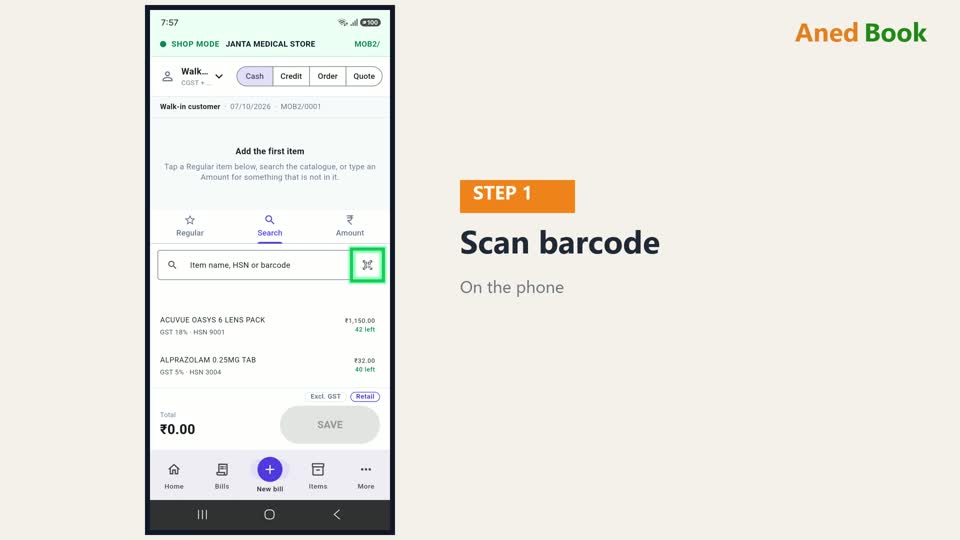
पहली बार दबाने पर phone camera की इजाज़त माँगता है। While using the app दबाइए — ये बस एक बार।

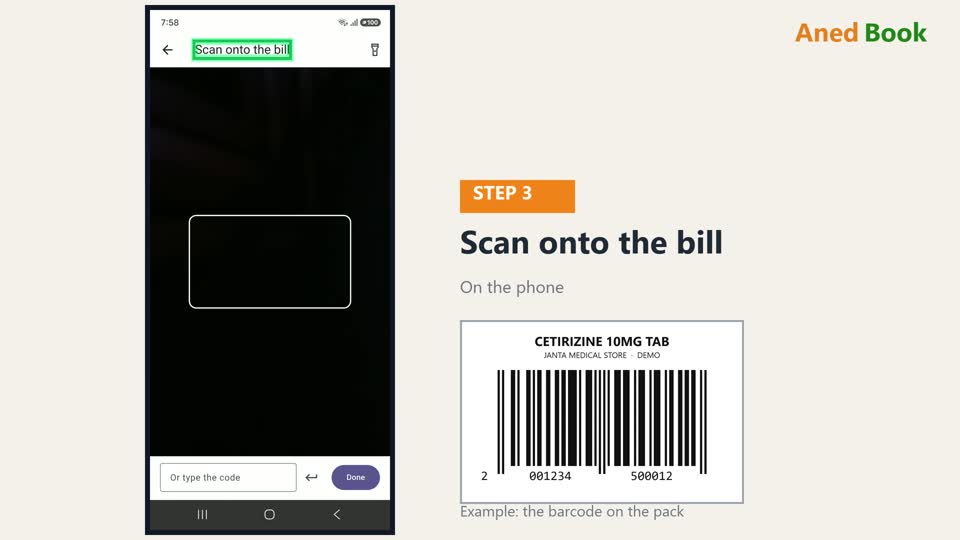
अब ये scan की screen है — Scan onto the bill। Phone का पीछे वाला camera item के barcode पर रखिए, ताकि barcode इस खाने के अंदर आए — जैसे बगल की तस्वीर में। Phone अपने आप पढ़ लेता है, कोई button दबाना नहीं पड़ता।
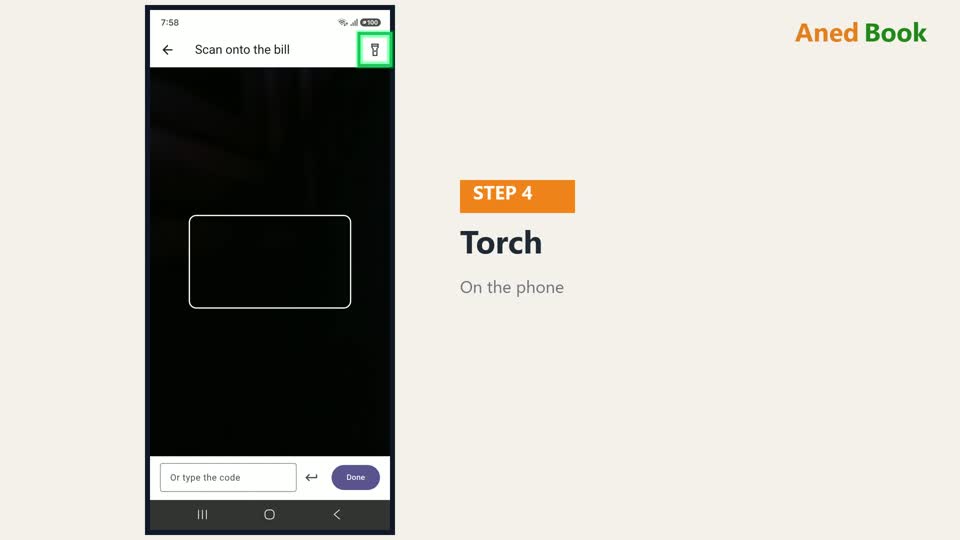
रोशनी कम हो, तो ऊपर ये Torch — phone की बत्ती जल जाती है।
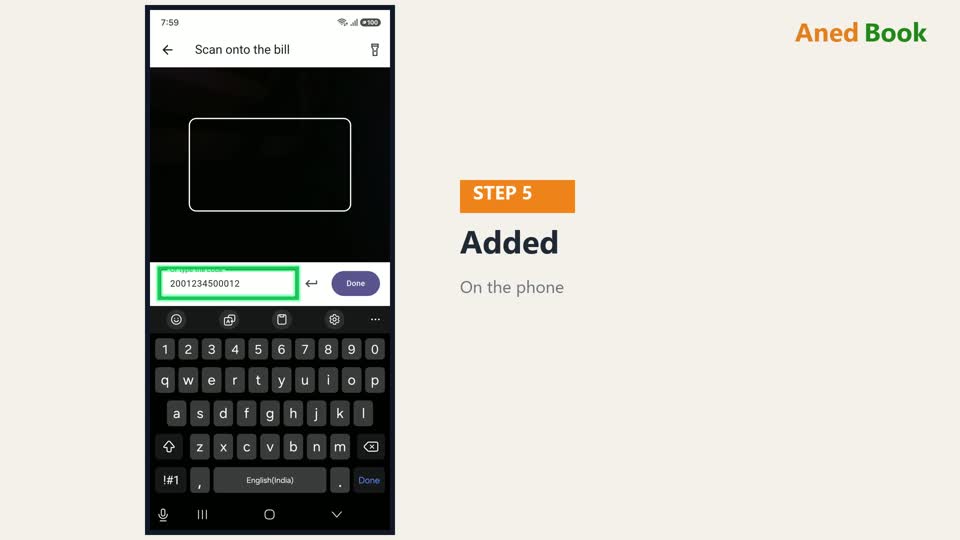
Barcode पढ़ते ही item bill में जुड़ जाता है, और नीचे लिखा आता है — Added, item का नाम। Barcode फटा हो, या पढ़ा न जाए, तो नीचे उसका number type कीजिए, और बगल वाला button।
उसी item का दूसरा पत्ता scan कीजिए — quantity एक बढ़ जाती है। Screen खुली रहती है — एक के बाद एक, सारा माल scan करते जाइए। नीचे Done पर गिनती दिखती है।
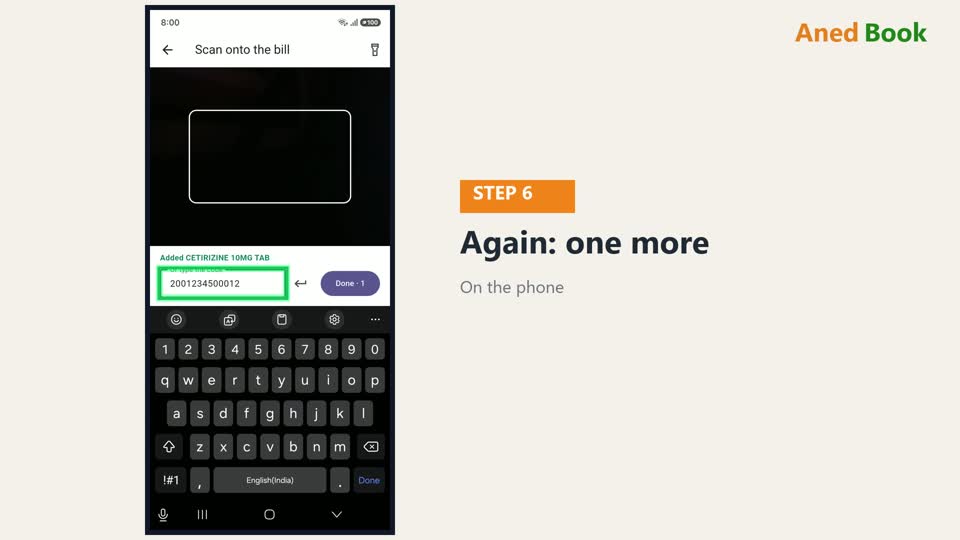
जिस barcode का item आपकी list में नहीं है, उस पर phone साफ़ बताता है — ये code किसी item पर नहीं है। Counter पर उस item में barcode जोड़िए, या Search से ढूँढिए।

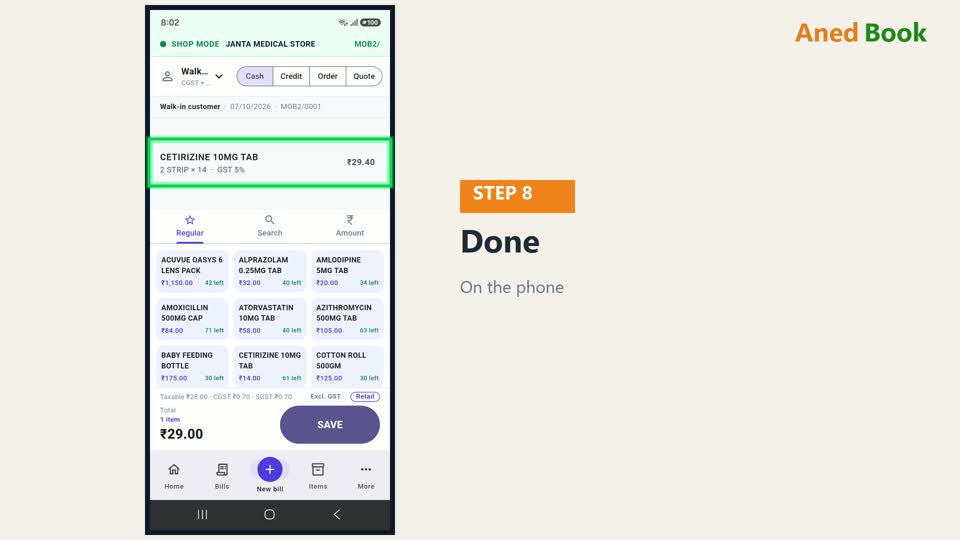
सब हो गया, तो Done। Bill पर item अपनी quantity के साथ आ गया।
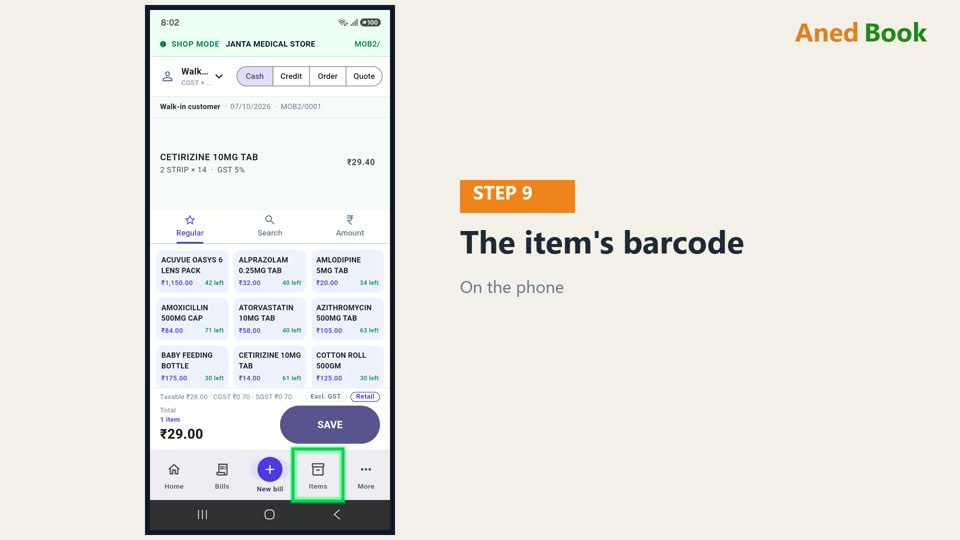
Item का barcode counter की item list में भरा जाता है — या owner phone से भी, Items में item खोलकर। Counter पर barcode के sticker भी छपते हैं।
बस इतना ही। Phone के बाकी कामों के लिए, इस series के बाकी videos देखिए।
