Pharma distributor software demo: one full day in Aned Book
Basic, Silver और Gold edition में। · Pharma distributor के लिएIf you run a pharma distribution business, this video shows one full day in Aned Book. From the morning's orders to the money coming in. Everything you see here is a demo company.
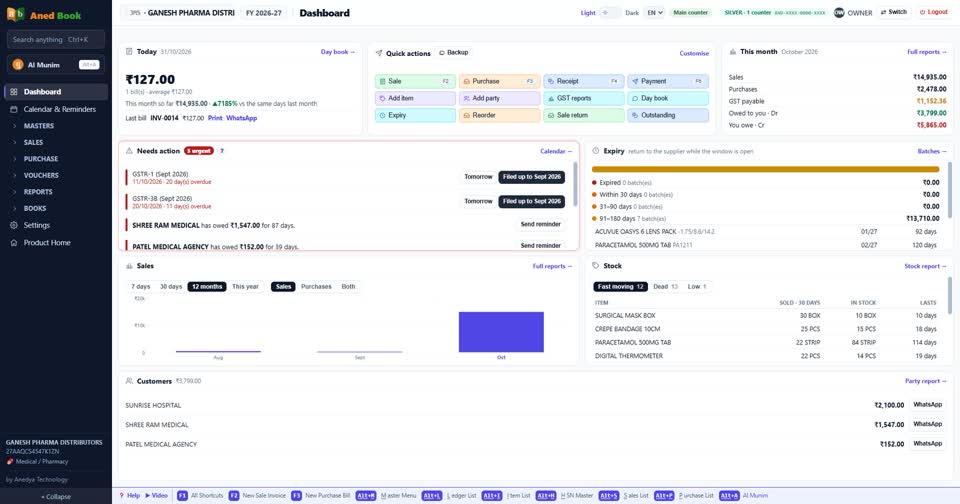
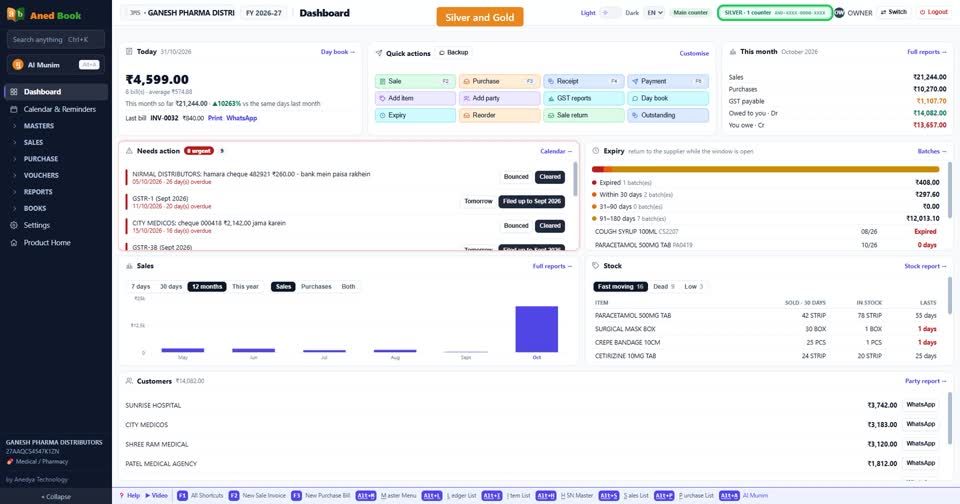
This is the dashboard. Dues, pending orders, and what needs your action. A distributor lives on these numbers, so they come first.
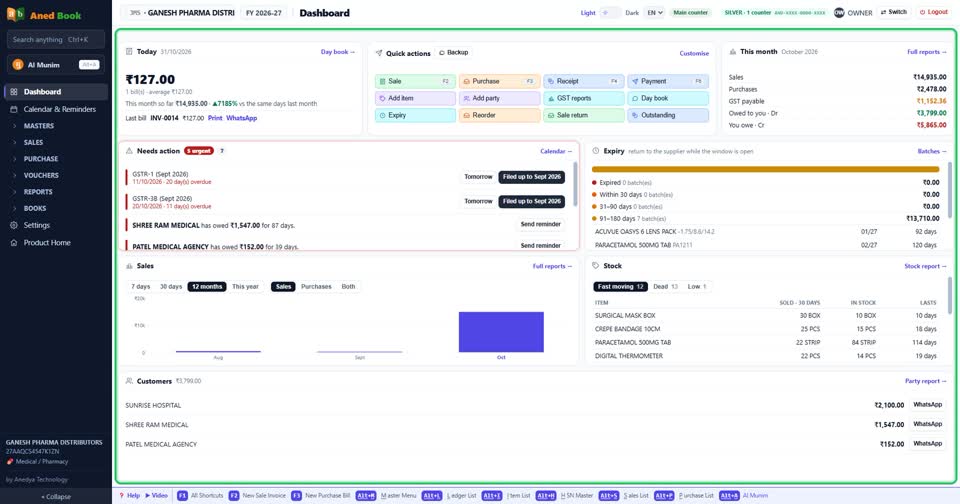
Already using other software? You do not have to start again. Your medicines, parties and opening balances can come across from its export, or from an Excel sheet.
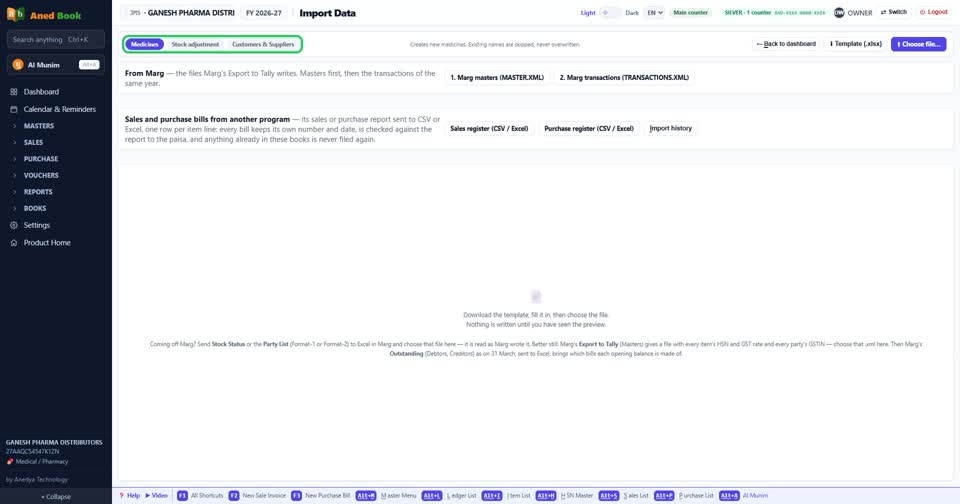
Everything starts with the retailer. Open a party. Here is the retailer's drug licence, which prints on every bill.
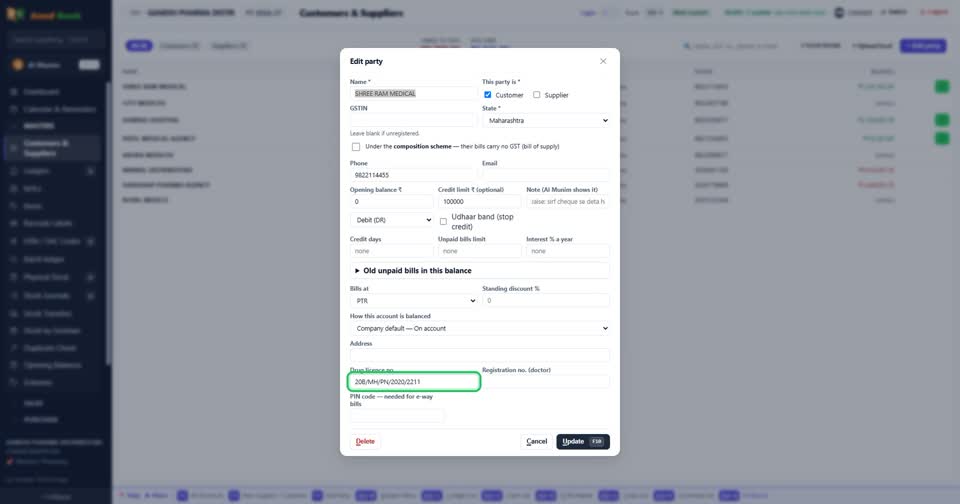
Set a credit limit for each retailer.
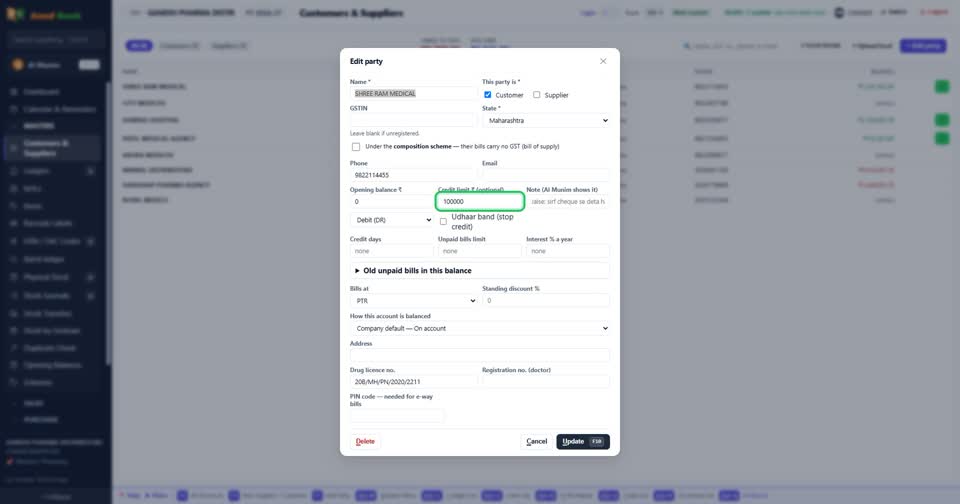
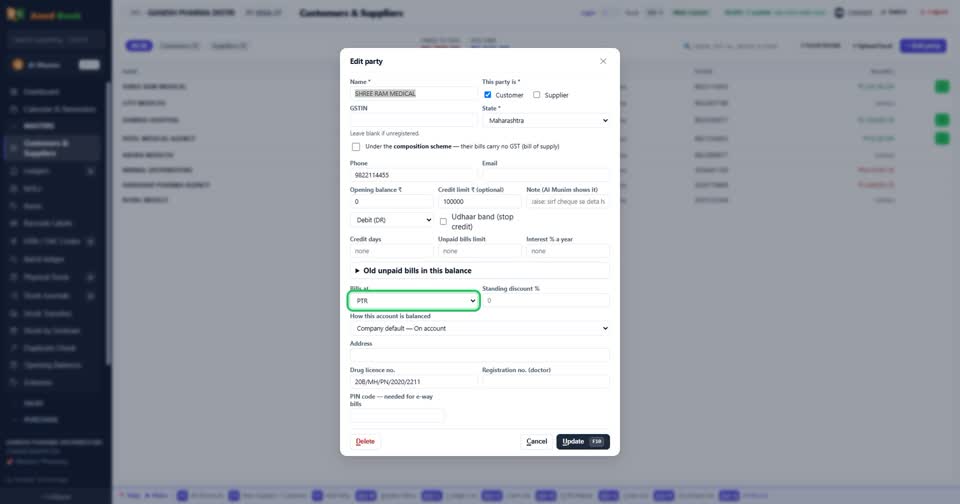
And set the rate. This retailer is on PTR, that stockist on PTS. Every bill for them opens on the right rate, so nobody has to remember it.
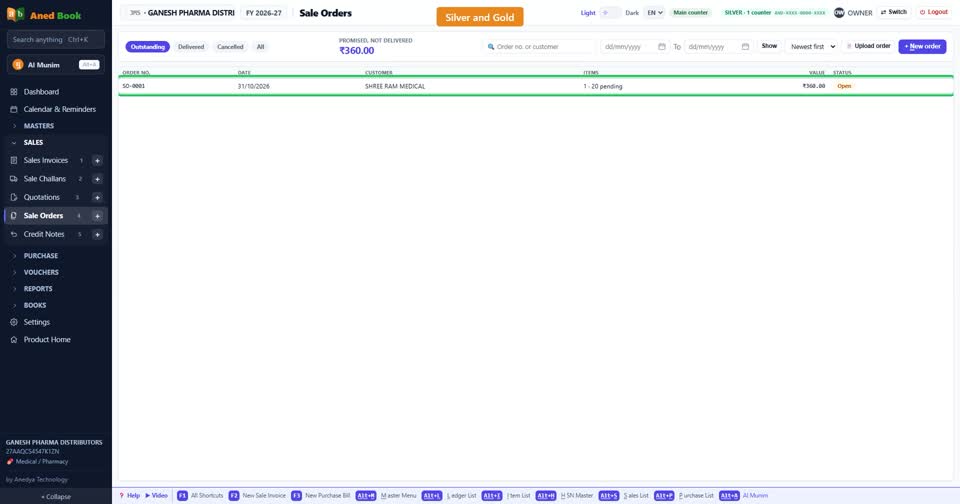
On Silver and Gold, orders are kept as sale orders. You see what is pending for each party.
An order that came as a photo or a PDF can be read by the software. You check it, and it fills the form.
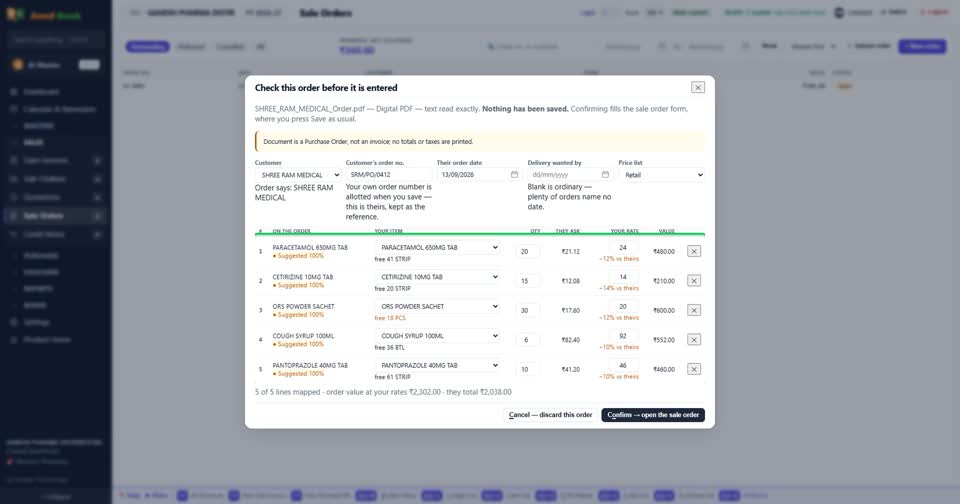
The goods are ready, so the order becomes a bill. Nothing is typed again.
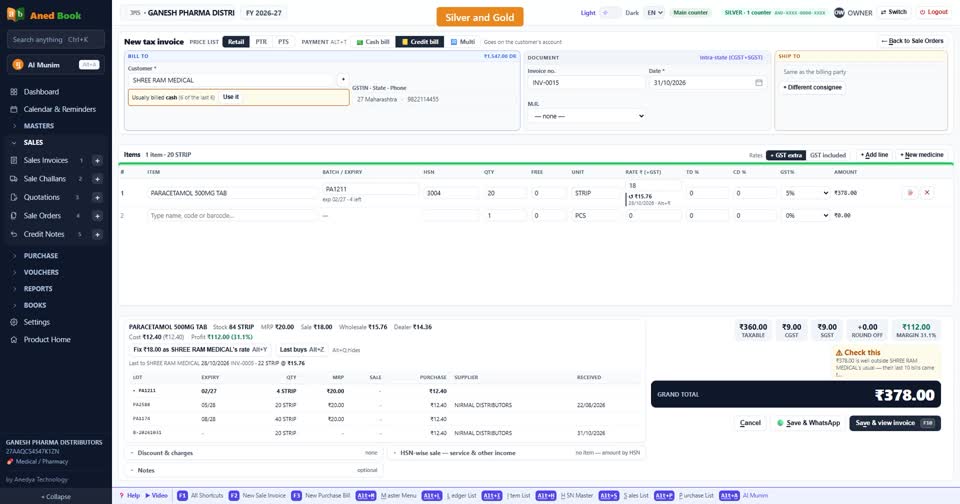
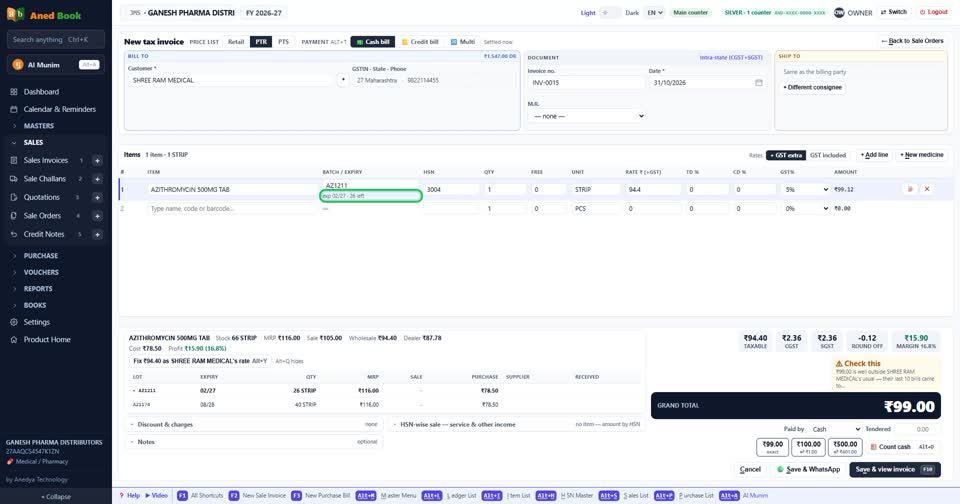
Here is the bill. Each line shows the batch and expiry.
The scheme works by itself. Ten plus one, and the free strip moves stock but never moves money.
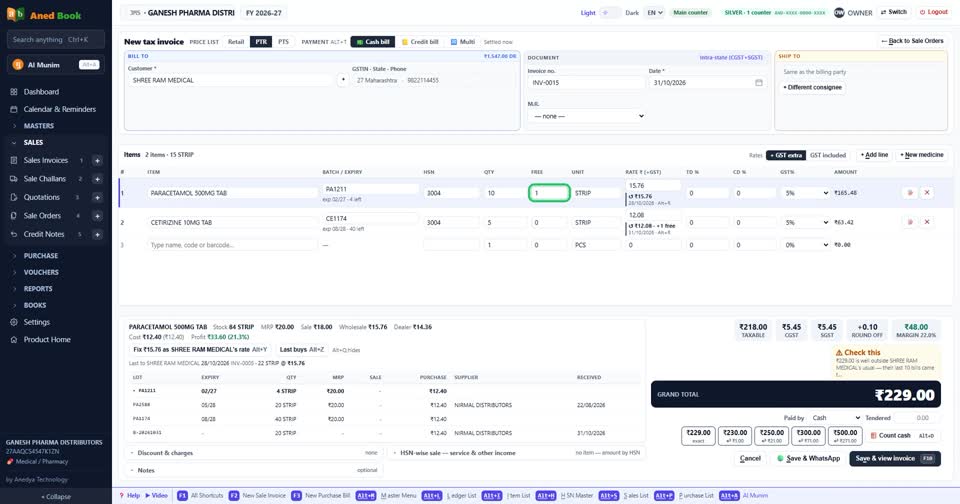
Trade discount and cash discount sit on the same line, and the tax comes out correct to the paisa.
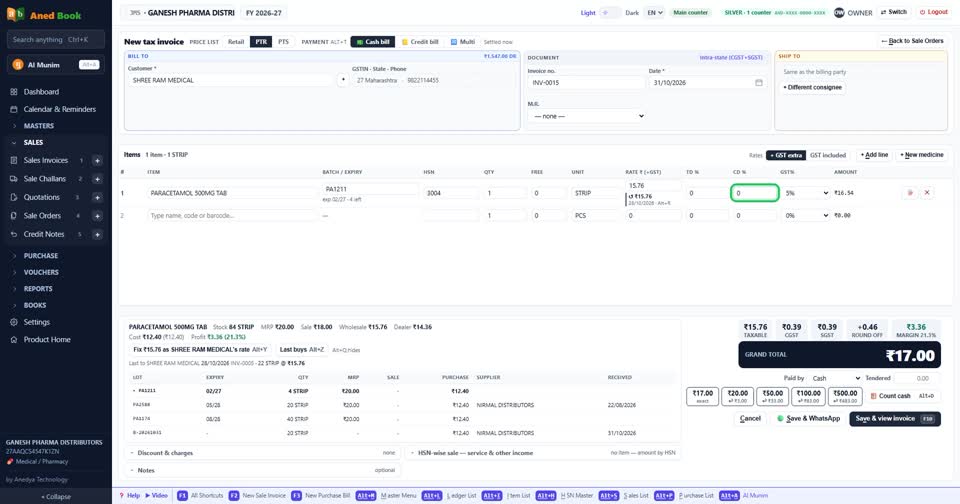
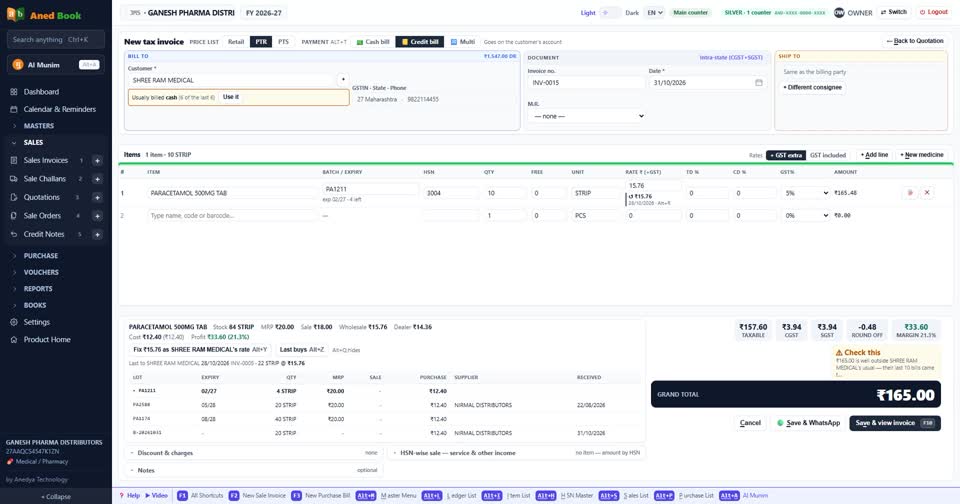
Is this retailer over the limit? The software asks before the credit bill goes through.
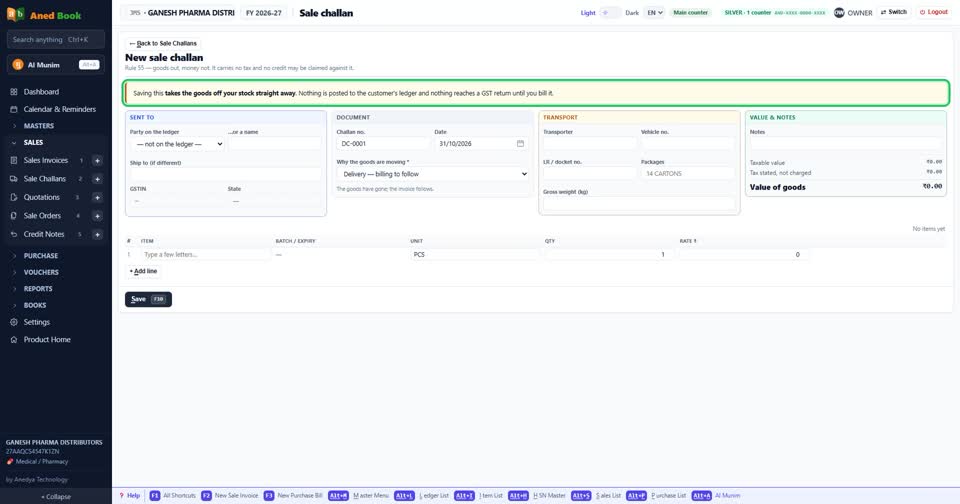
Sending the goods first and billing later? Make a sale challan. Stock moves now, and the challan becomes a bill when you are ready.
Need to quote first? Make a quotation, and turn it into a bill when the party agrees.
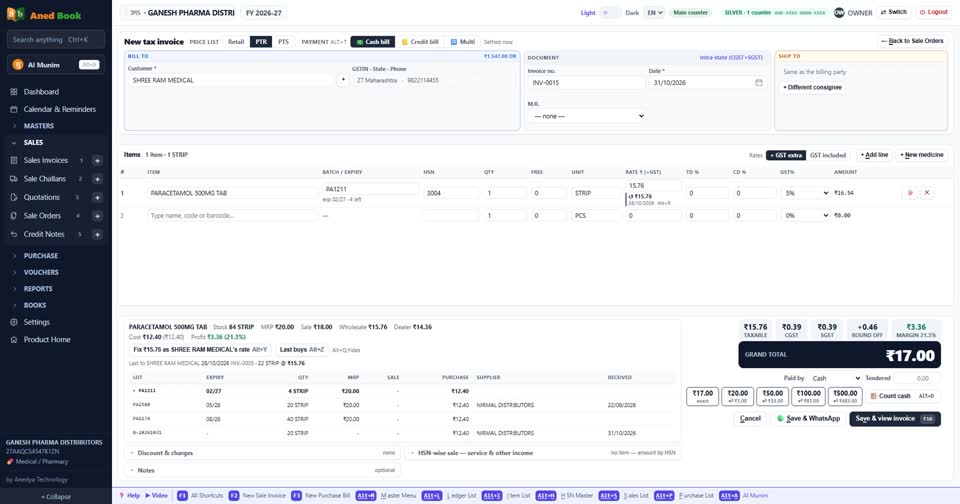
Print the bill, or send it on WhatsApp. The retailer gets a short link to the bill as a PDF.
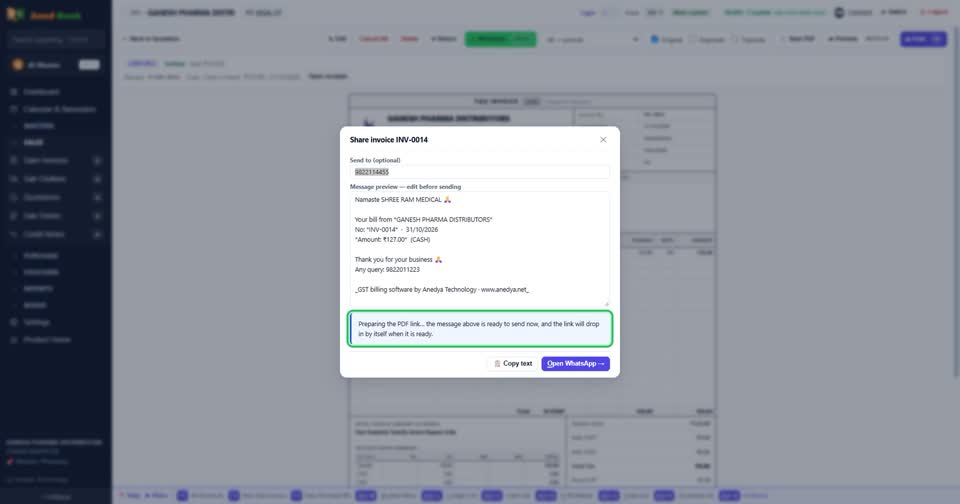
Now the buying side. The order list shows what is running low and how much to order. It also shows which supplier was cheapest, and what you save.
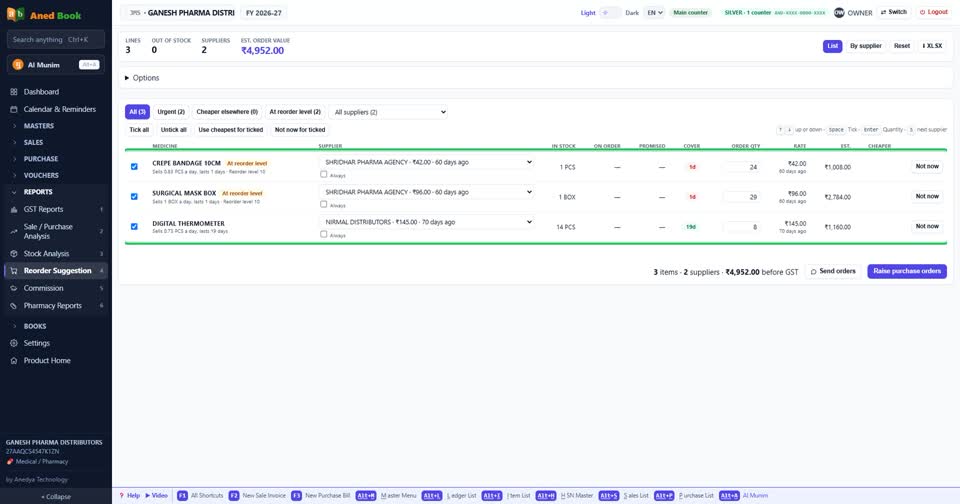
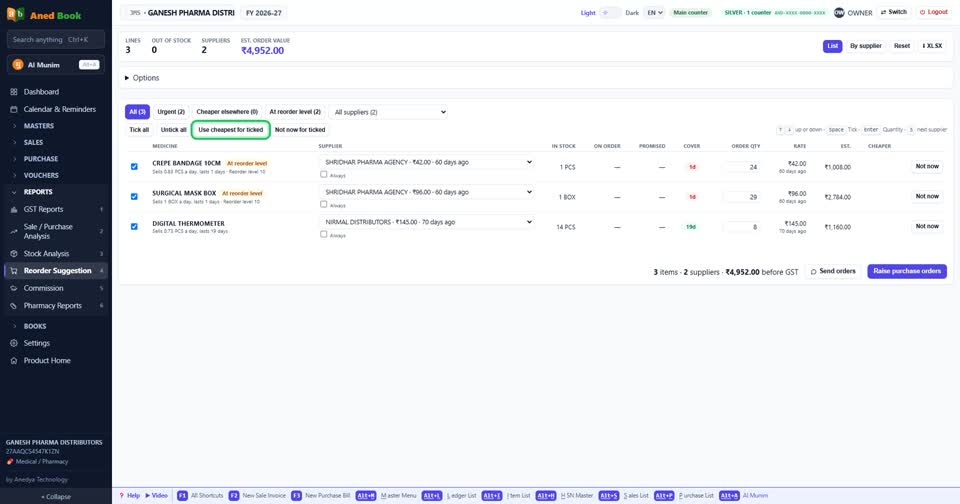
Tick what you need, and press Use cheapest. On Silver and Gold, the list then becomes a purchase order.
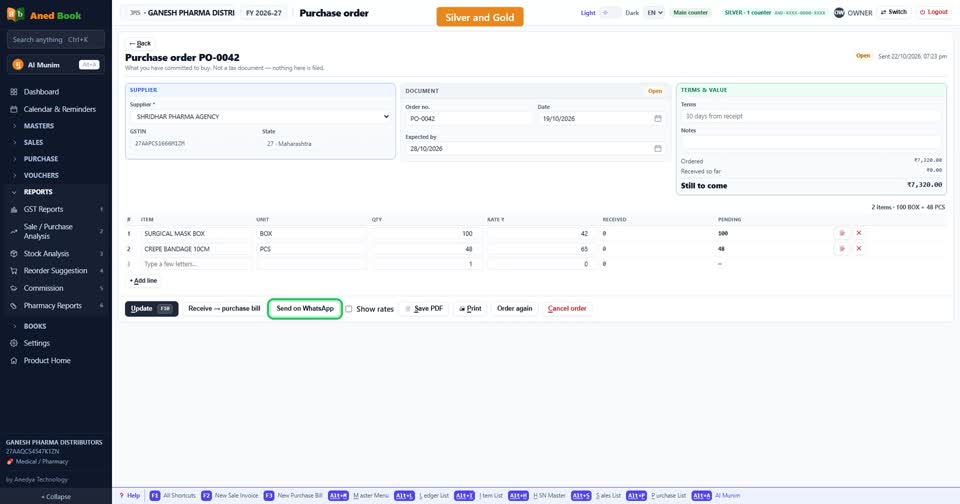
The order paper is ready. Print it, save a PDF, or send the company a link. You choose whether rates show on it.
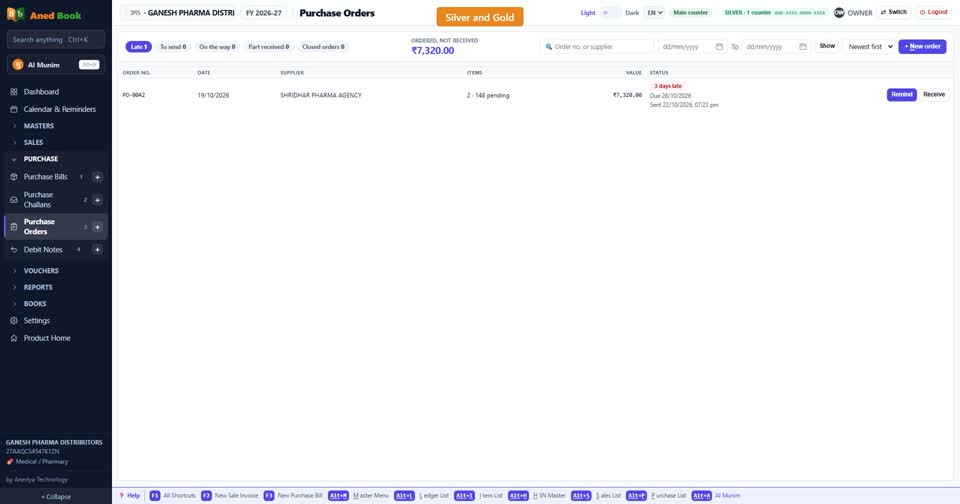
The Orders desk is your control room. What is still to come, what is late, and what is closed.
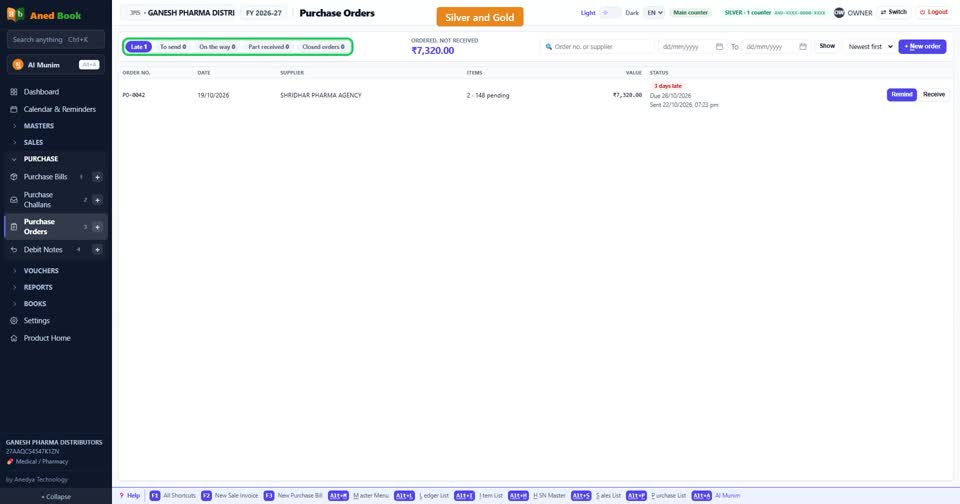
A delivery is late? Press Remind. The message is ready to send on WhatsApp, and the desk remembers you reminded.
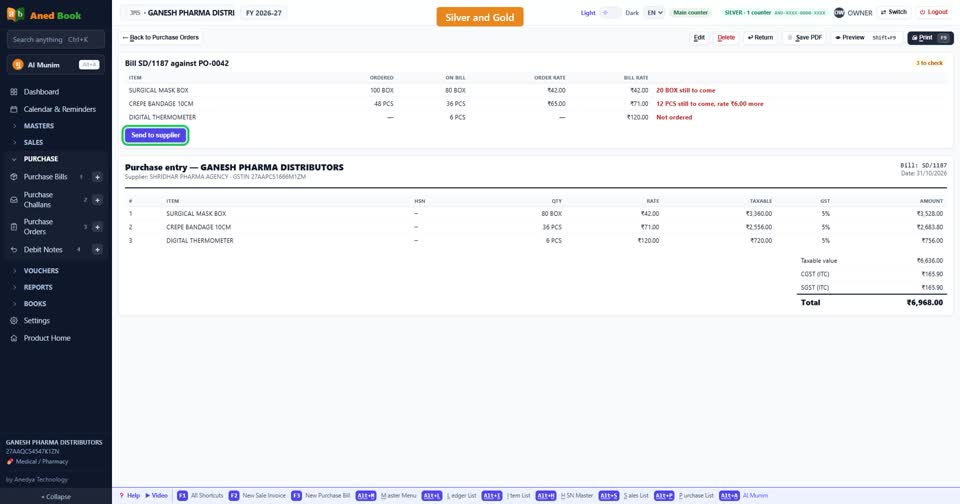
The goods arrive. The purchase bill finds its own order. You check each line against what came, and the order closes.
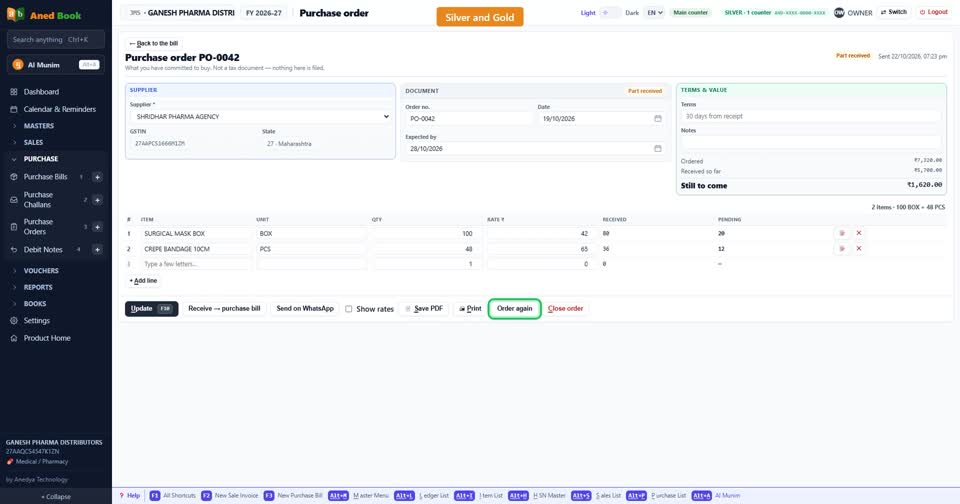
Need the same order next month? Press Order again.
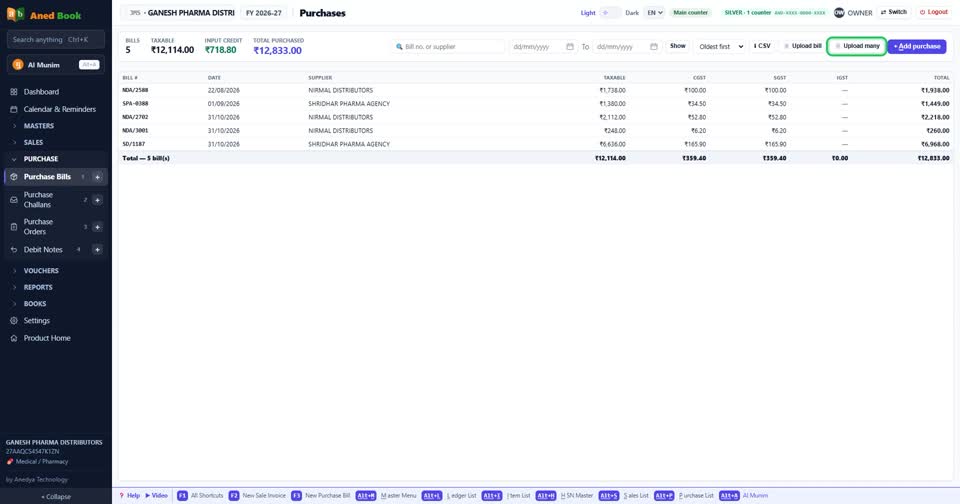
Supplier bills do not have to be typed. Upload many together, and the software reads each one. You check them and file them.
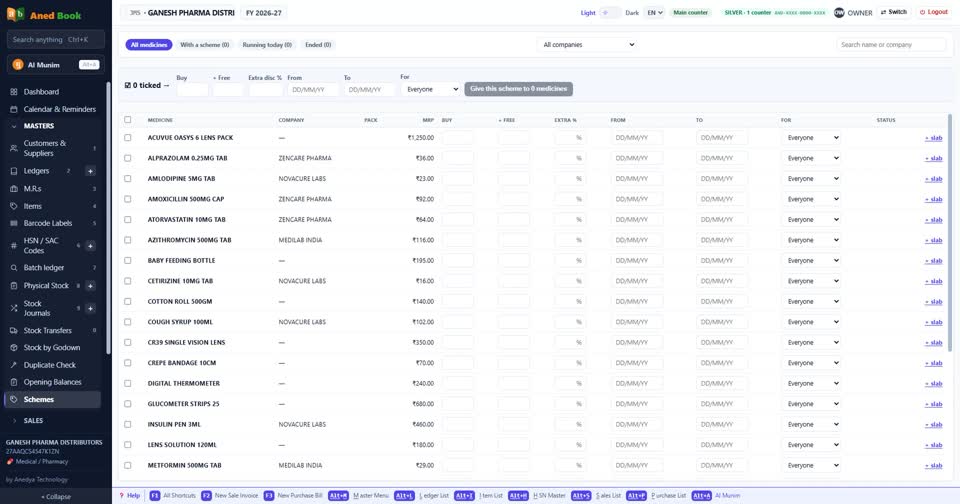
Enter the schemes once, on one page. Buy so many, get so many free, for every item.
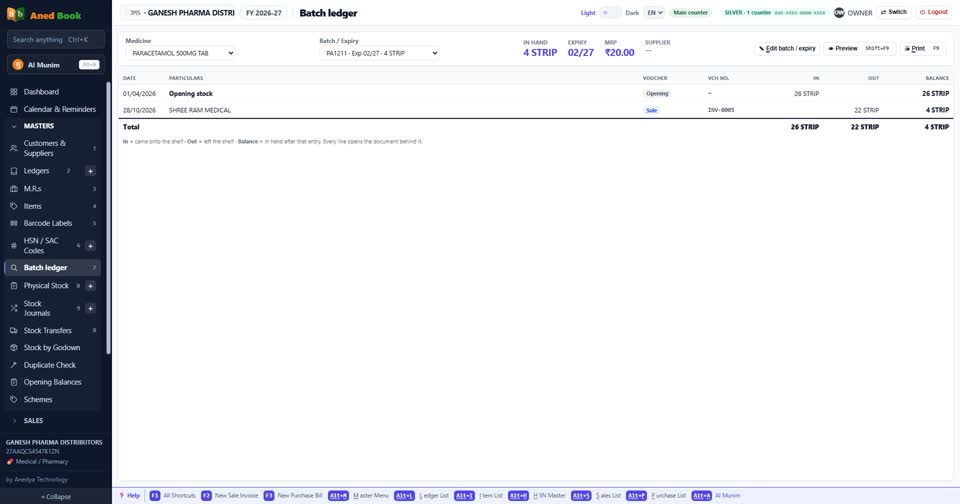
The rack number on each item helps the picking boy. The batch ledger shows every movement of one batch, in and out, and which retailer got it.
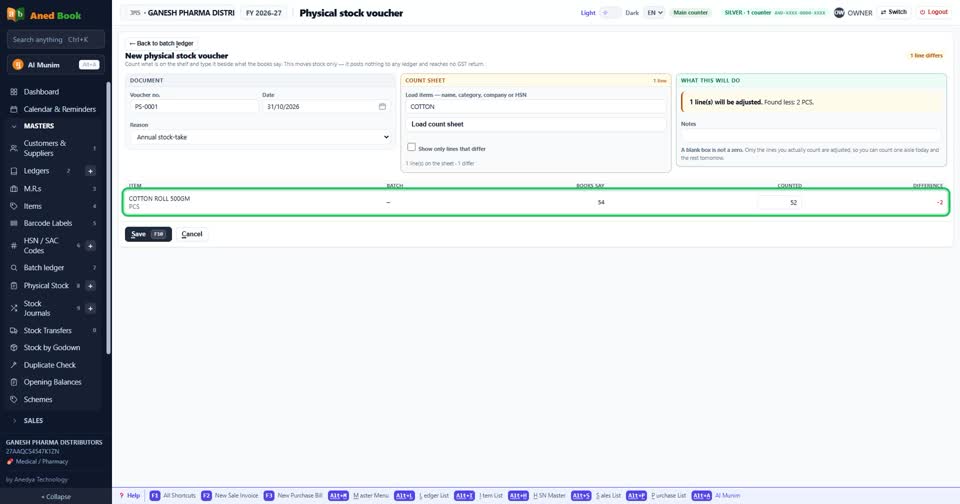
Count the godown, enter it, and see the difference against the books, item by item.
Now expiry, from both sides. A retailer sends back expired goods. Make a credit note. The stock and the GST go back correctly, and the retailer's account comes down.
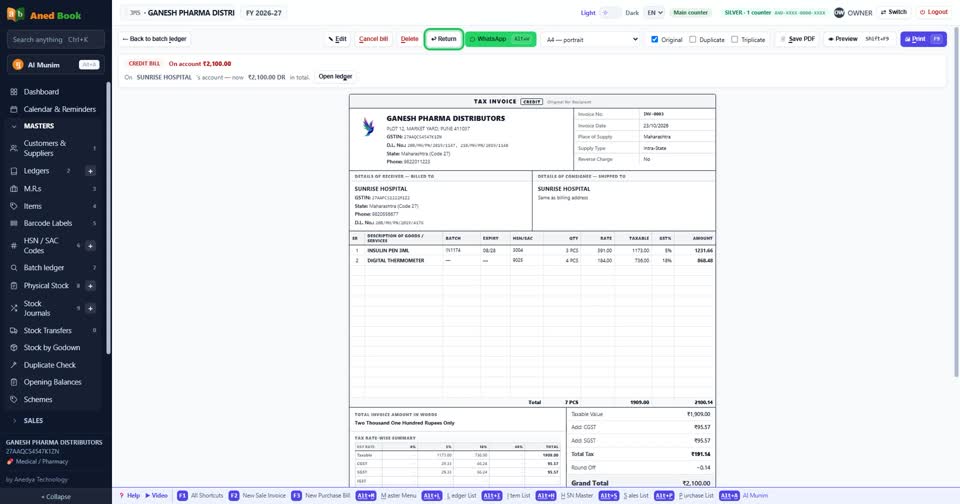
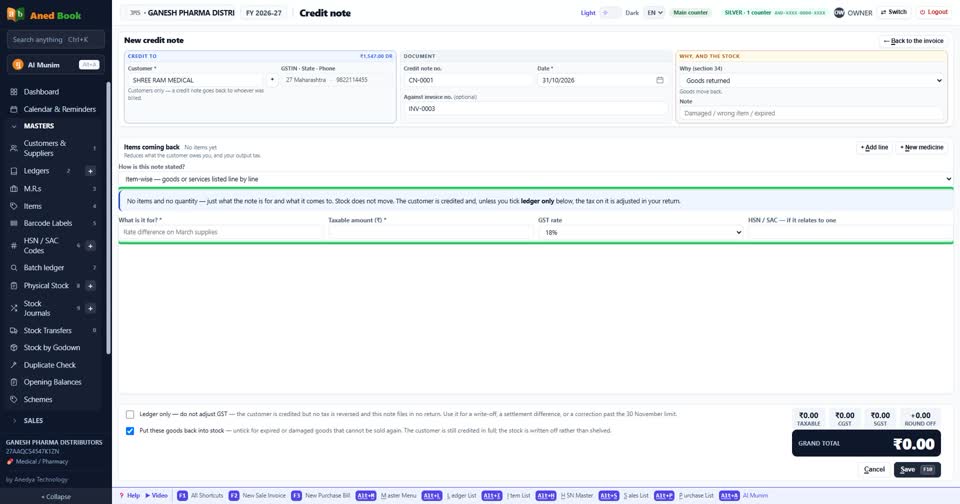
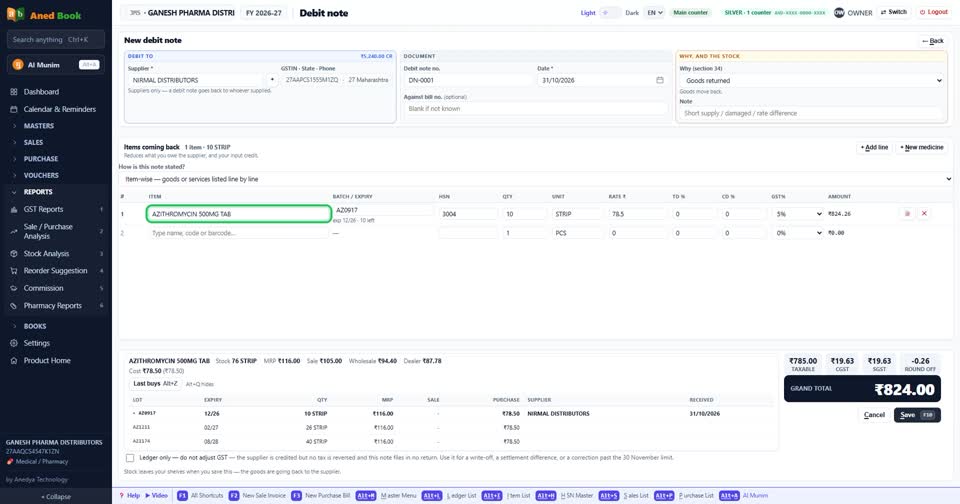
A rate difference, with no goods coming back? Make a credit note for the amount only. Goods going back to a supplier go on a debit note.
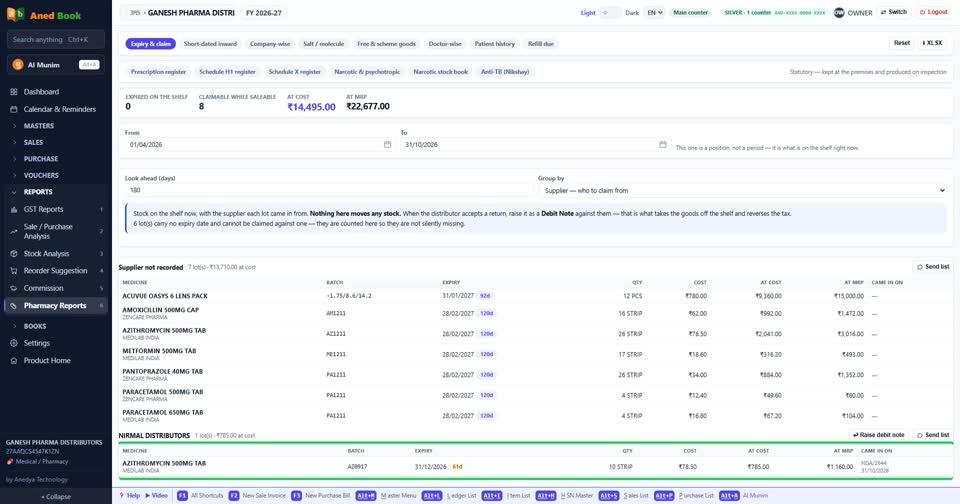
Then claim from the company. The expiry list groups your stock by supplier. Send the list on WhatsApp, and when they agree, make the debit note.
Open Reports, then Pharmacy Reports. Five of these are made for a distributor.
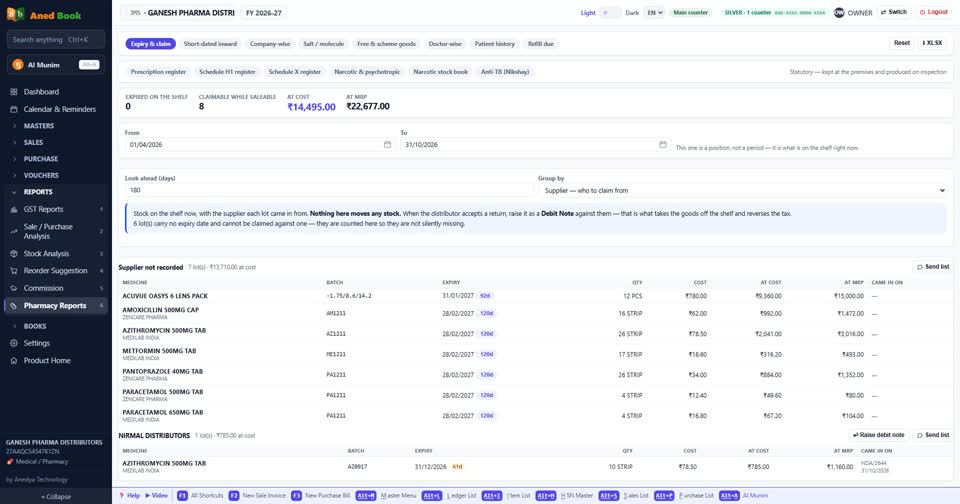
Expiry and claim. What is about to expire, and who to claim from. Already expired goods are shown separately.
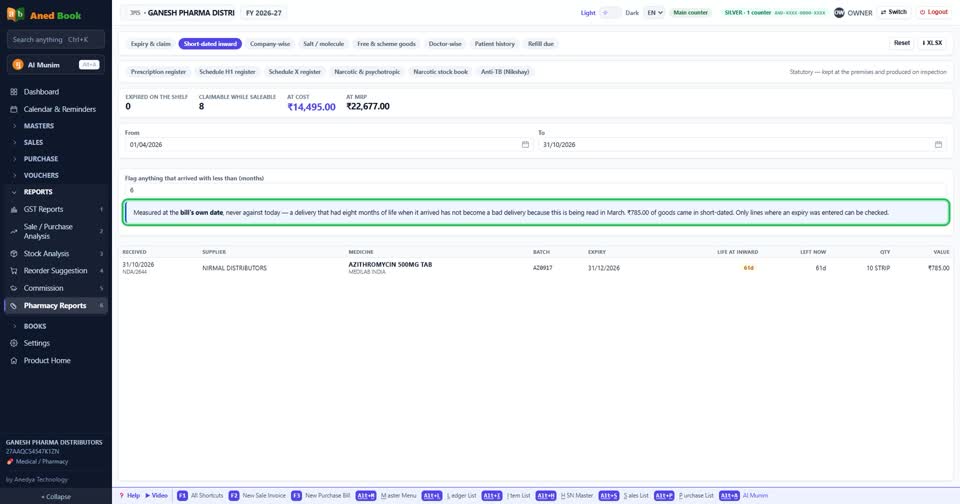
Short-dated inward. Which goods arrived already close to expiry. Measured on the bill's date, so you have proof.
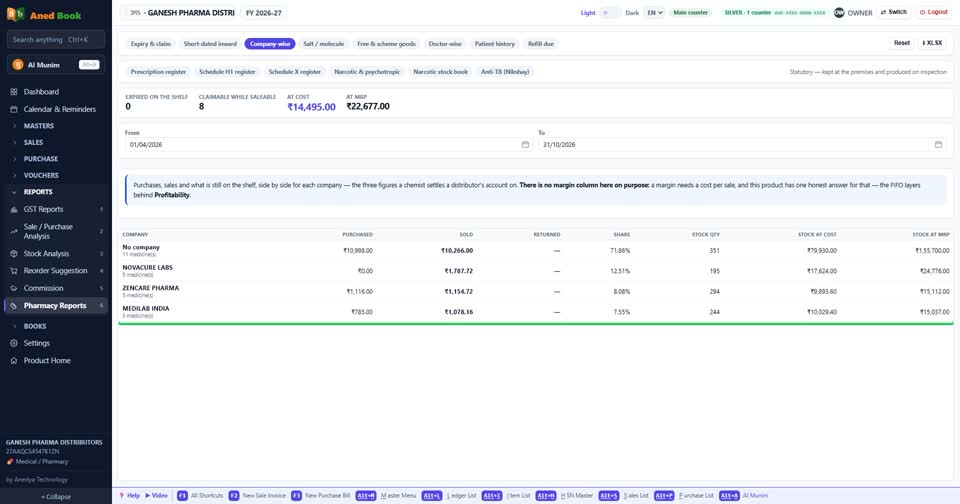
Company-wise. Bought, sold and still in stock, for each company you carry, on one row. Goods that came back get their own column.
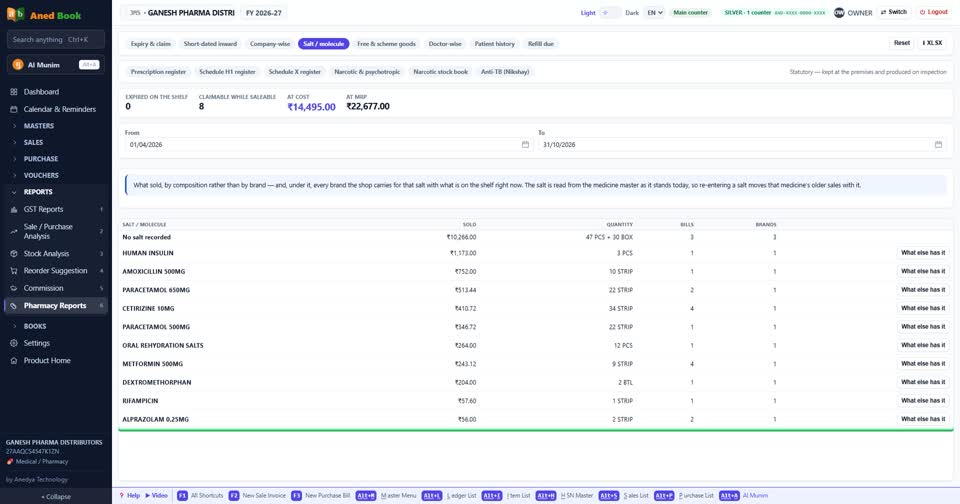
Salt. Sales by composition, and every brand you hold of that salt.
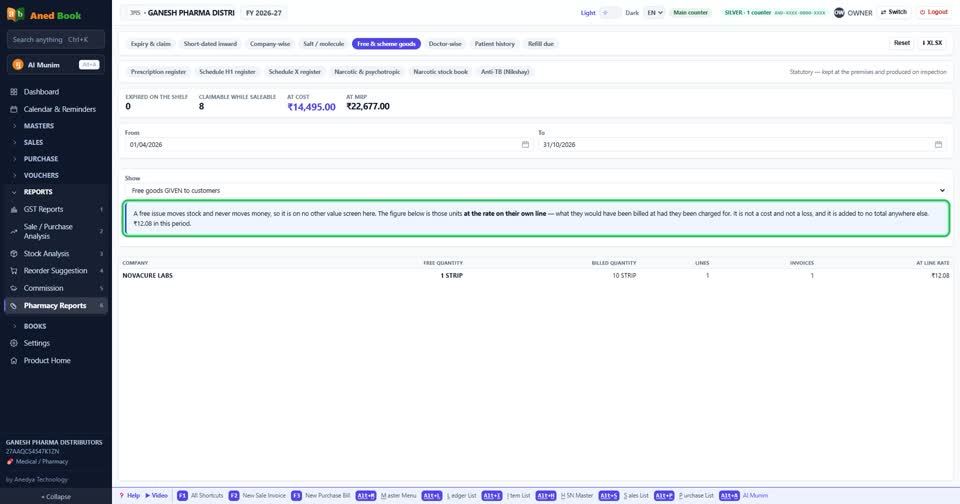
Free and scheme goods. What the schemes given and received are really worth.
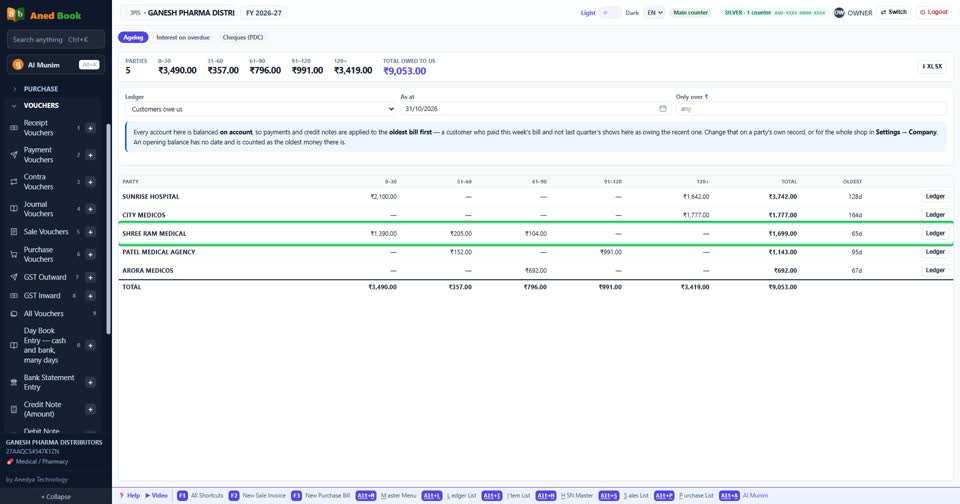
Now the money. Outstanding shows who owes how much, and for how long.
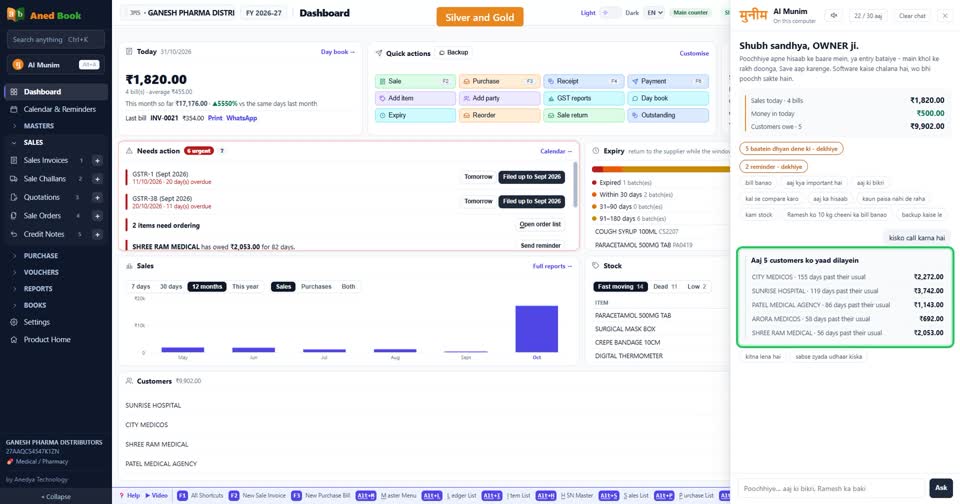
Who to chase. AI Munim learns each customer's paying habit from your own books, and shows who is late for them.
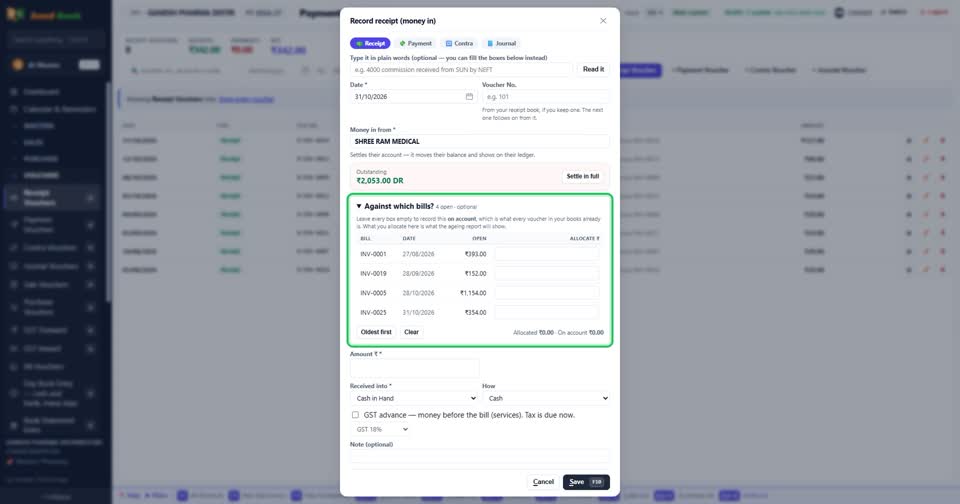
Money comes in. On a bill-by-bill party, tick which bills this receipt settles. Each ledger can follow its own method.
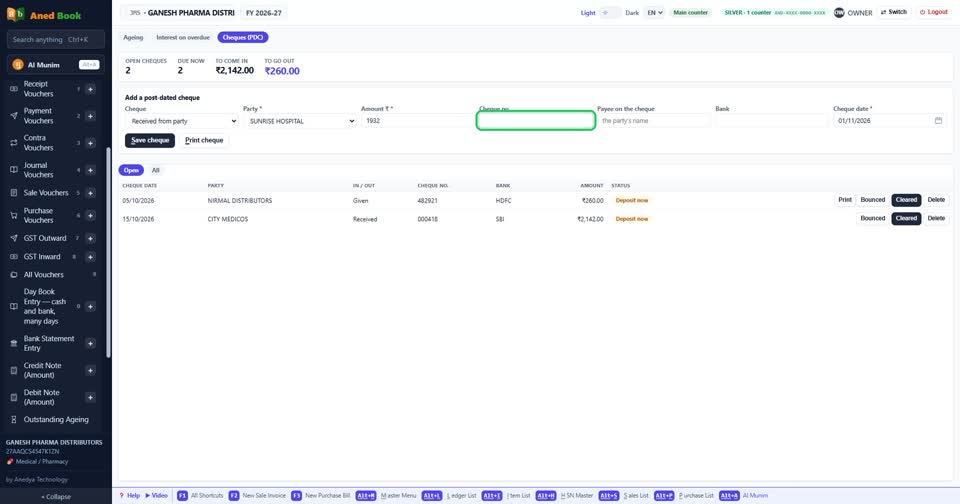
Post-dated cheques are listed by due date, so none is forgotten.
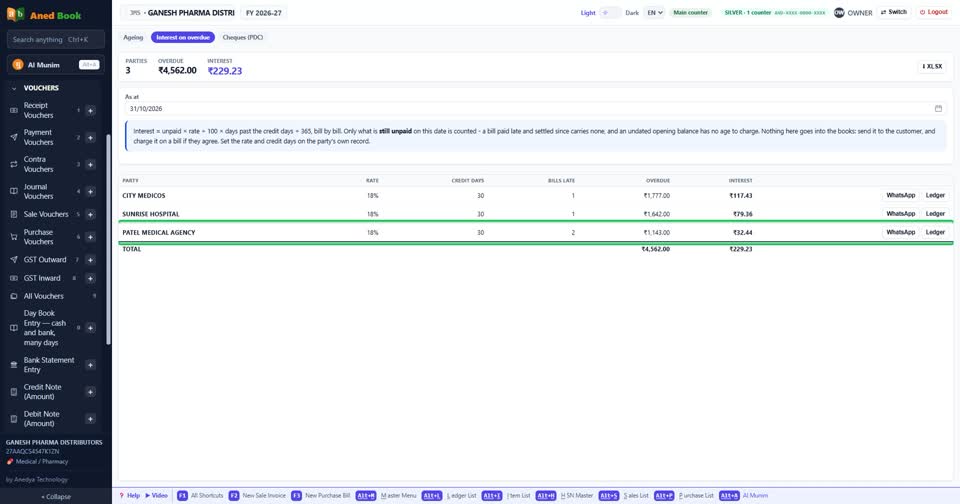
Payment very late? Interest on overdue is worked out for each customer.
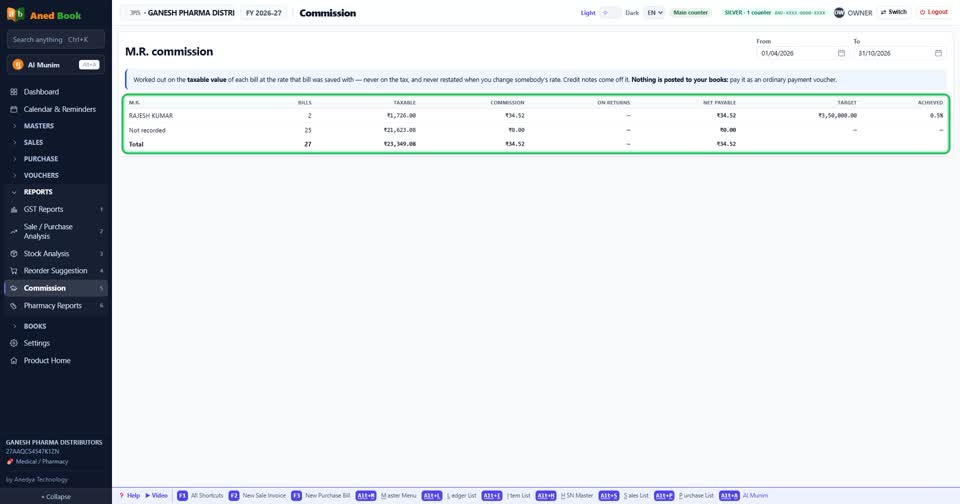
M.R. commission. Each M.R., their customers, and what they have earned for the period.
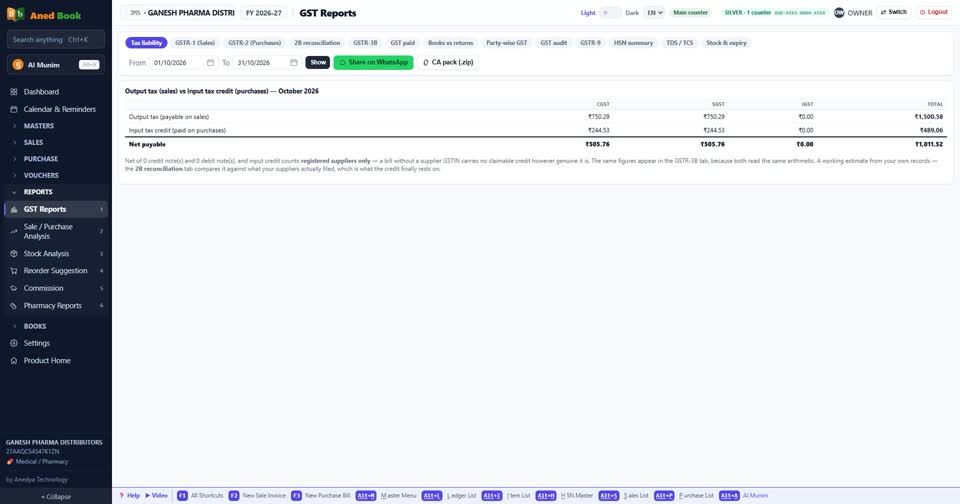
GST. GSTR-1, 3B, the HSN summary and your purchases matched. The reports are ready, and you file them yourself.
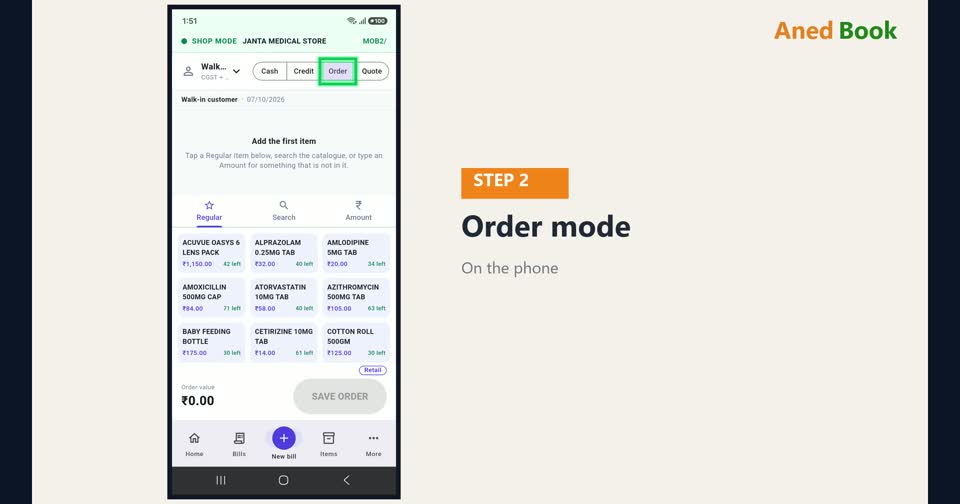
On Silver and Gold, your salesman carries the business on the phone. Take an order, see the dues, and collect money. Each salesman sees only their own customers.
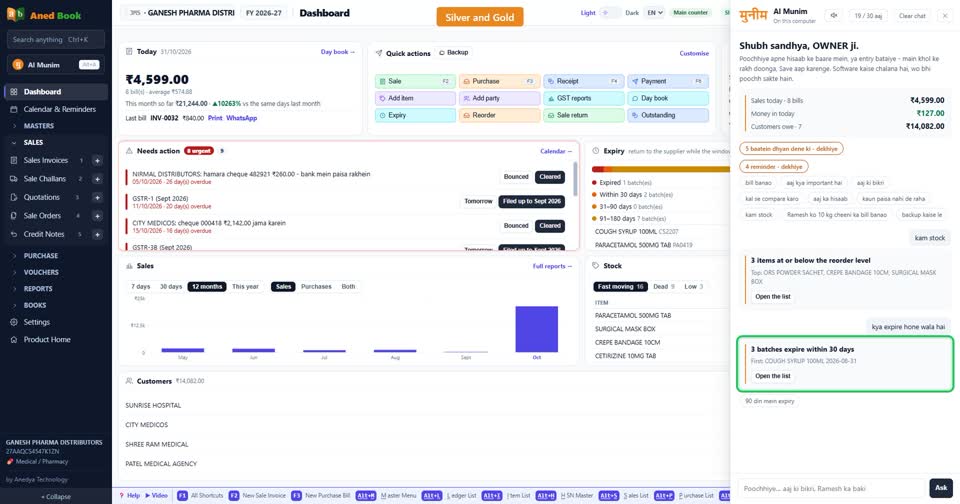
You can also ask AI Munim, in Hindi, English or Hinglish. Who owes the most? What is expiring? The answer comes from your own books.
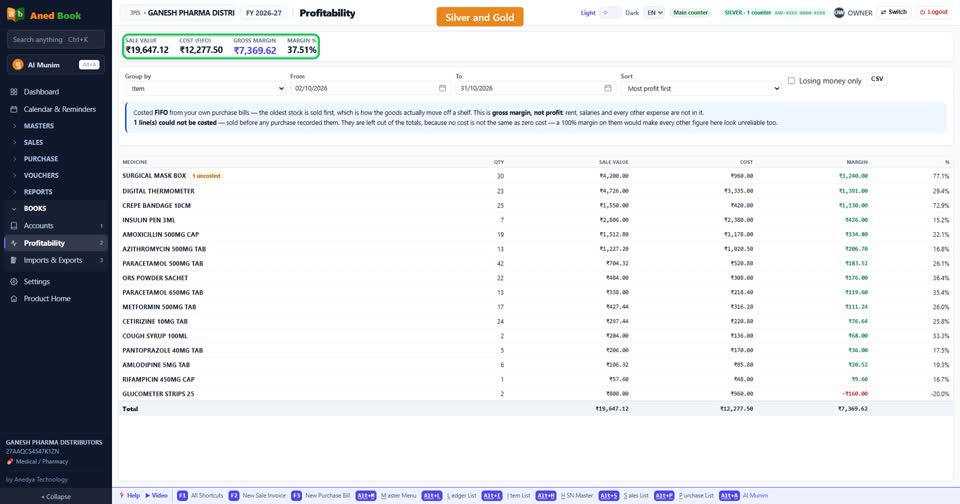
Profitability shows what you really earned on each bill and item.
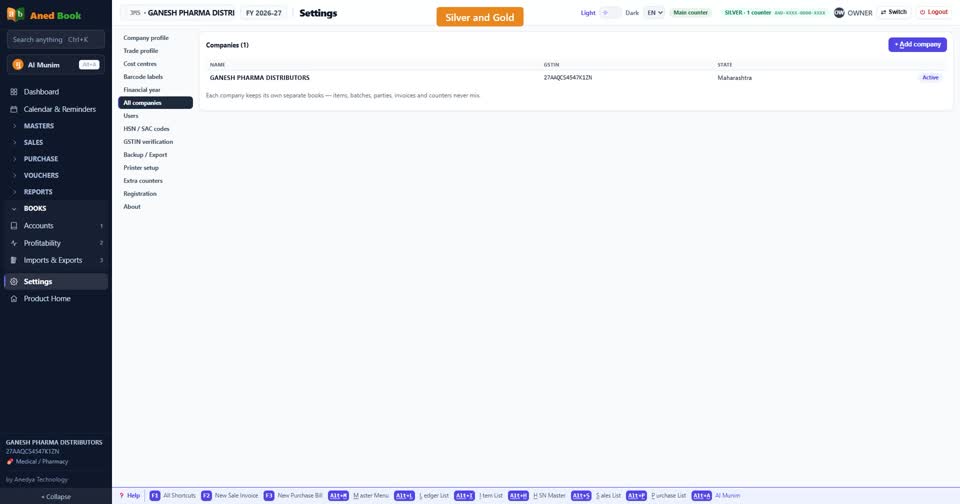
Run more than one firm? Silver and Gold hold several companies, each with its own books.
Two billing counters in the office? Both bill into the same books, and bill numbers never clash.
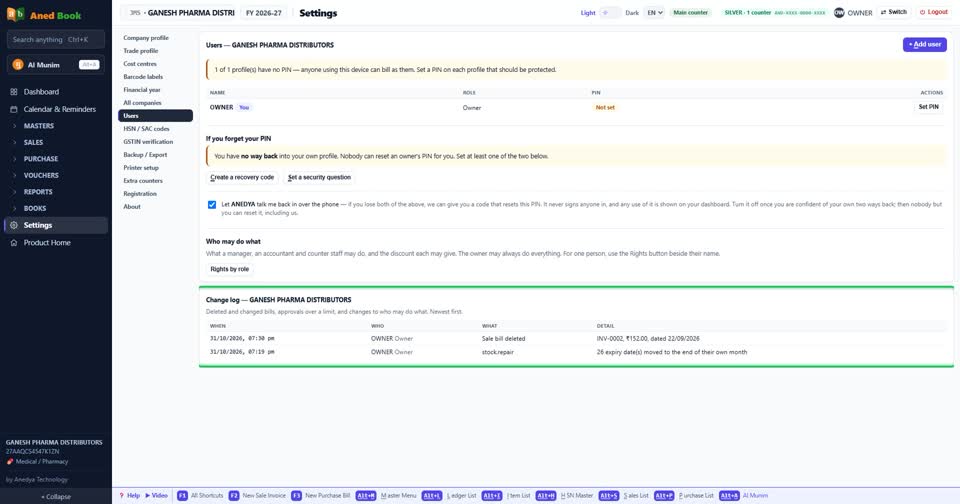
Each staff member gets a PIN and only the rights you give. The change log shows who changed what.
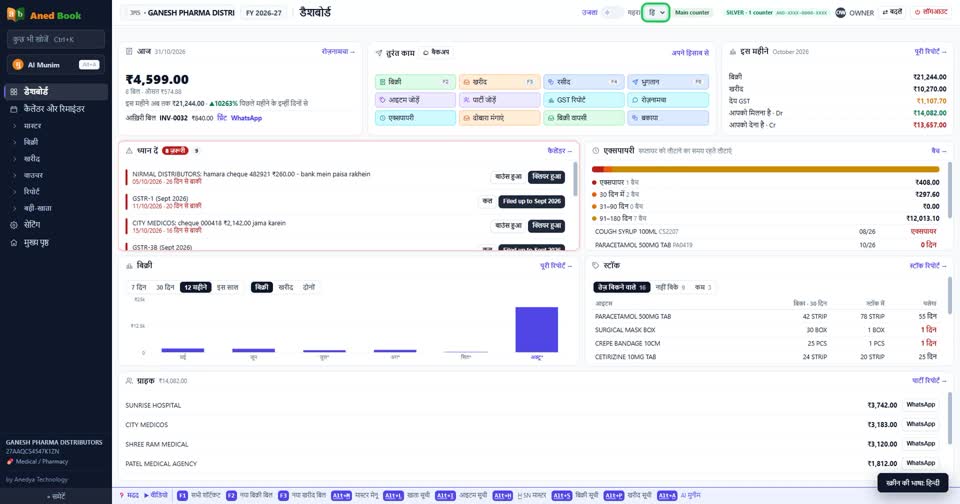
The screens work in Hindi too.
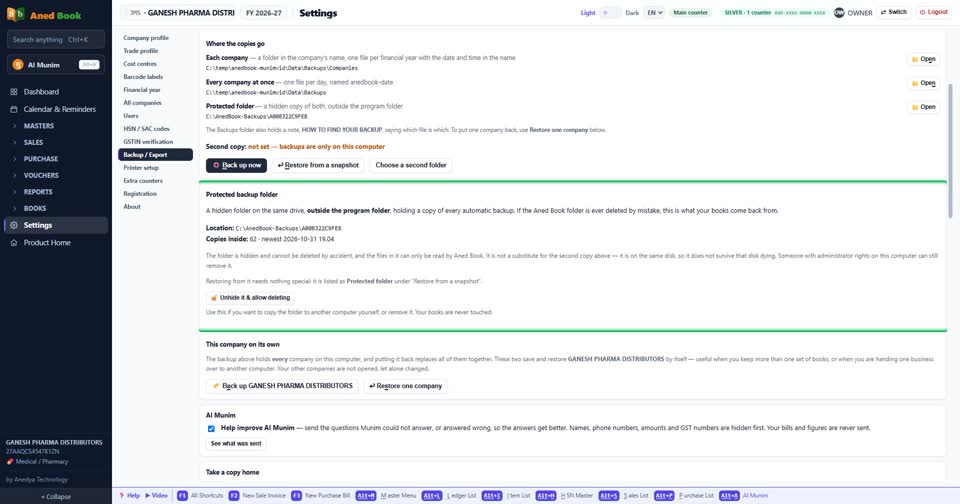
And your data stays with you. The books are locked on your own computer. Backups run by themselves, to a second folder, a pen drive, e-mail or your own Google Drive.
That is one day in a pharma distribution business on Aned Book. Features marked Silver need the Silver or Gold edition. Reading bills and AI Munim also work on Basic with a recharge pack. Everything else here is on Basic and above. To book a demo for your business, send us a WhatsApp message on the number on your screen.