Aned Book help › Menu › Sales
Dispatch Sheet
In the software: Sales › Dispatch Sheet
Basic, Silver, Gold onlyShown when Routes and dispatch is switched on — on by itself for Wholesale / Distribution. Any shop can switch it on in Settings › Trade profile.
One day's bills by route for the delivery person, with Boxes and Sign left for the pen and a Delivered tick that moves no money.
The screen
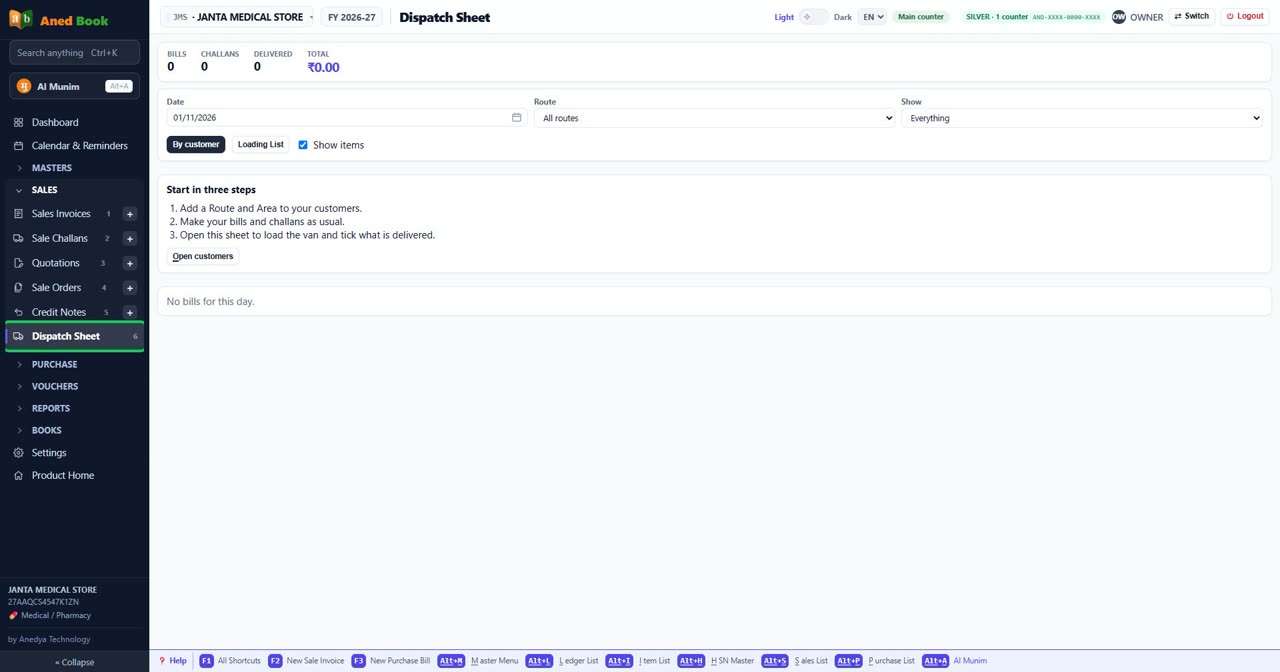
Every option on this screen (7)
Tap to open the full list ▾
In the same order and under the same headings as the software. A heading shut in the software is shut here too: click it, or type in the search box above.
At the top of the screen
Box
Date
The date of this entry. It must fall inside the financial year that is open.
Box
Route
The round this customer is on, in your own words, such as NORTH. Outstanding and the Dispatch Sheet can show one route. Choices: All routes · No route
Box
Show
Shows the list for the dates or words you typed. Choices: Everything · Not delivered
By customer
The day’s bills and sale challans, customer by customer, route by route.
Loading List
Each item added up for the whole route, sorted by rack, with free goods shown apart. Pick once, load the van, then sort by customer.
Tick
Show items
Lists each customer’s items under their name, with batch, expiry and rack. It prints too. Turn it off for a shorter sheet.
Open customers
Opens Customers & Suppliers, to add a Route and Area to each customer.
Still stuck? Press Alt + A inside the software and ask in your own words — it
works with no internet. Or talk to us on WhatsApp, phone or e-mail.