Medical store software demo: one full day in Aned Book
Basic, Silver और Gold edition में। · Chemist के लिएIf you run a medical store, this video shows one full day in Aned Book. From the first bill in the morning to the registers an inspector asks for. Everything you see here is a demo shop.
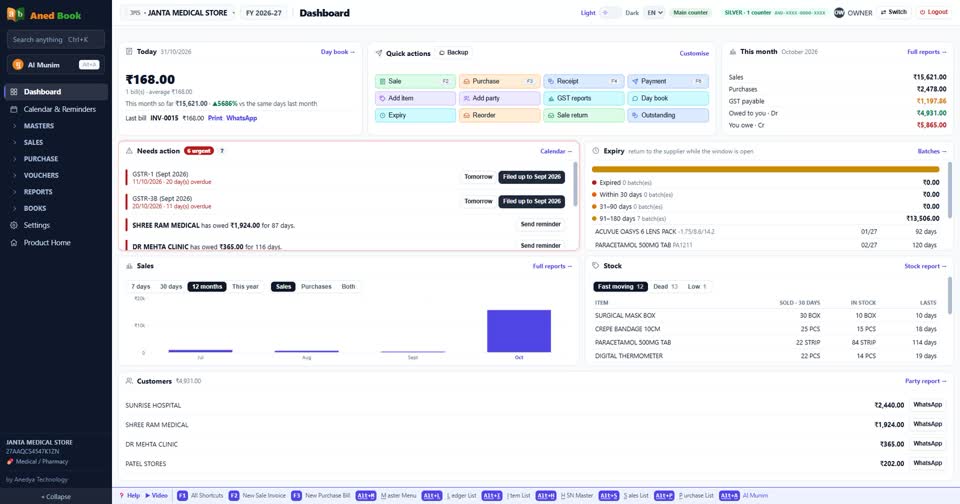
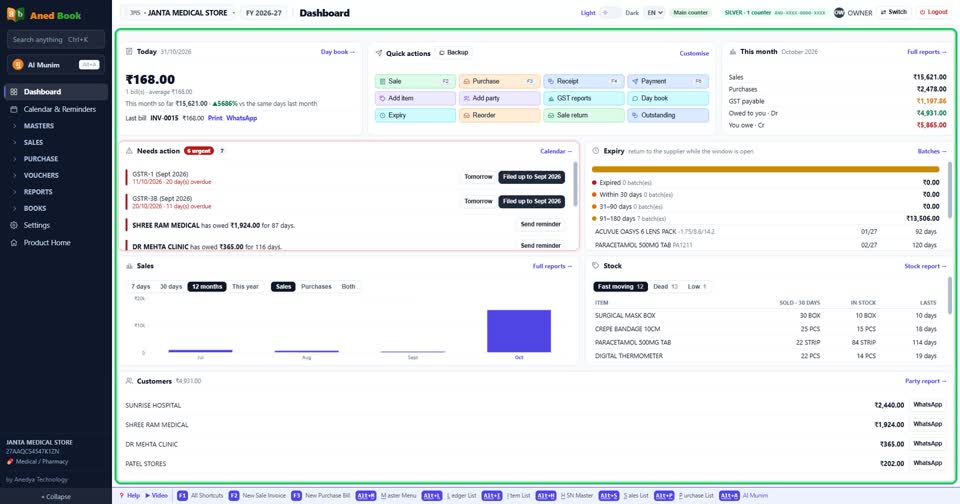
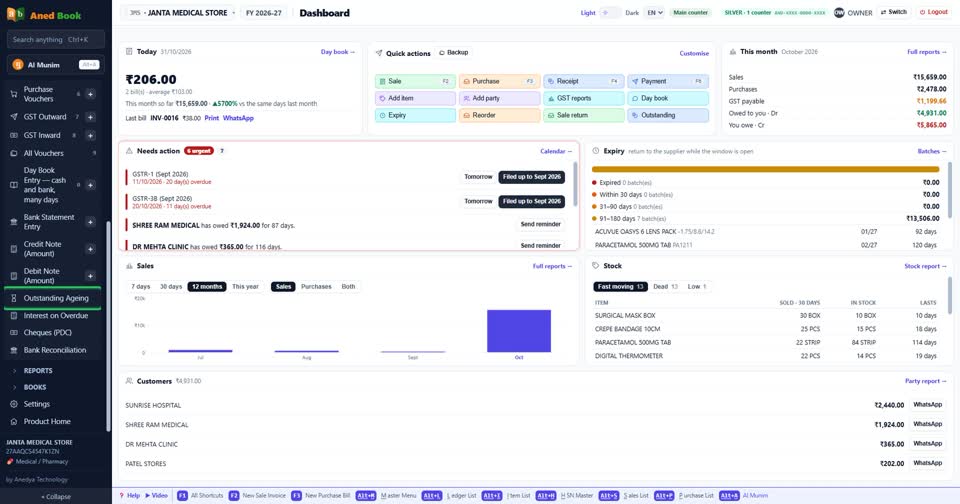
This is the dashboard, the first screen you see every day. Today's sale, medicines close to expiry, and what needs your action. One look, and you know how the shop stands.
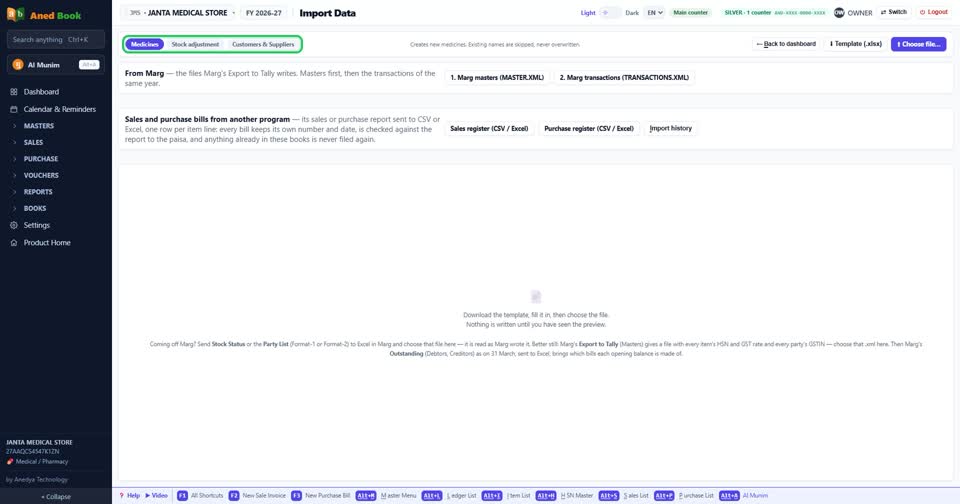
Already using other software? You do not have to start again. Your medicines, parties and opening balances can come across from its export, or from an Excel sheet.
Now, a customer is at the counter. Press the new bill key and start typing the medicine name. Every strength comes up, with stock and rate.
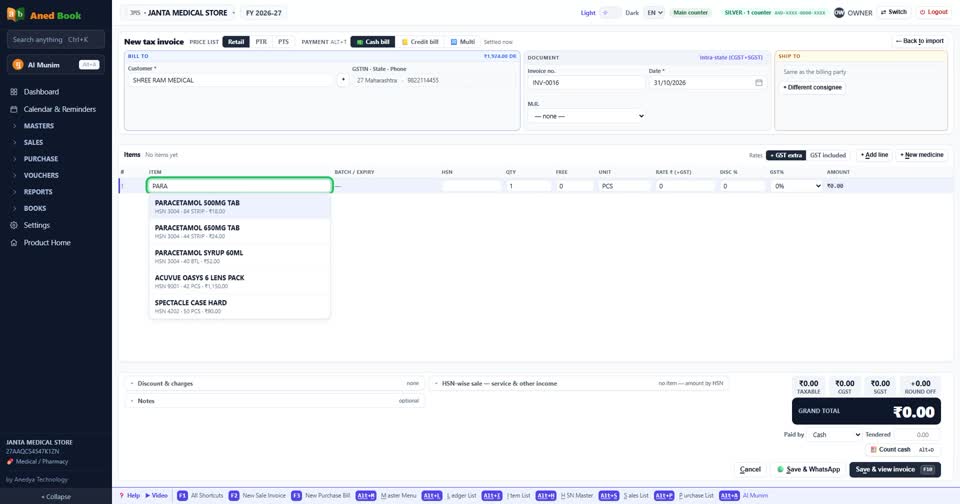
Have a barcode scanner? Scan the pack, and the medicine lands on the bill.
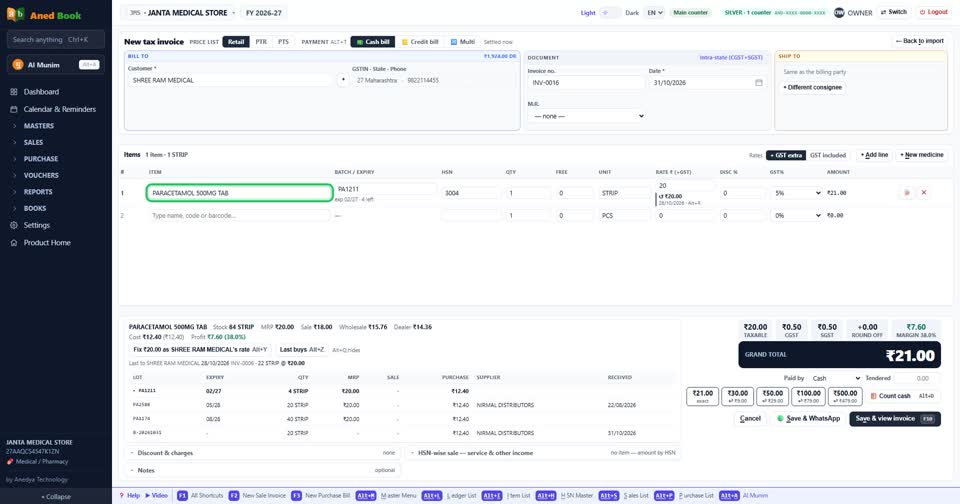
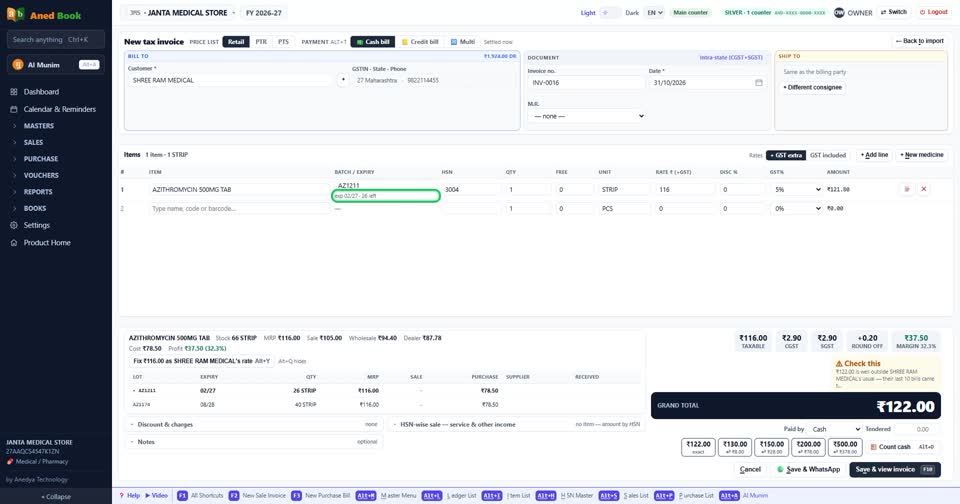
The batch with the nearest expiry is picked first. So old stock goes out first, and fewer medicines die on your shelf.
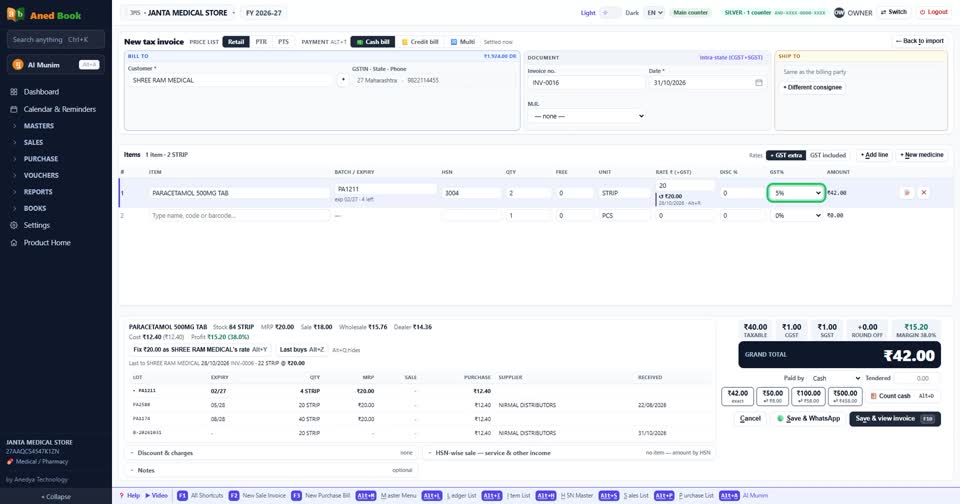
Selling a few tablets from a strip? Type the loose quantity. The rate and the stock both work out by themselves.
On a chemist's bill, two cards are always in front of you. The patient, and the doctor.
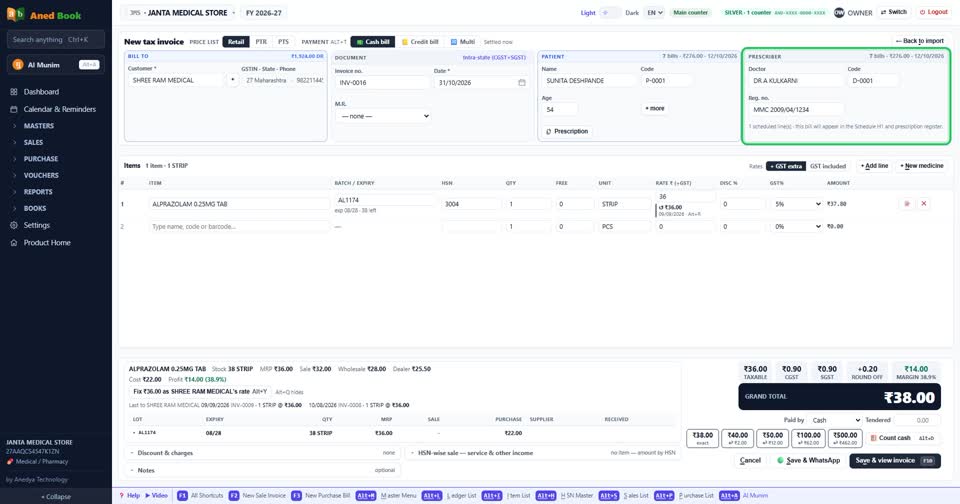
Type the patient's name. A patient code is made automatically. So two patients with the same name never get mixed up, and the code prints on the bill.
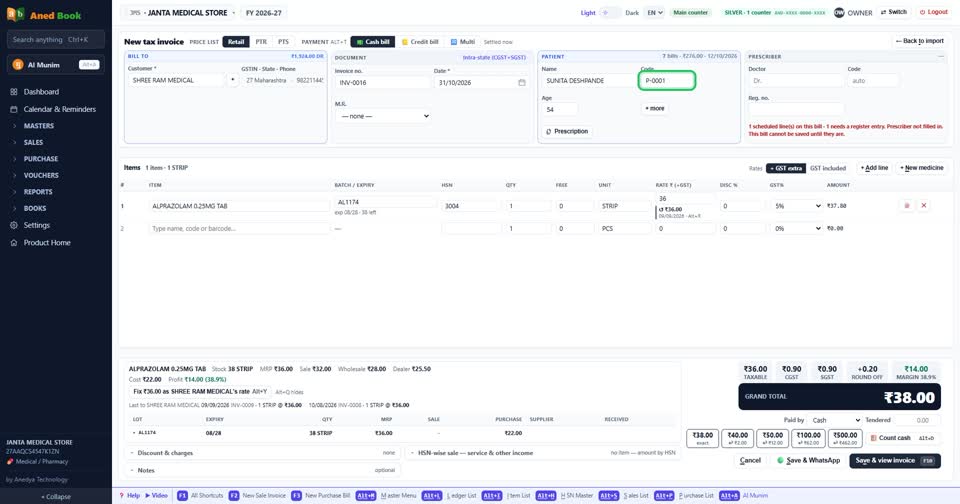
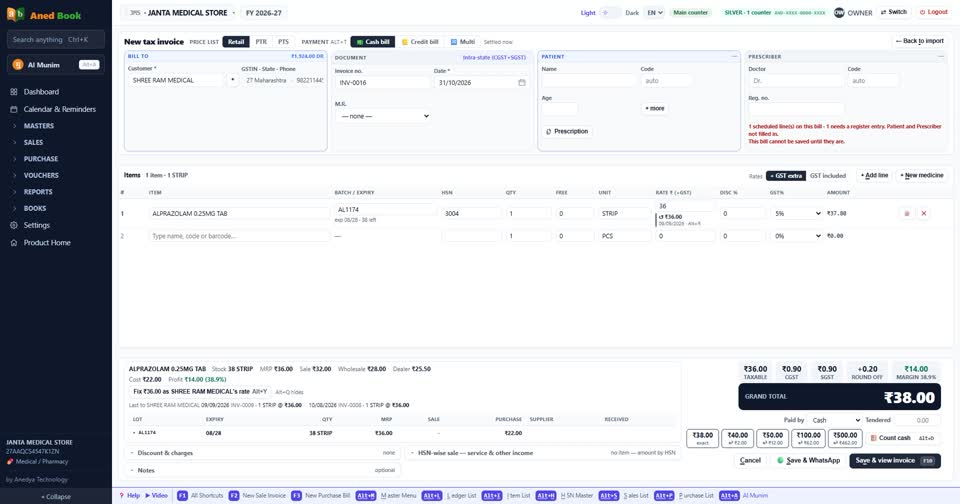
Now add a Schedule H1 medicine and try to save without the patient or the doctor. The bill stops, and it tells you exactly what is missing.
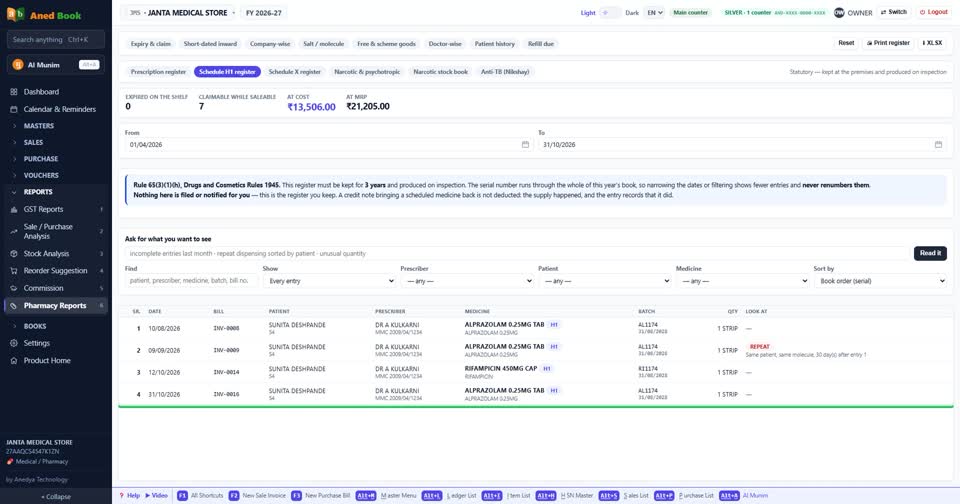
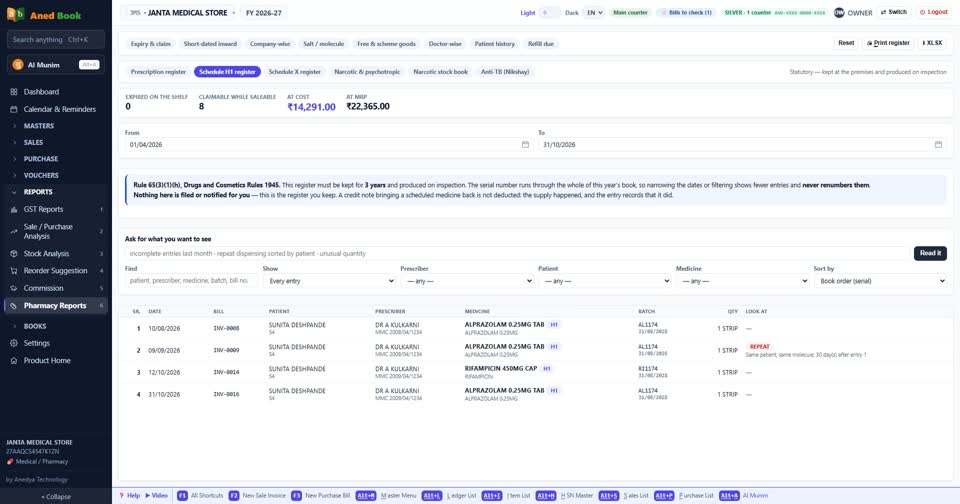
Fill them in and save. The entry goes into the H1 register by itself. Nobody writes it twice.
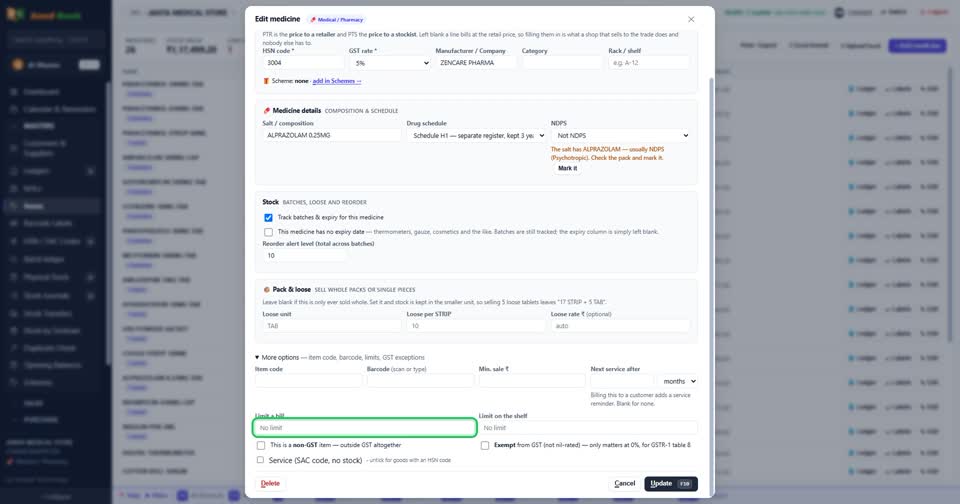
Some medicines have a limit per bill in your state. You type that limit on the medicine, and the bill will not cross it. Cross the limit you set for the shelf, and the software warns you.
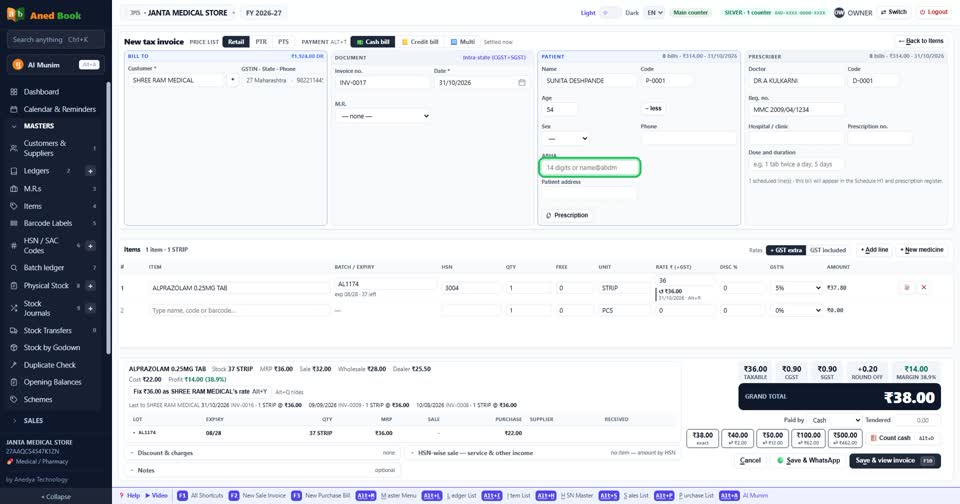
The patient's ABHA number can go on the bill too, and it prints under the name.
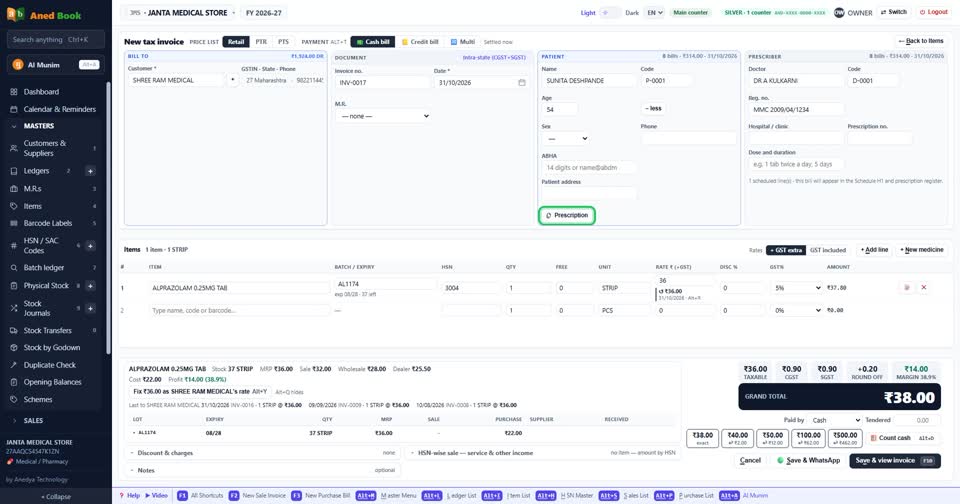
Want to keep the prescription too? Switch on prescription photos, and attach the picture to the bill.
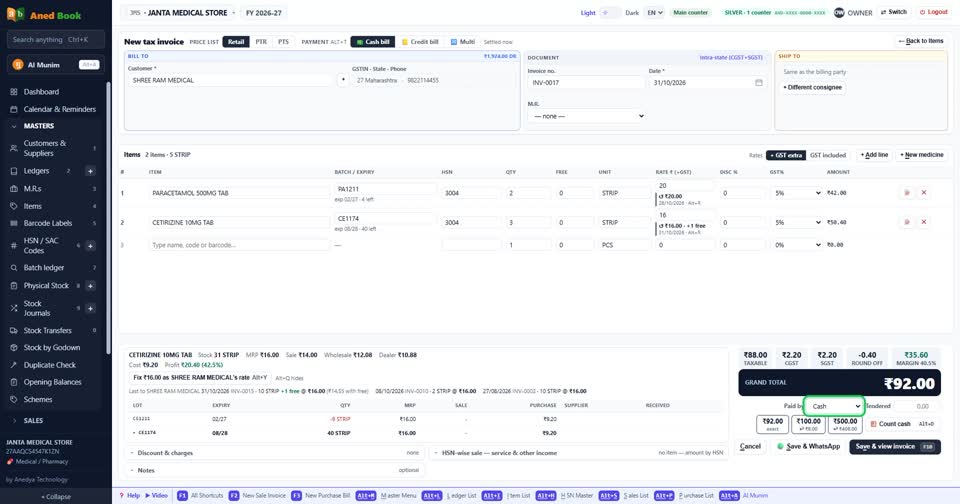
Payment can be cash, credit, or split into parts. Part cash, part UPI, each goes to its own account.
The bill is ready. Print it on A4, half page or thermal roll.
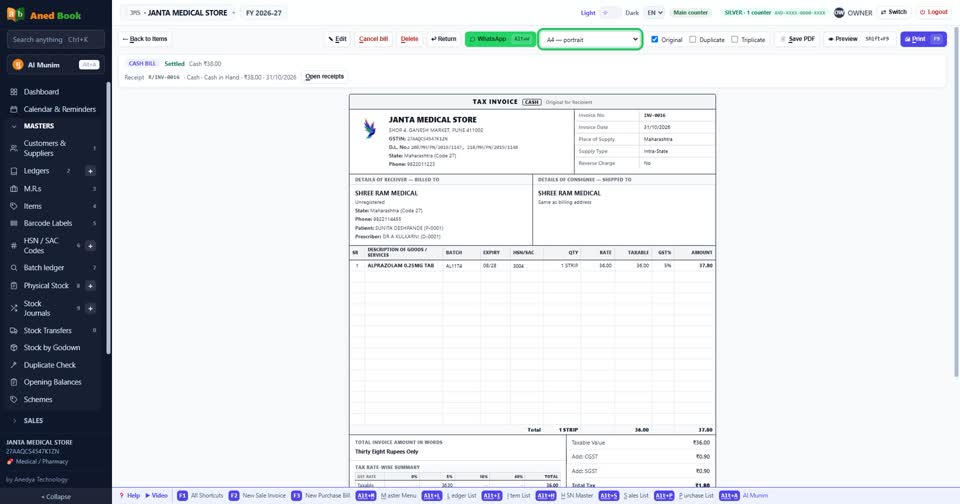
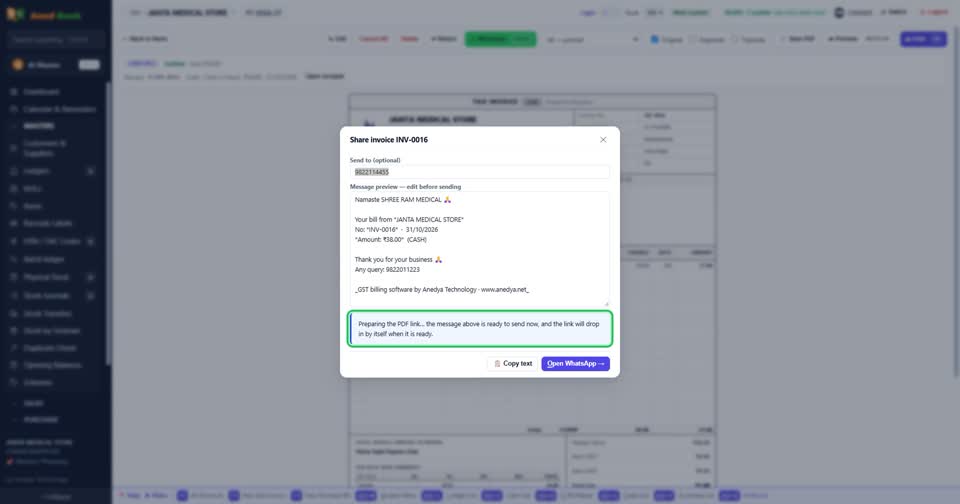
Or send it on WhatsApp. The customer gets the text, with a short link to the bill as a PDF.
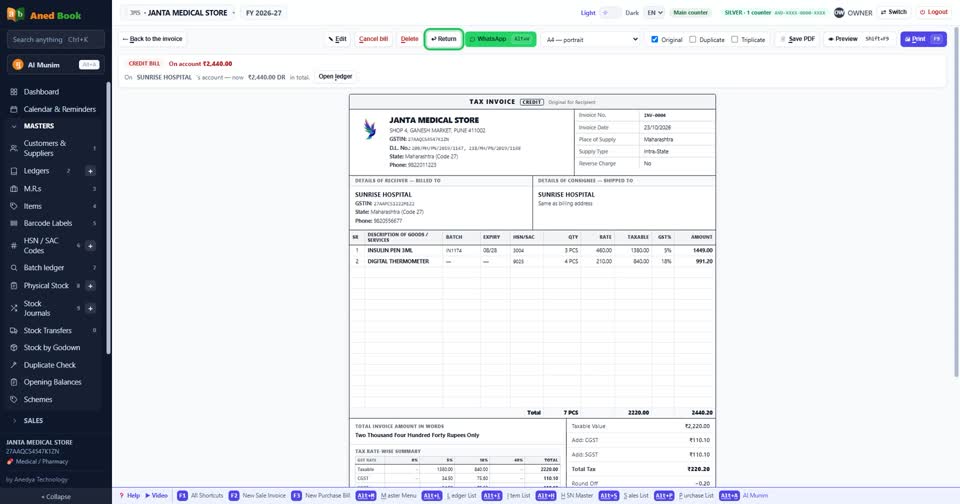
A customer brings a medicine back? Make a credit note against the bill. Stock and GST are corrected together.
Regular customers on credit? Their dues build up in the ledger, and you can send a payment reminder on WhatsApp.
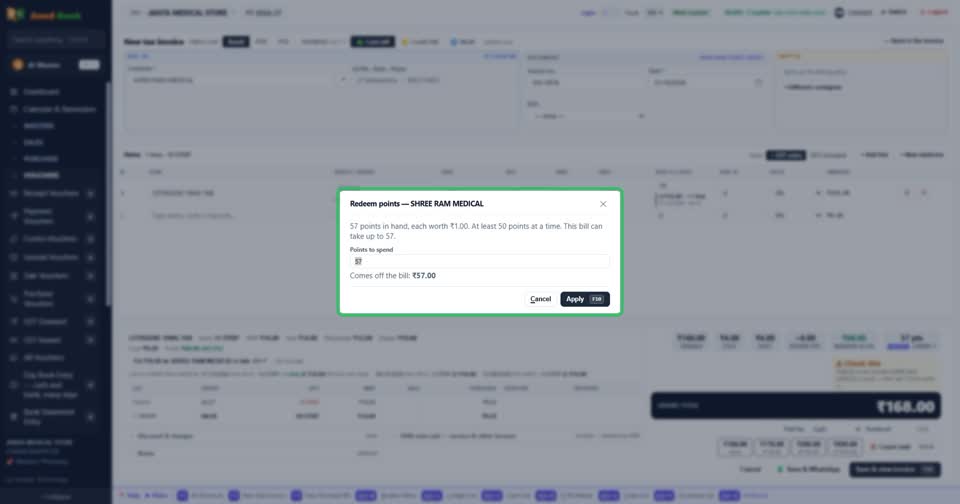
Loyalty points can be earned and spent on bills. A customer display and a cash drawer can be connected at the counter.
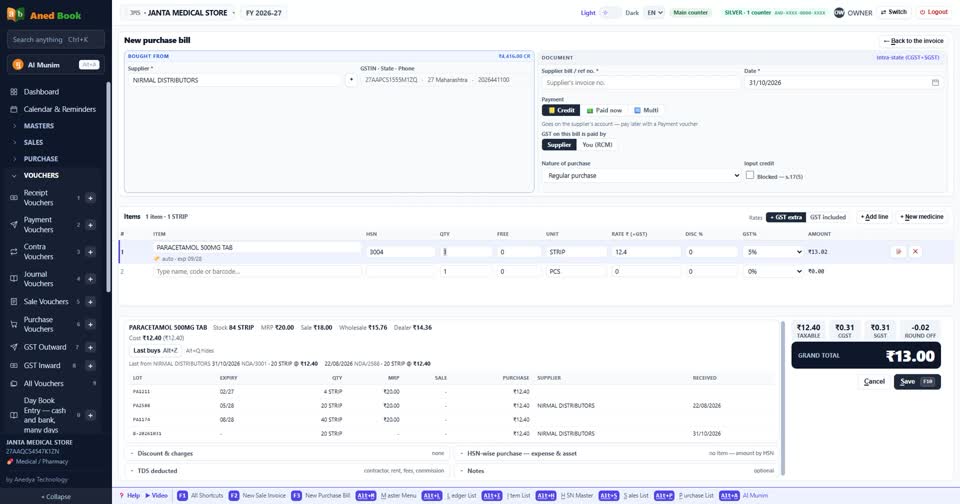
Now the buying side. Here is a purchase bill. Batch, expiry, free goods and PTR, all on one line.
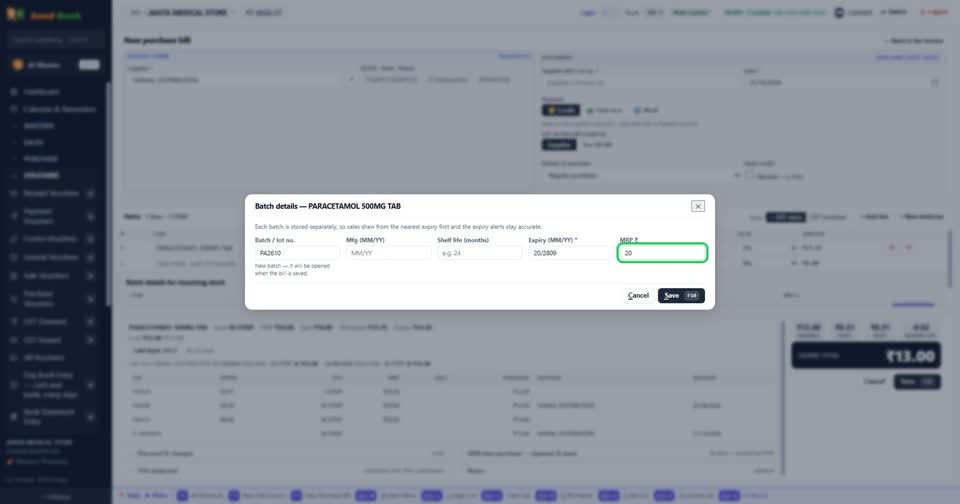
Expiry is typed as month and year, in numbers only. If the pack gives the manufacturing month and shelf life, the expiry can be worked out from them.
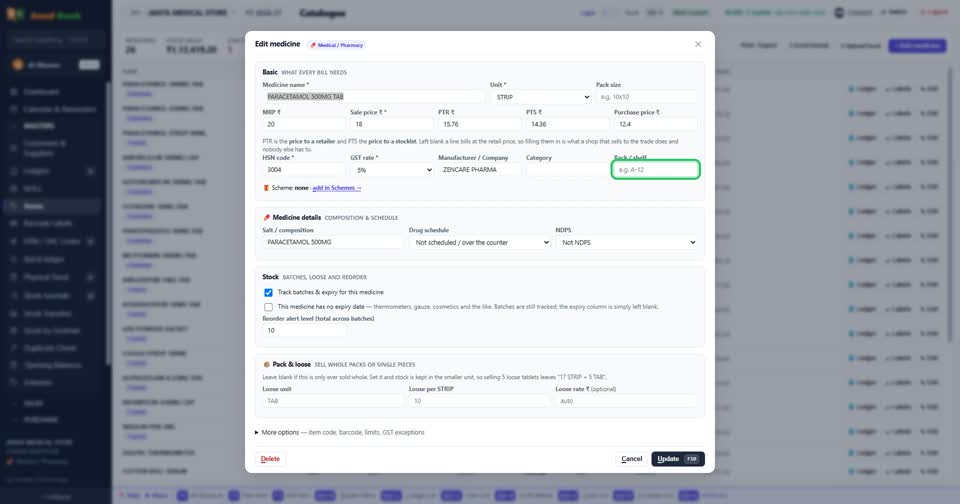
Each medicine can carry its rack number, so a new boy at the counter knows where to find it.
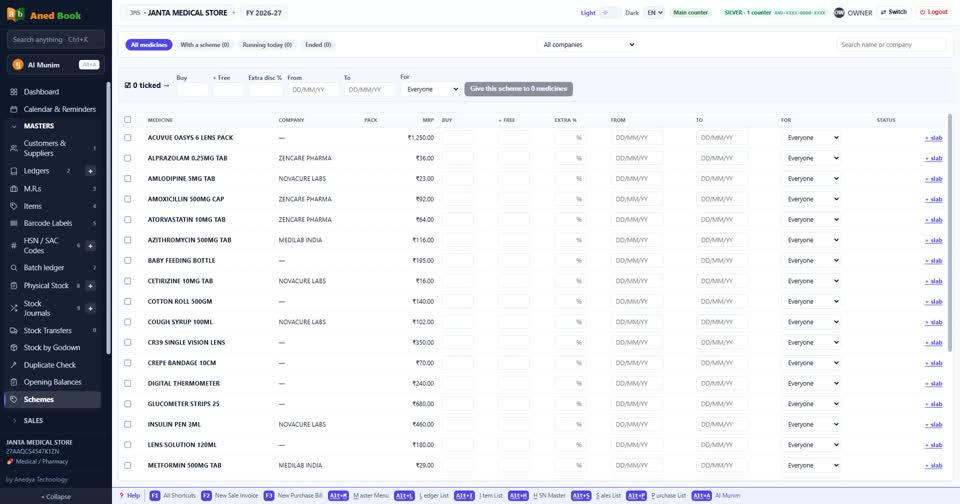
All your schemes sit on one page. Buy so many, get so many free, for every medicine in one place.
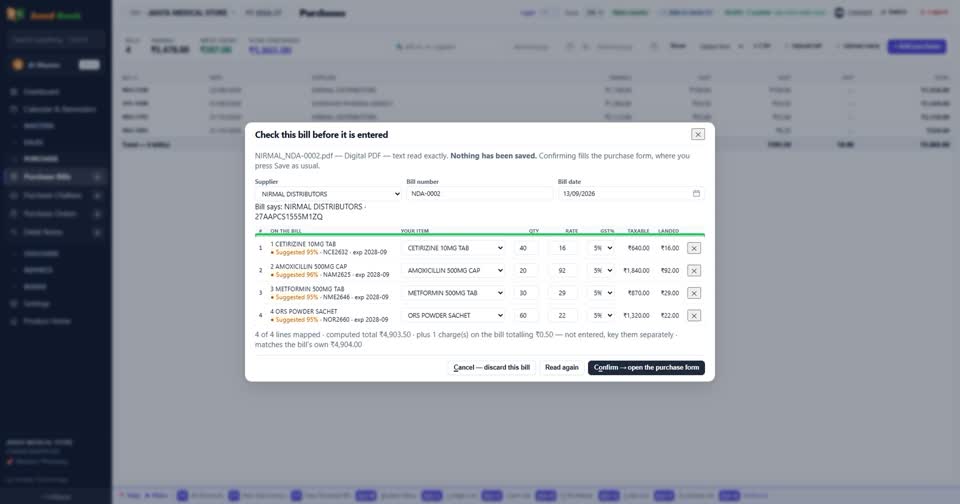
You do not have to type the bill at all. Take a photo of the supplier's bill, and the software reads it. You check it and save.
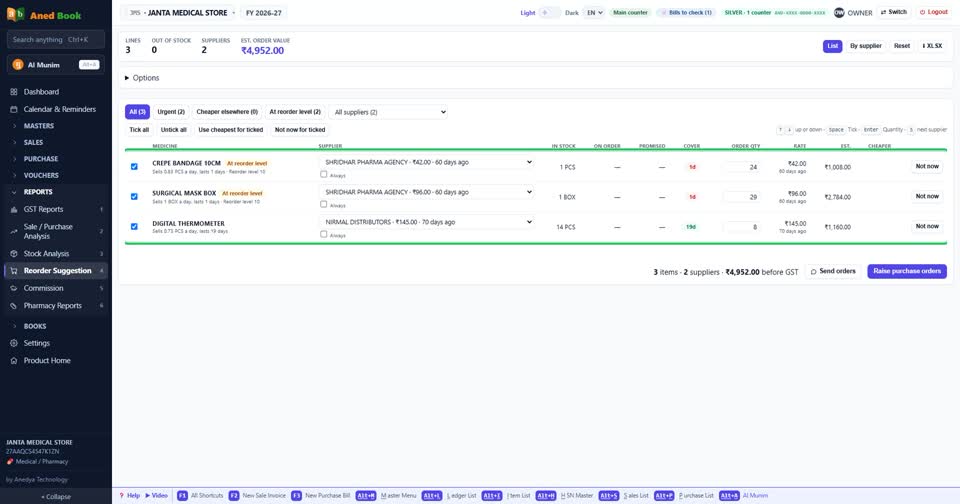
Running short of something? The order list shows what is low and how much to order. Tick what you want. It can also show which supplier was cheapest.
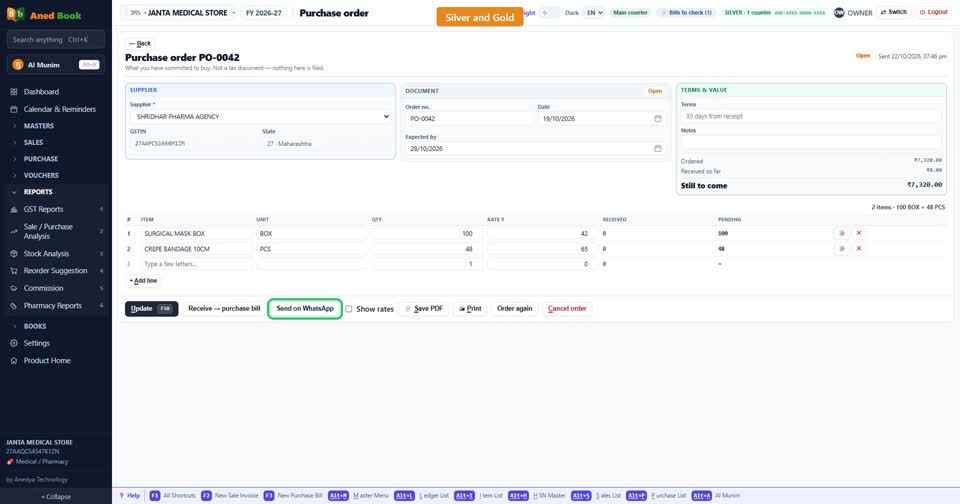
On Silver and Gold, one click makes the purchase order. Print it, save a PDF, or send the supplier a link.
The Orders desk shows what is still to come, and what is late. Press Remind, and the message is ready to send on WhatsApp.
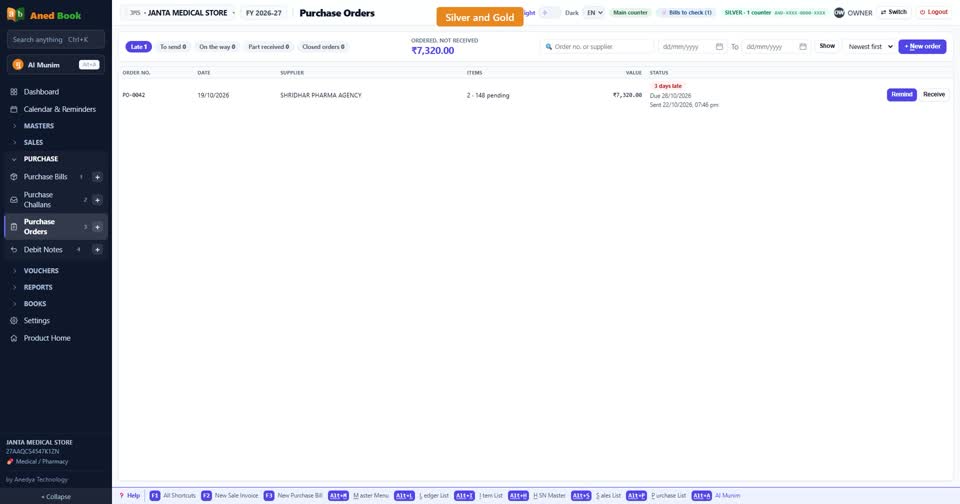
When the goods arrive, the purchase bill finds its own order. You check what came, and the order closes.
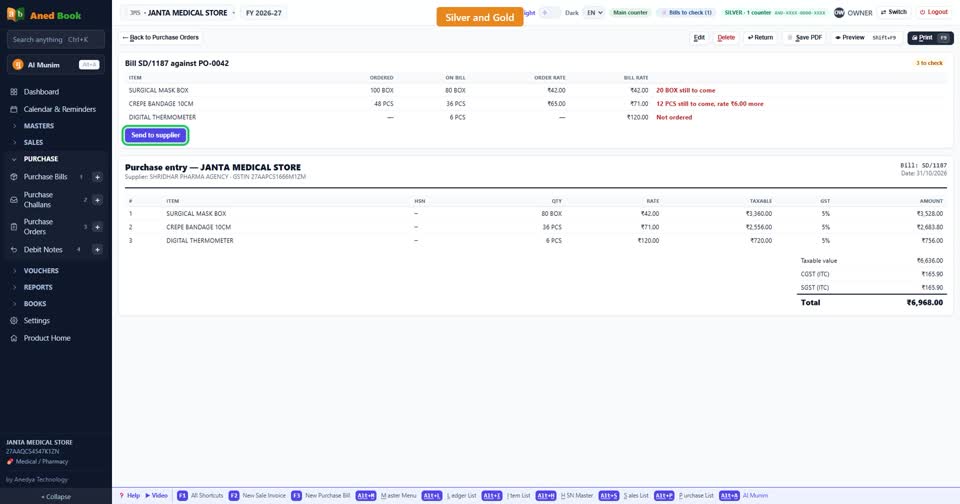
Want the full story of one batch? The batch ledger shows every movement. What came in, who it was sold to, and what is left.
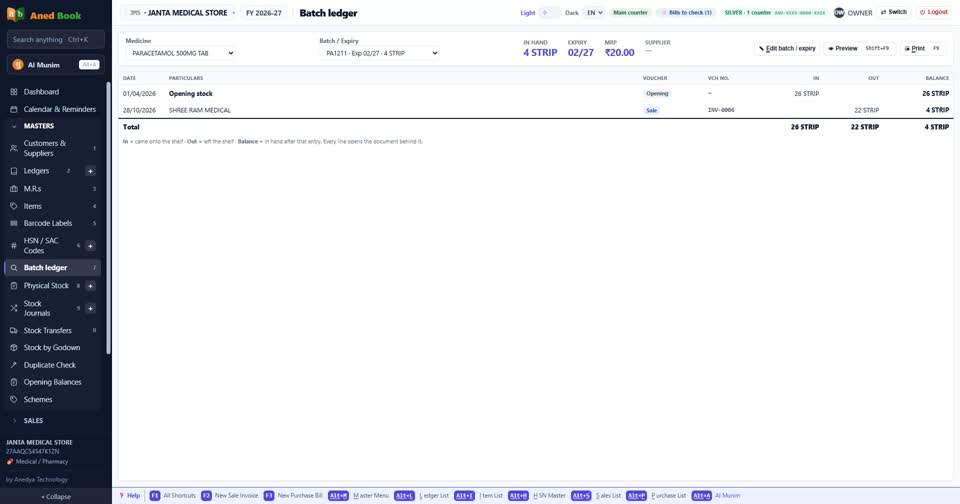
Physical stock count is simple too. Count the shelf, enter it, and see the difference against the books.
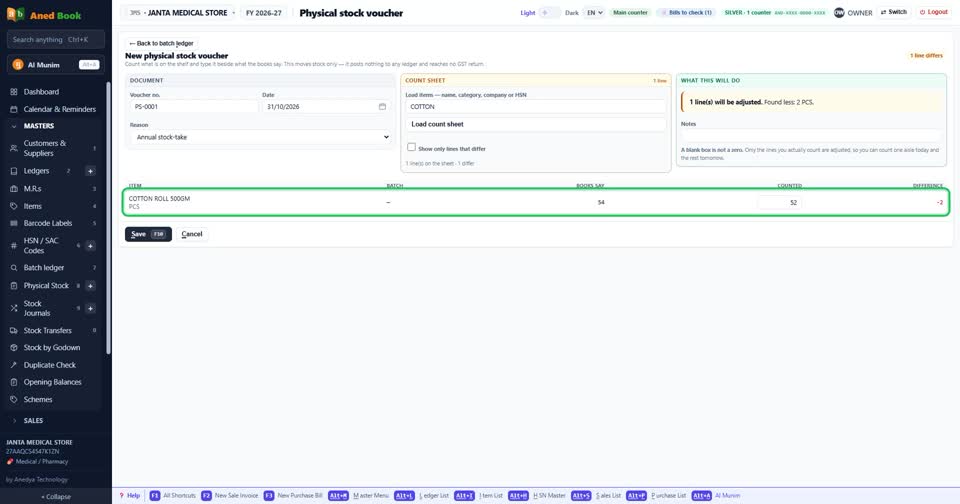
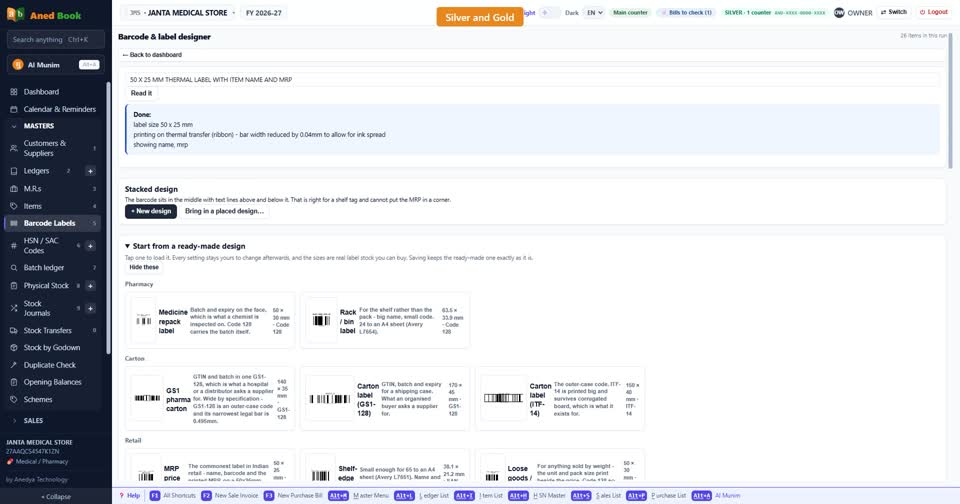
Need shelf labels? Design a barcode label and print it from the item list.
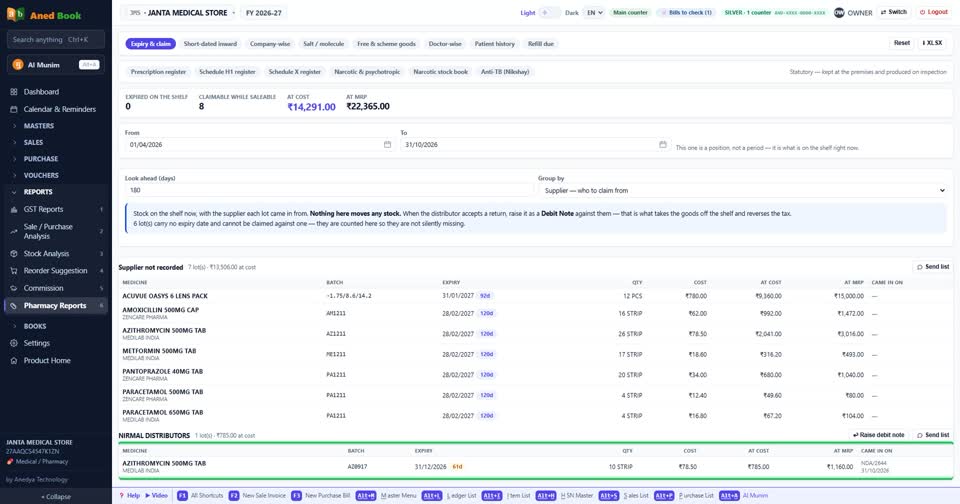
Now, the biggest loss in a medical store. Expiry. The list shows what will expire soon, and which distributor to send it back to.
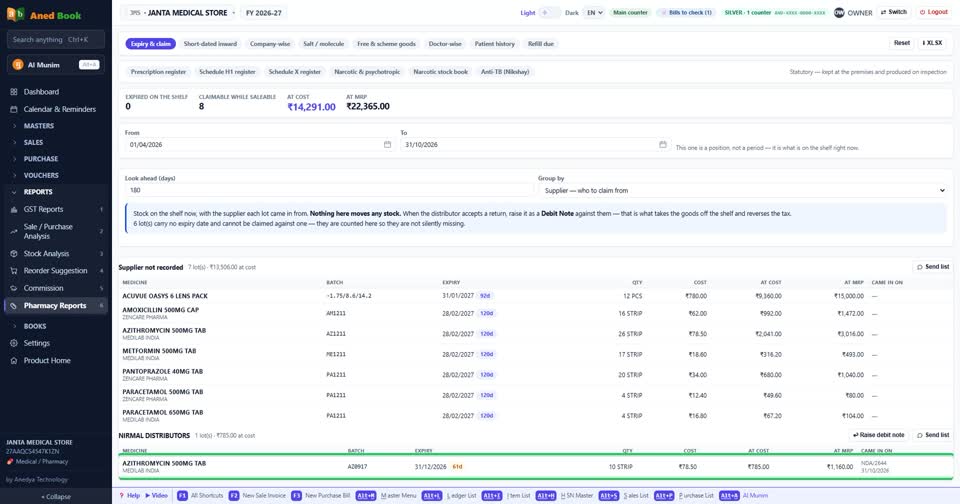
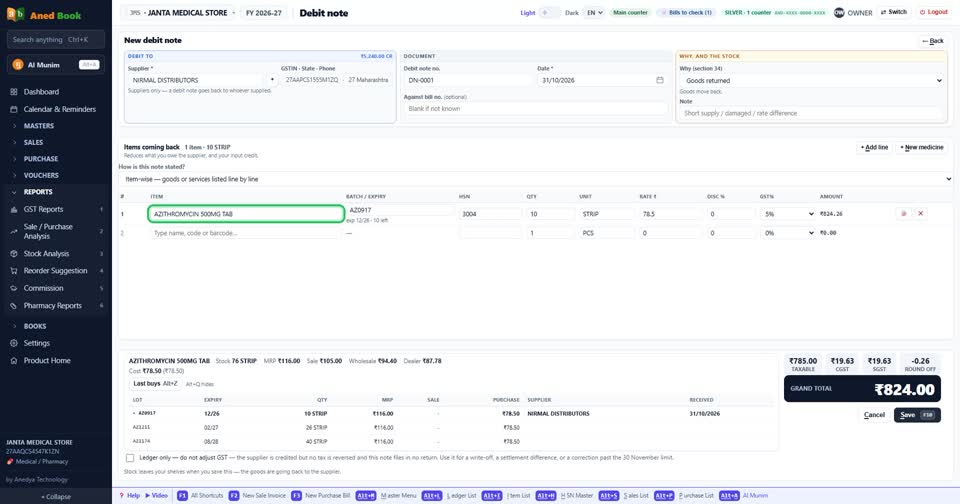
Send that list on WhatsApp. When the distributor agrees, make the debit note. Stock and GST are corrected together.
Now the part made only for chemists. Reports, then Pharmacy Reports. The first row is reports you read and act on.
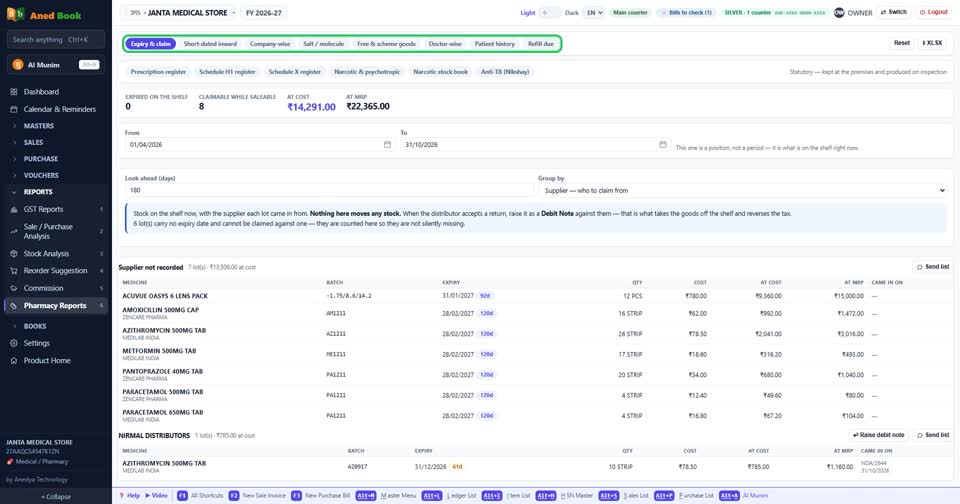
Expiry and claim. What is about to expire, grouped by the supplier who will take it back.
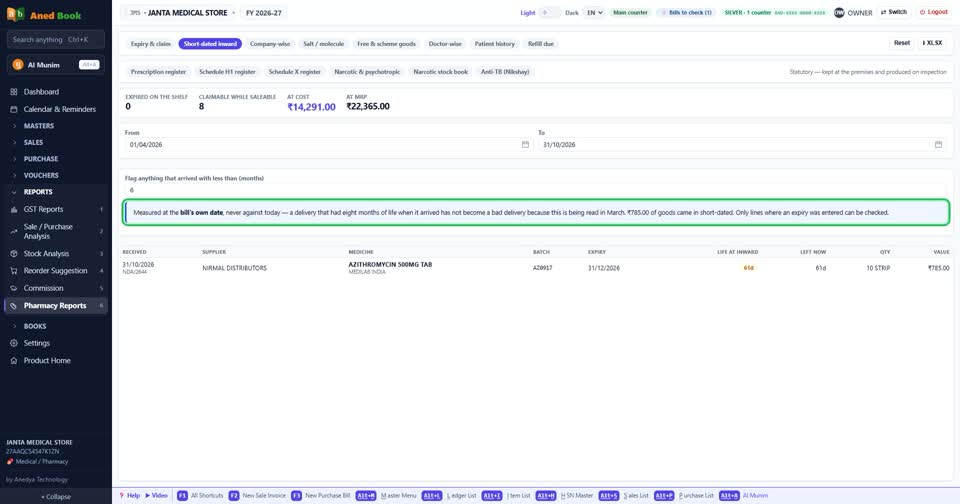
Short-dated inward. Which goods came to you already close to expiry. So you can talk to your distributor with proof.
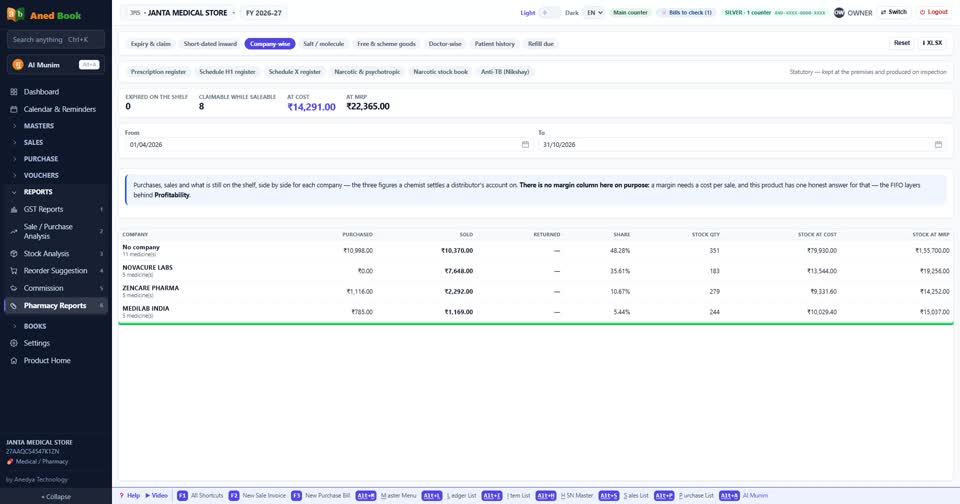
Company-wise. Bought, sold and still on the shelf, for each company, on one row.
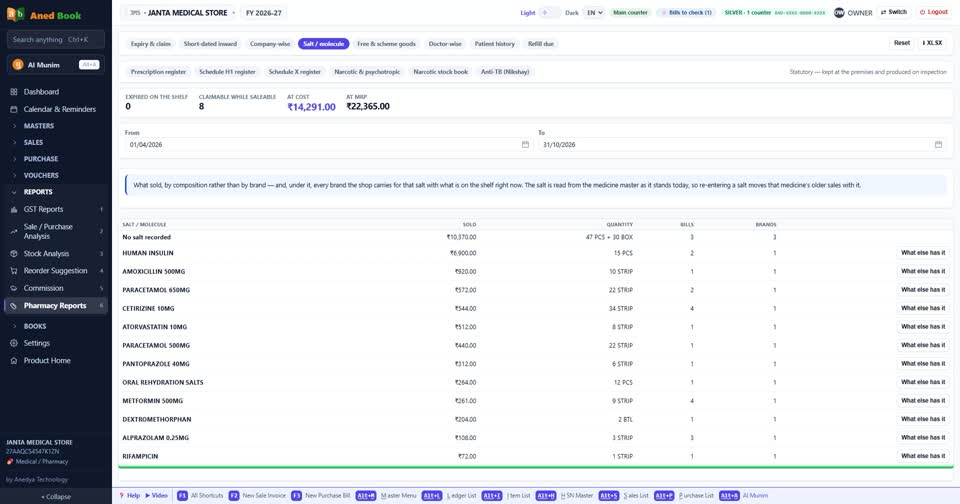
Salt. Sales by composition, not brand. If one brand is finished, here you see every other brand with the same salt.
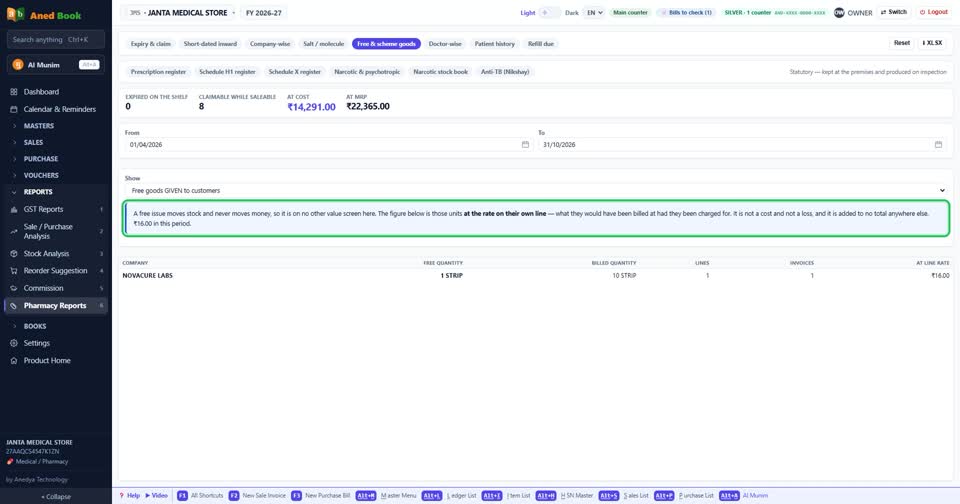
Free and scheme goods. What your schemes are really worth.
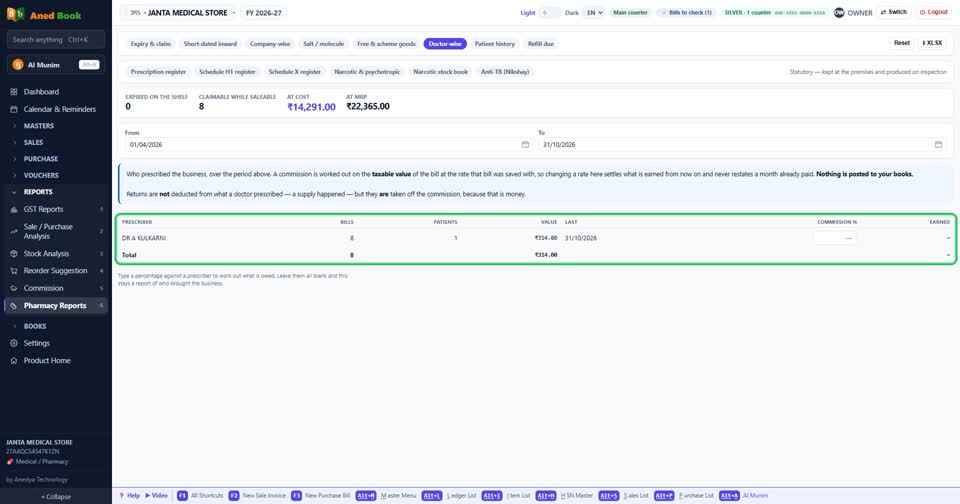
Doctor-wise. How much sale came from each doctor's prescriptions.
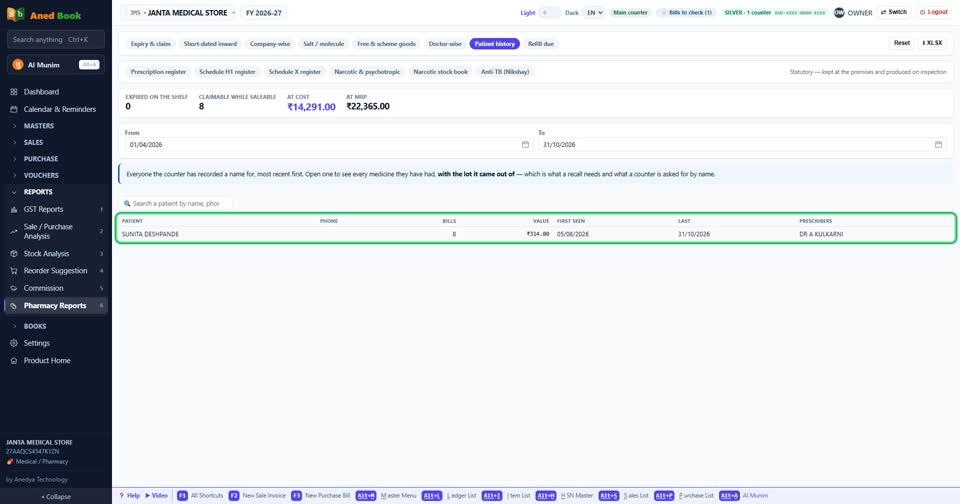
Patient history. Every patient and every medicine, with the batch. If a batch is recalled, this is where you look.
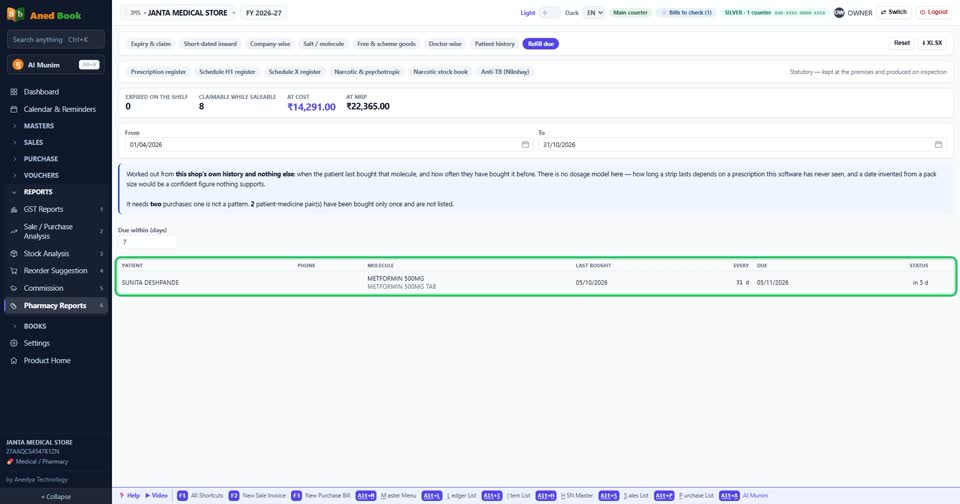
Refill due. Patients on regular medicine, and when they should come next. Overdue patients are on top. Send them a reminder on WhatsApp.
The second row is registers. These are what an inspector asks for.
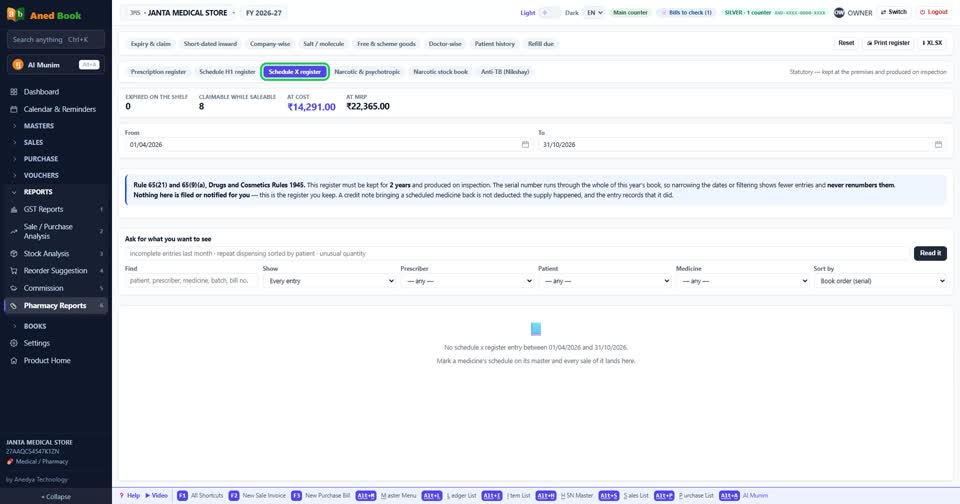
Prescription register. Schedule H1 register. Schedule X register. All filled from your bills, with serial numbers.
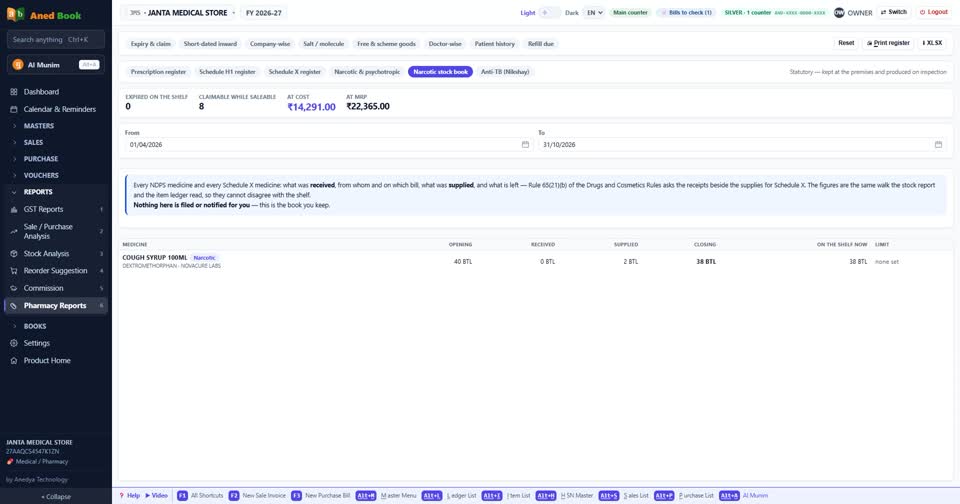
The Narcotic and psychotropic register, and the Narcotic stock book, with receipts and supplies for each medicine.
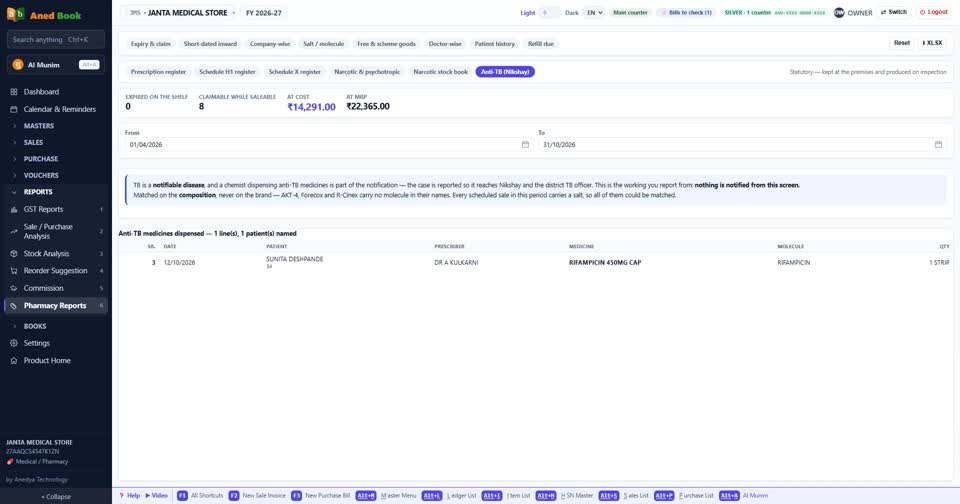
And the Anti-TB statement. The software prepares it, and your shop sends it.
An entry with something missing is never hidden. It is marked red and counted, so you can fix it before anybody asks.
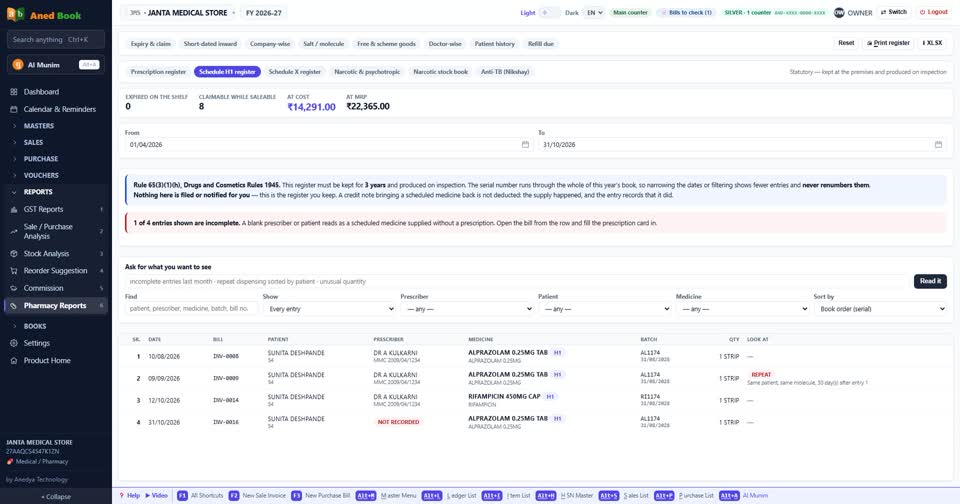
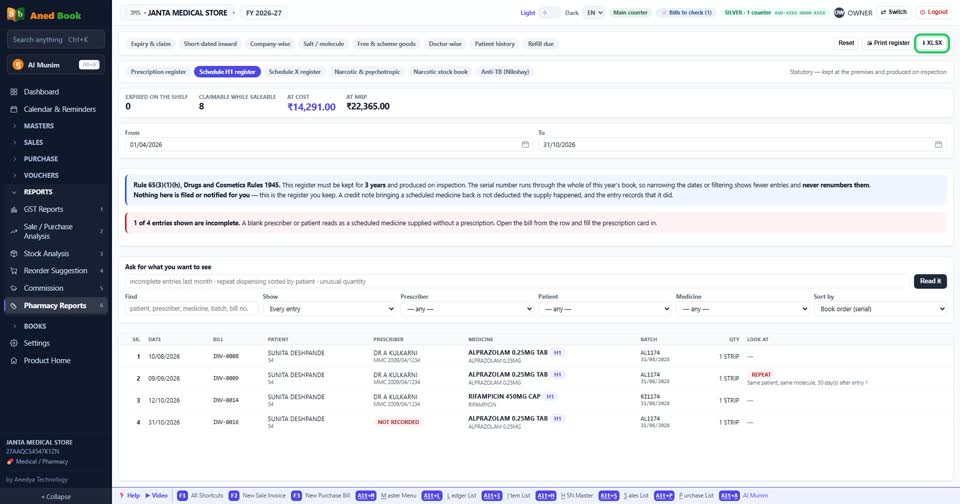
Print any register for signature, or take it in Excel.
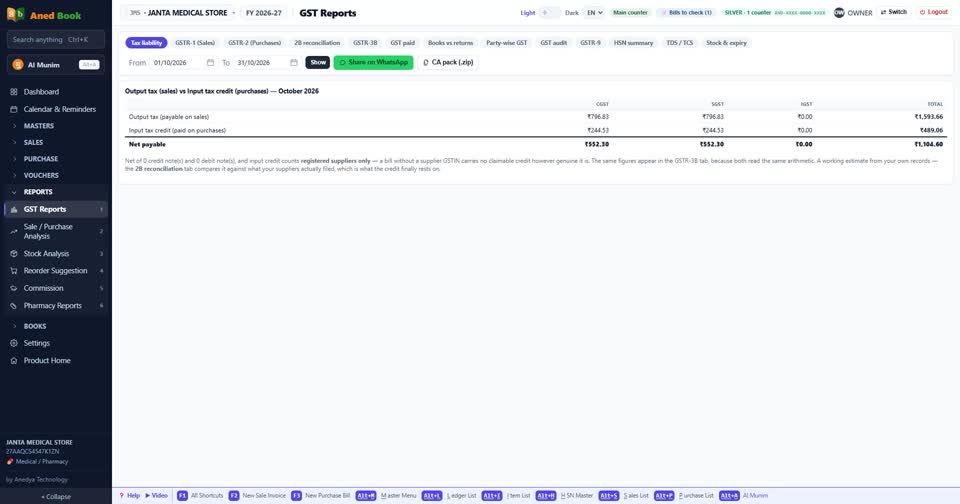
GST is ready as well. GSTR-1, 3B, the HSN summary and the purchase match. The reports are ready, and you file them yourself.
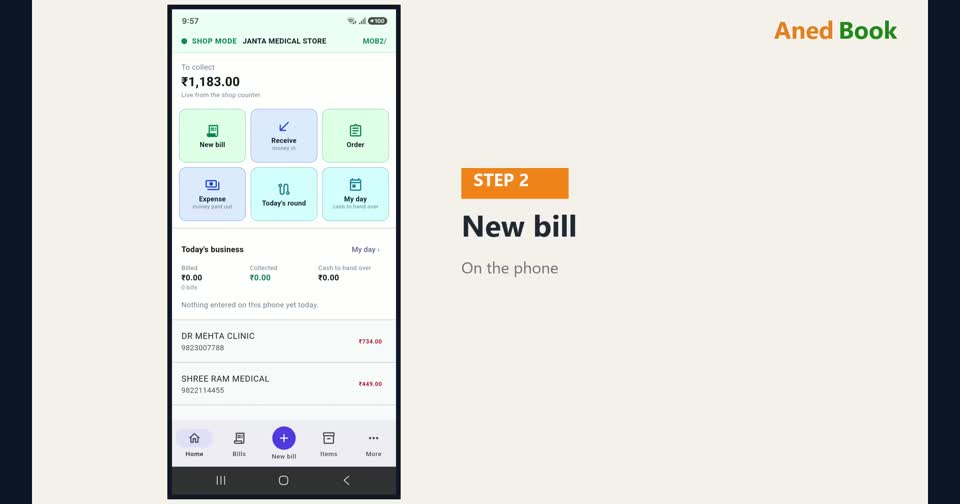
On Silver and Gold, your bills also go on the phone. Bill, see stock, see dues, even when you are not at the counter.
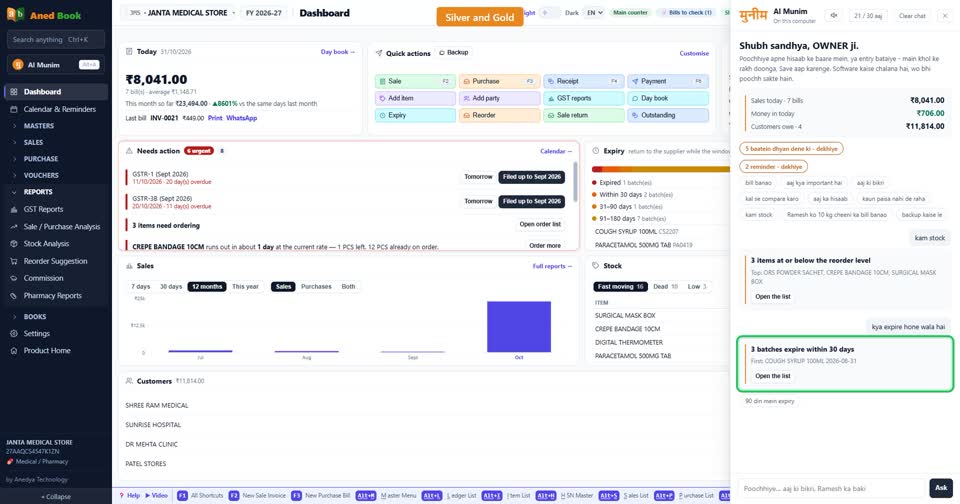
You can also ask AI Munim, in Hindi, English or Hinglish. Which medicines expire this month? Who owes the most? The answer comes from your own books.
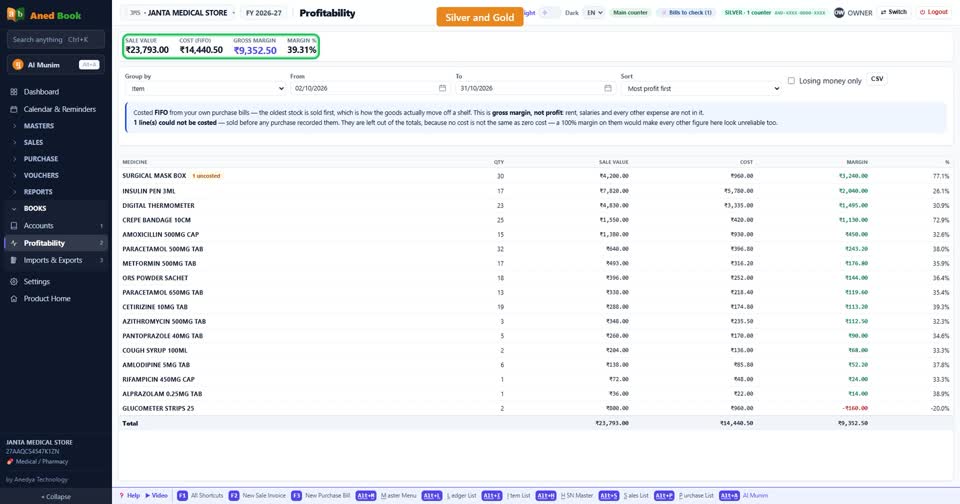
Profitability shows what you really earned, on each bill and each item.
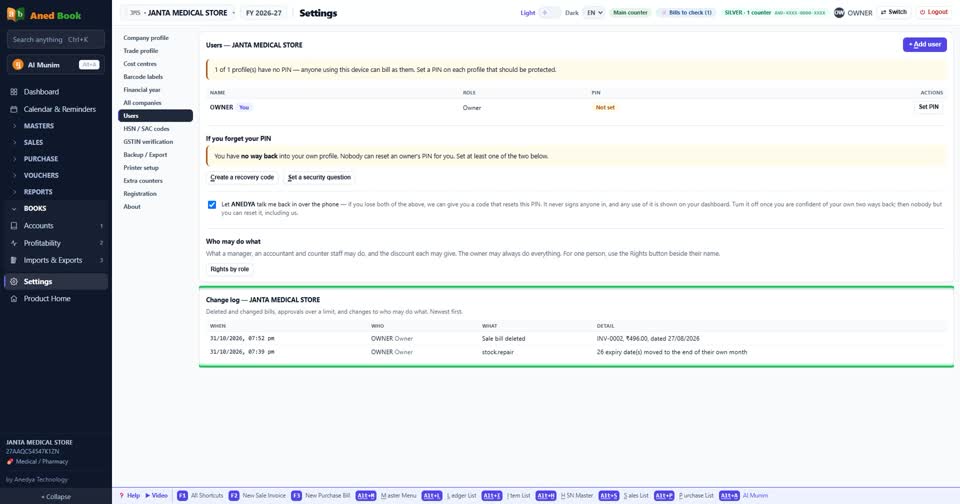
Staff? Each person gets a PIN and only the rights you give. The change log shows who changed what.
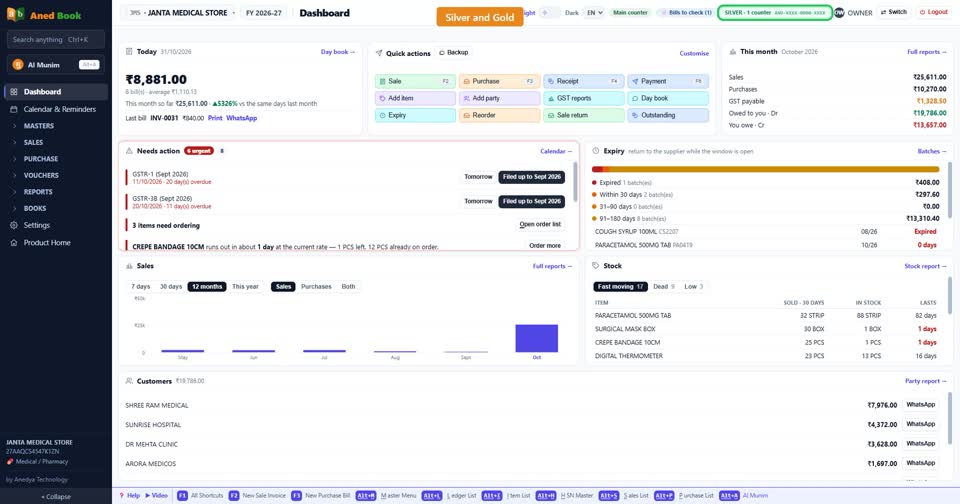
Two counters in one shop? Both bill into the same books, and bill numbers never clash.
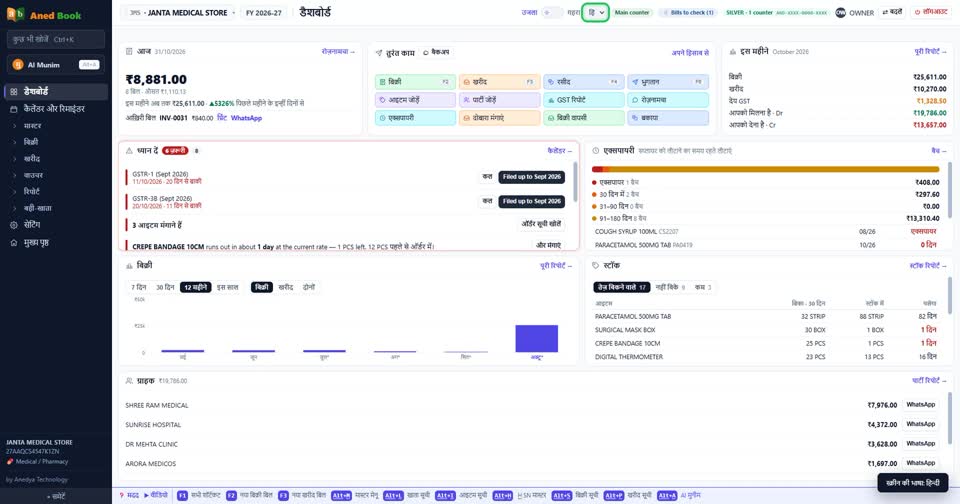
The screens work in Hindi too.
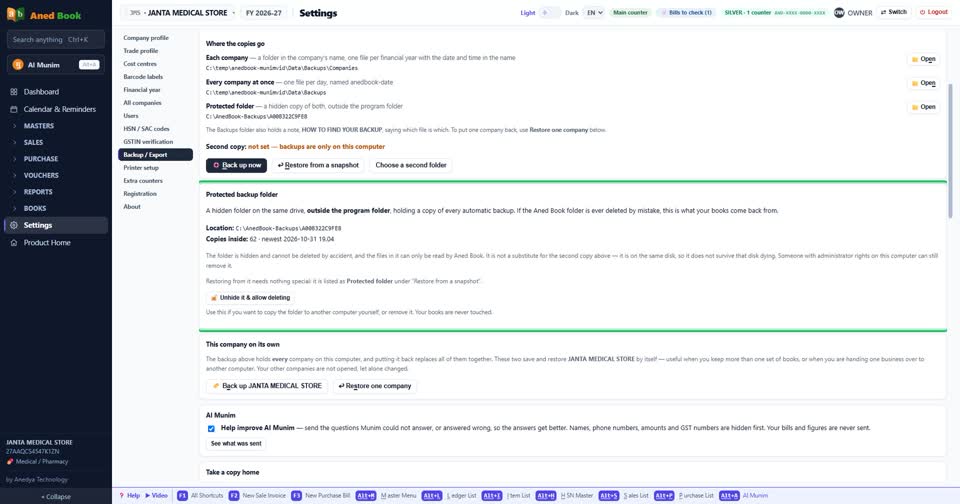
And your data stays with you. The books are locked on your own computer. Backups run by themselves, to a second folder, a pen drive, e-mail or your own Google Drive.
That is one day in a medical store on Aned Book. Features marked Silver need the Silver or Gold edition. Reading bills and AI Munim also work on Basic with a recharge pack. Everything else here is on Basic and above. To book a demo for your shop, send us a WhatsApp message on the number on your screen.