Aned Book help › Step-by-step guides › Sales
How to give a customer credit for a rate difference or a discount after the bill
Basic, Silver and GoldNot every credit note is goods coming back. A rate that was too high, or a discount agreed after the bill, is a note for an amount — it moves money only, never stock.
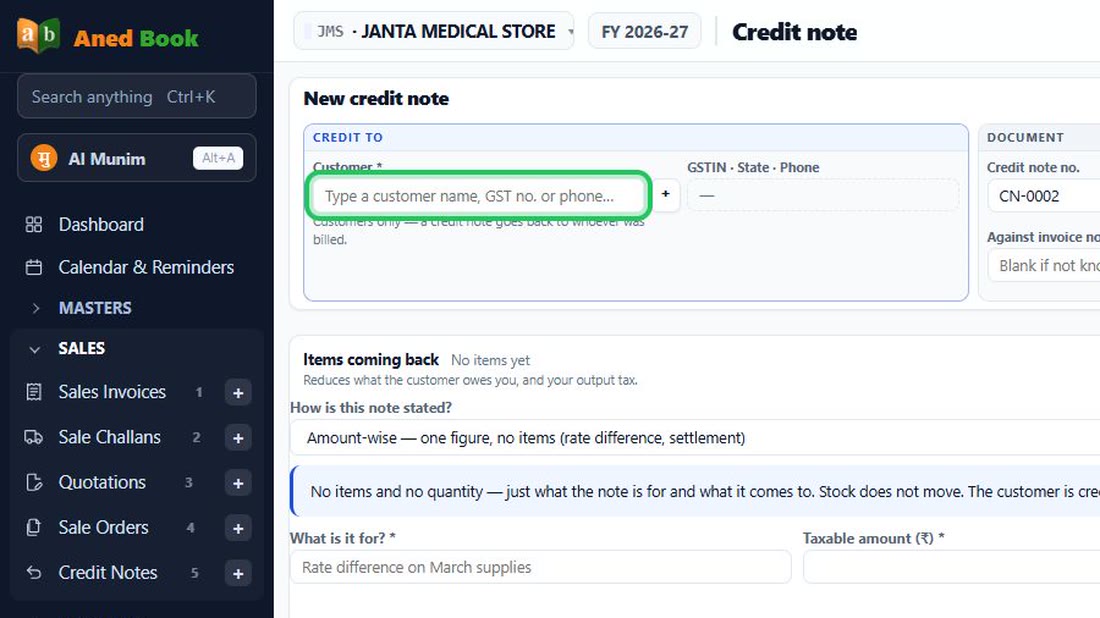
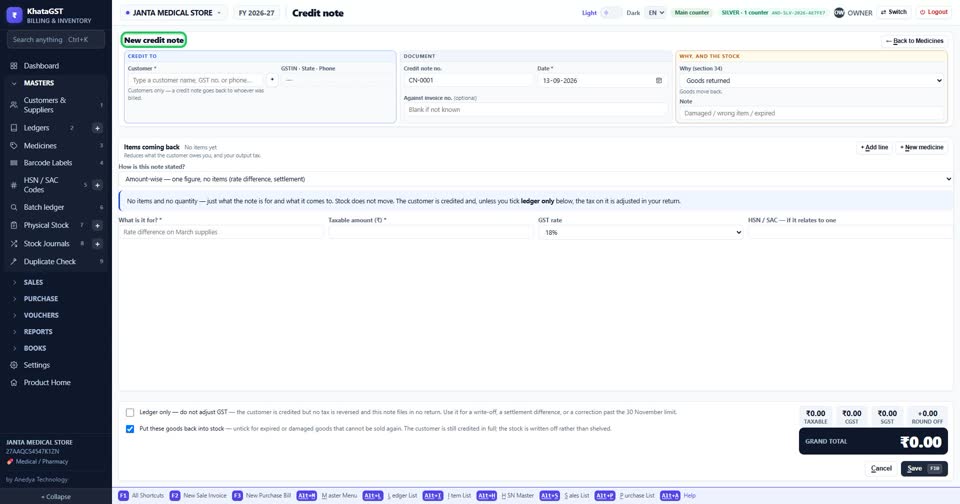
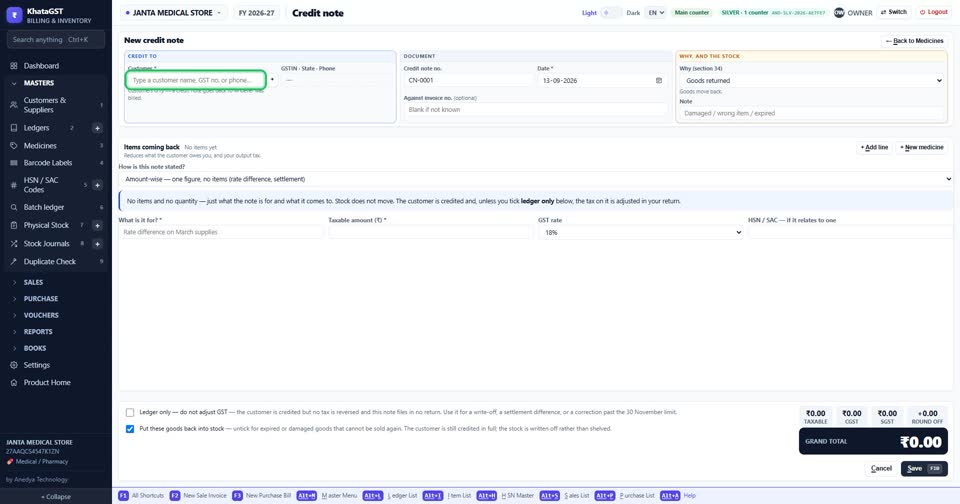
Open Sales, Credit Note (Amount). The form opens ready for an amount, with no goods to type.
 See the whole screen
Choose the customer.
 See the whole screen
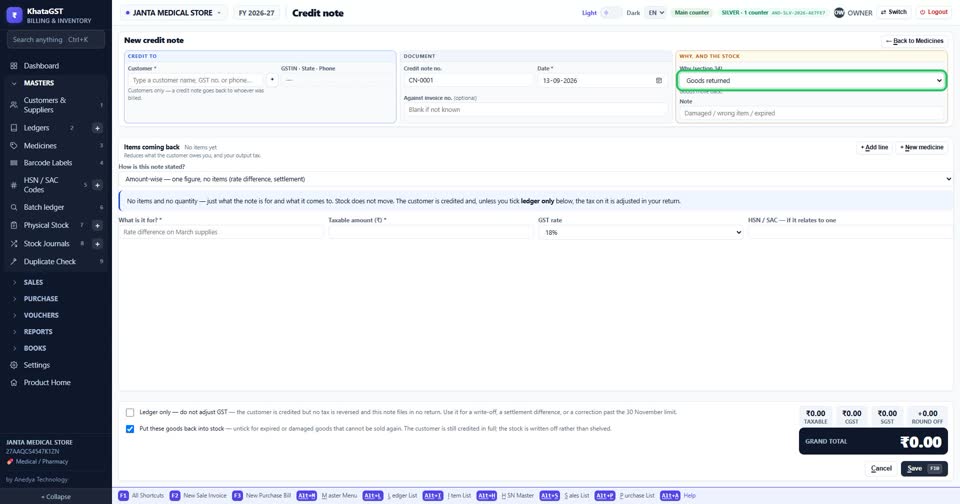
Choose why. “Rate charged higher than agreed” and “Discount agreed after the invoice” are money only — the line under the box says no stock moves.
 See the whole screen
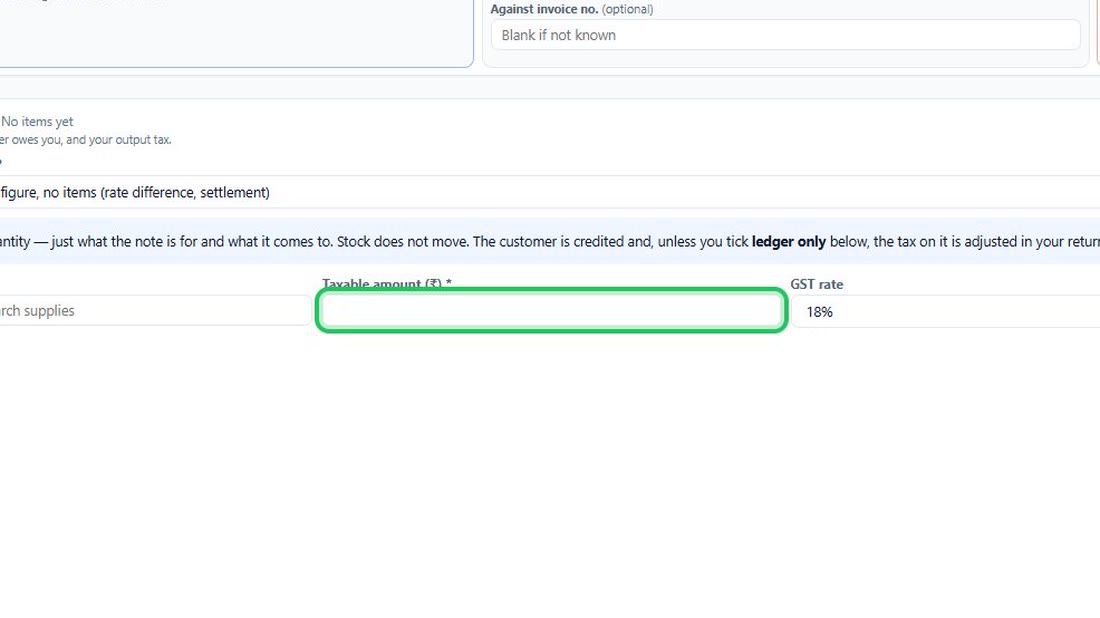
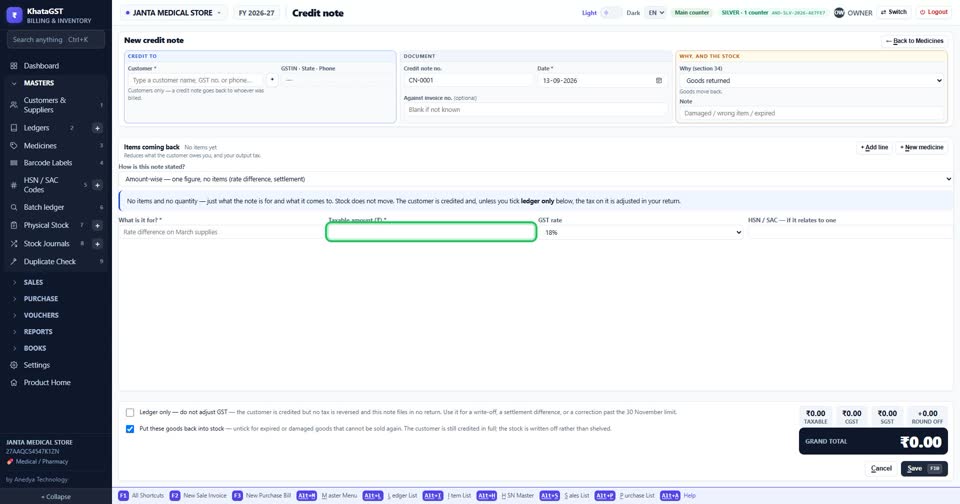
Type the amount, its GST rate and a short description. The tax on it is real, and it reaches your GST return like any other note.
 See the whole screen
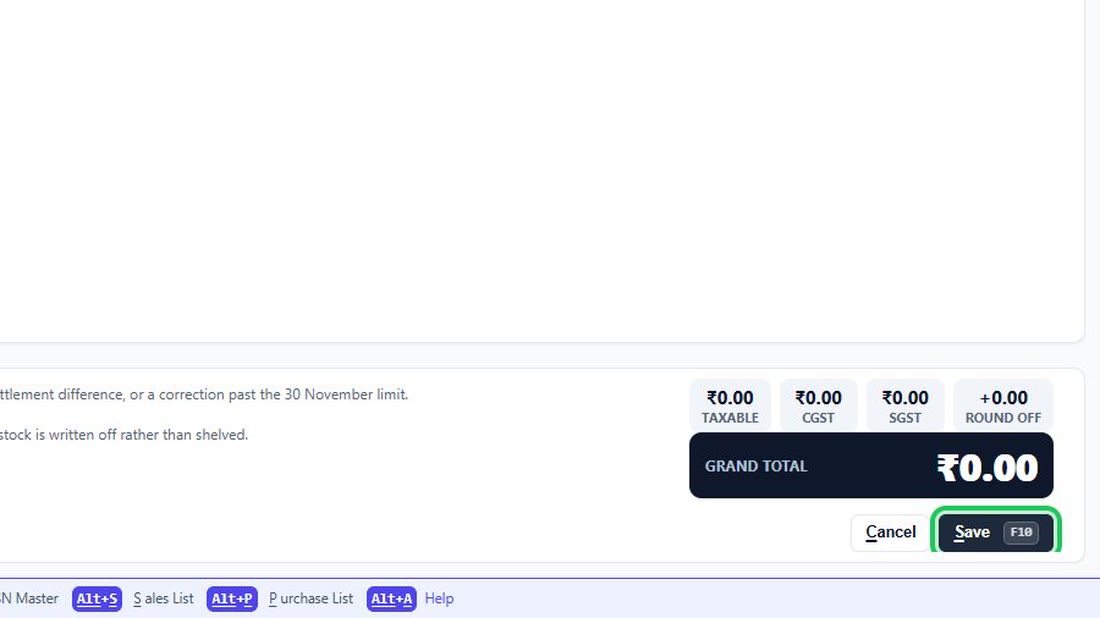
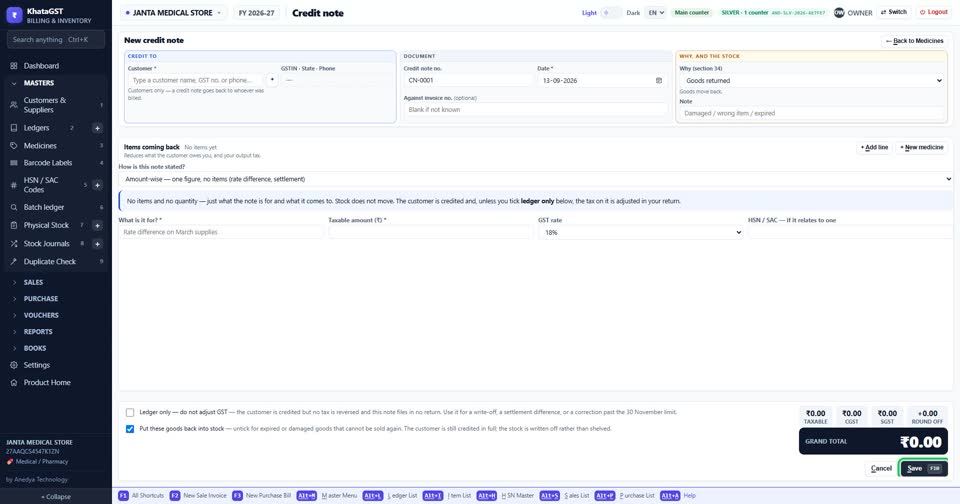
Press F10 to save.
 See the whole screen
Did this answer your question?
No — ask us on WhatsApp
Still stuck? Press Alt + A inside the software and ask in your own words — it
works with no internet. Or talk to us on WhatsApp, phone or e-mail.