How do I turn “Send a copy automatically” on or off?
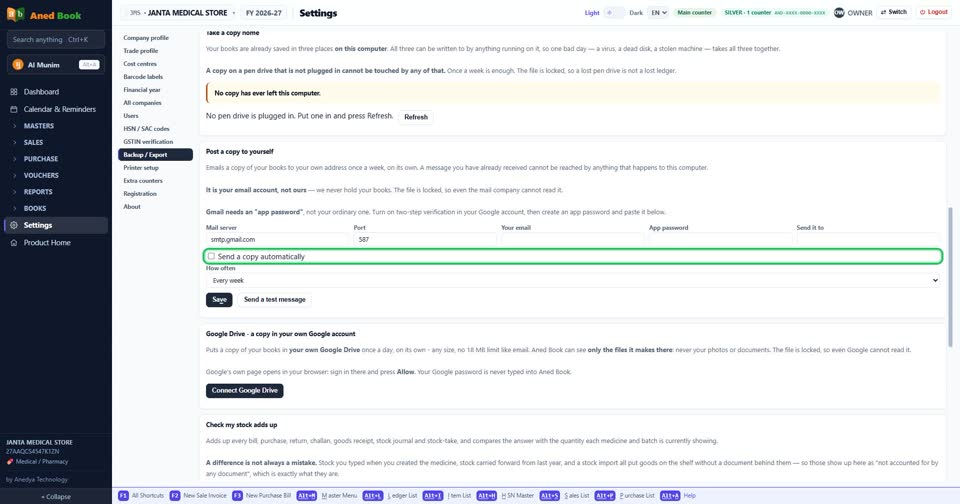
How toSettings › Backup / Export: tick “Send a copy automatically” to turn it on, untick it to turn it off. The change is kept as soon as you make it. Tick to send a copy by e-mail on the schedule you choose.
Settings › Backup / Export: “Send a copy automatically”. Tick for on, untick for off.
More questions on Backup / Export
- How do I change “Automatic copy:”?
- How do I change “How often”?
- How do I change “What to send”?
- How do I turn “Run Aned Server” on or off?
Still stuck? Press Alt + A inside the software and ask in your own words — it
works with no internet. Or talk to us on WhatsApp, phone or e-mail.