How do I turn “Run Aned Server” on or off?
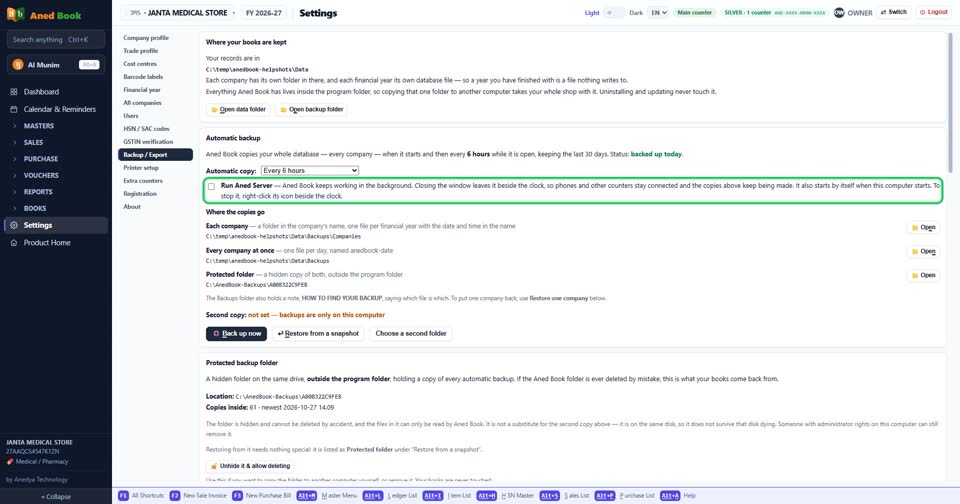
How toSettings › Backup / Export: tick “Run Aned Server” to turn it on, untick it to turn it off. The change is kept as soon as you make it. Aned Book keeps working in the background. Closing the window leaves it beside the clock, so phones and other counters stay connected and the copies above keep being made. It also starts by itself when this computer starts. To stop it, right-click its icon beside the clock.
Settings › Backup / Export: “Run Aned Server”. Tick for on, untick for off.
More questions on Backup / Export
- How do I change “Automatic copy:”?
- How do I change “How often”?
- How do I change “What to send”?
- How do I turn “Send a copy automatically” on or off?
Still stuck? Press Alt + A inside the software and ask in your own words — it
works with no internet. Or talk to us on WhatsApp, phone or e-mail.