How do I show or remove “SGST” on the bill?
How toShort answerSettings › Company profile › Bill format designer › Open the designer: tick “SGST” to print it on the bill, untick it to leave it off, then press Save format. Tick to print the SGST line in the totals on the bill; untick to leave it off.
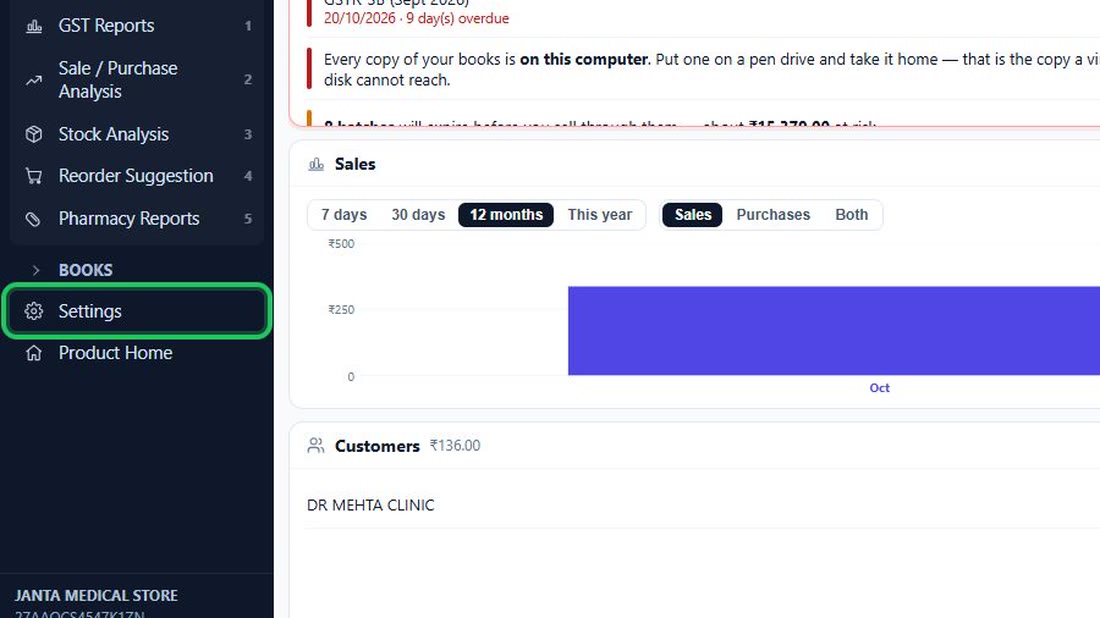
- In the menu on the left, press Settings (near…
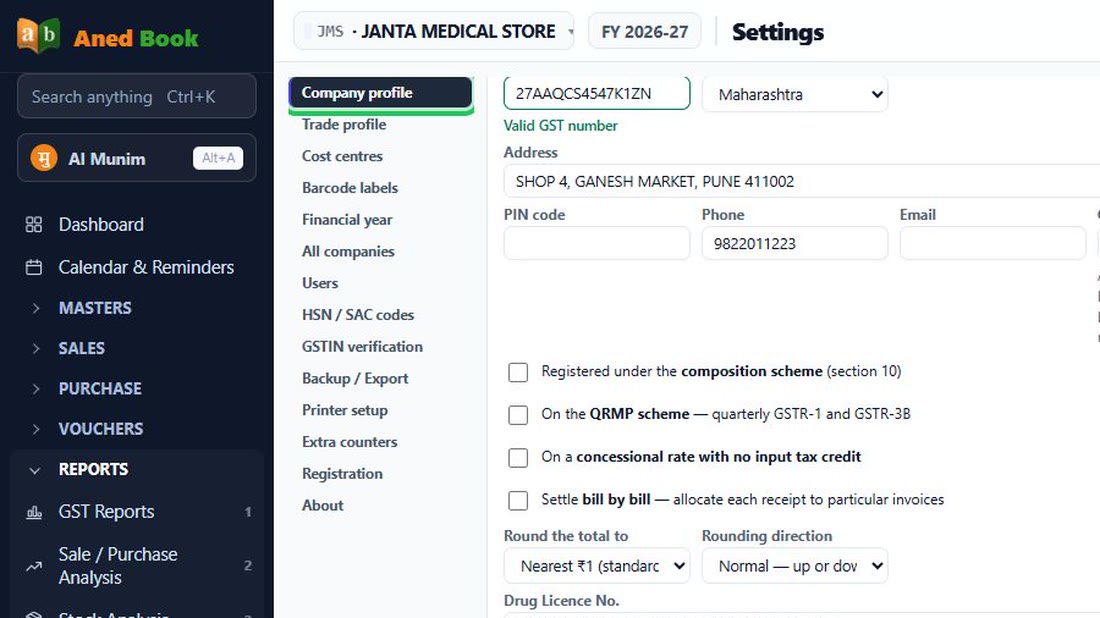
- Choose “Company profile” in the list of…
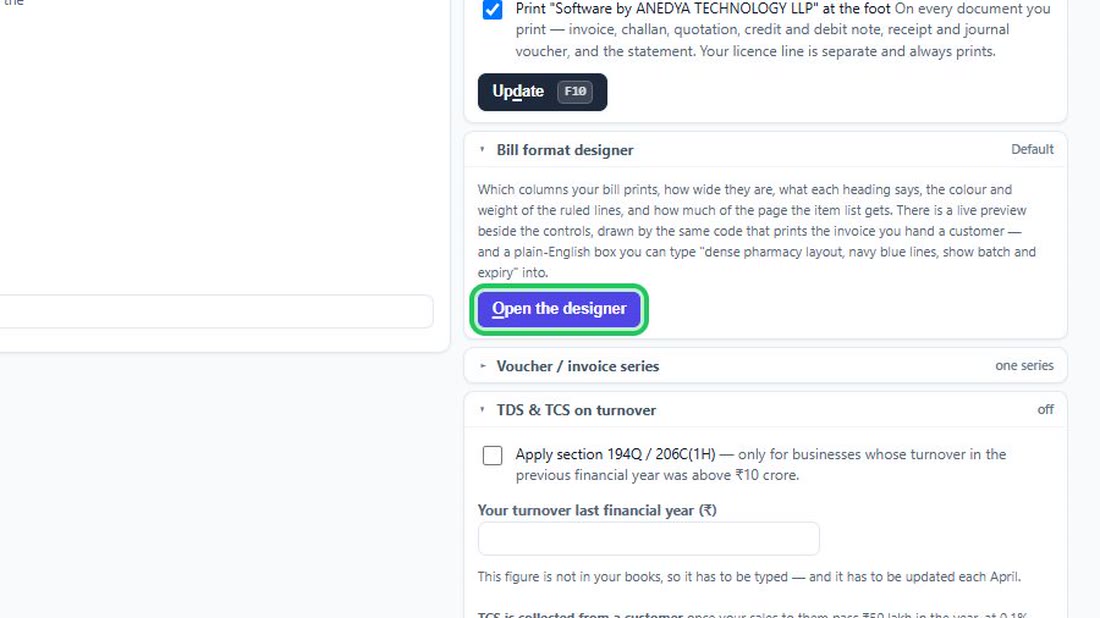
- On the right, open “Bill format designer” and…
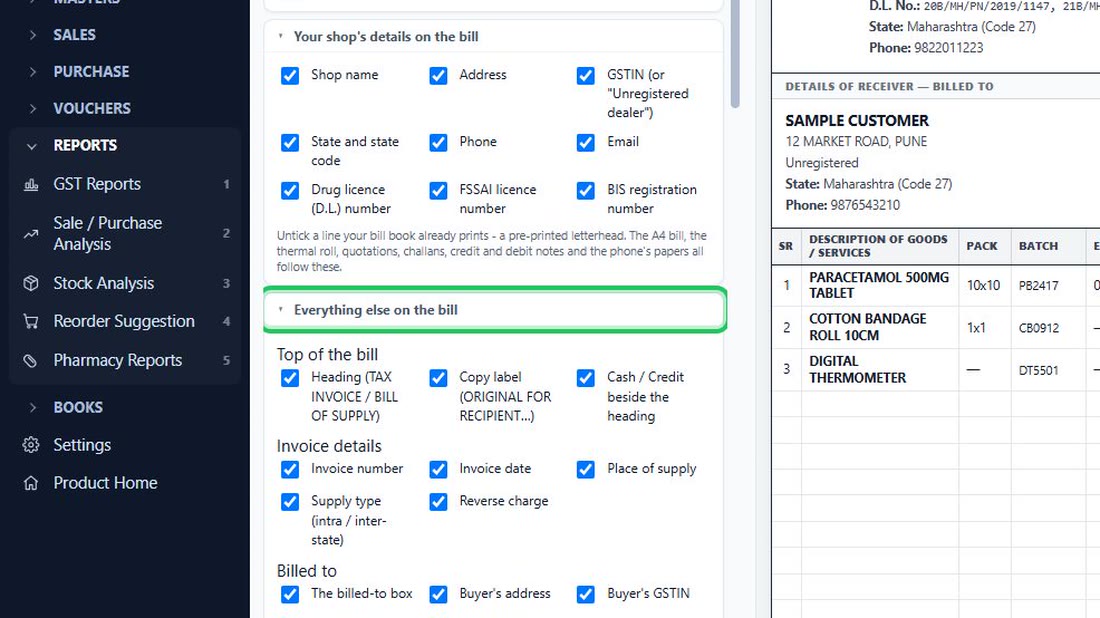
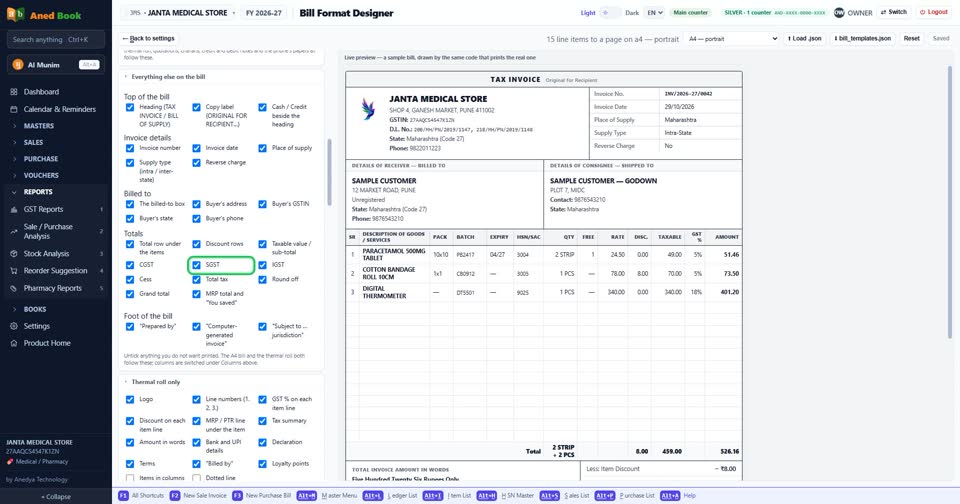
- In the designer, find the part “Everything…
- Untick “SGST” to take it off the bill (tick…
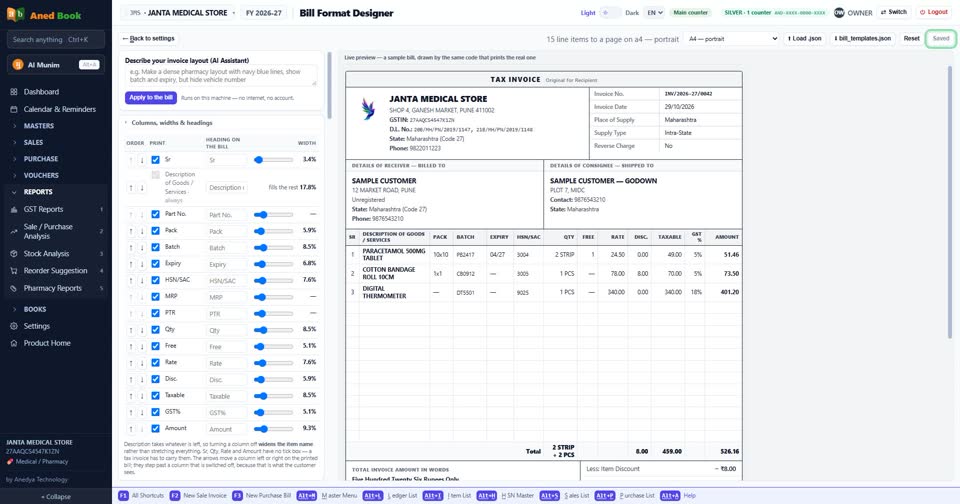
- Press “Save format”. The next bill you print…
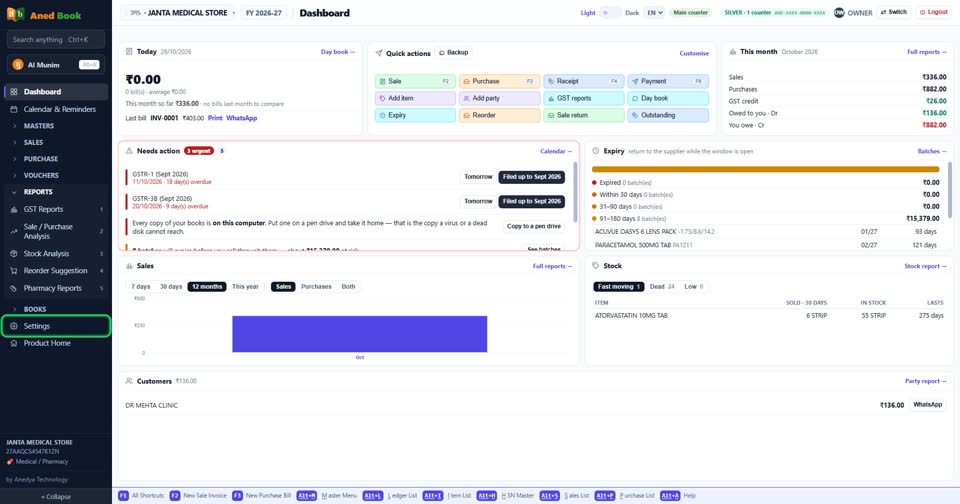
In the menu on the left, press Settings (near the bottom).
 See the whole screen
Choose “Company profile” in the list of Settings.
 See the whole screen
On the right, open “Bill format designer” and press “Open the designer”.
 See the whole screen
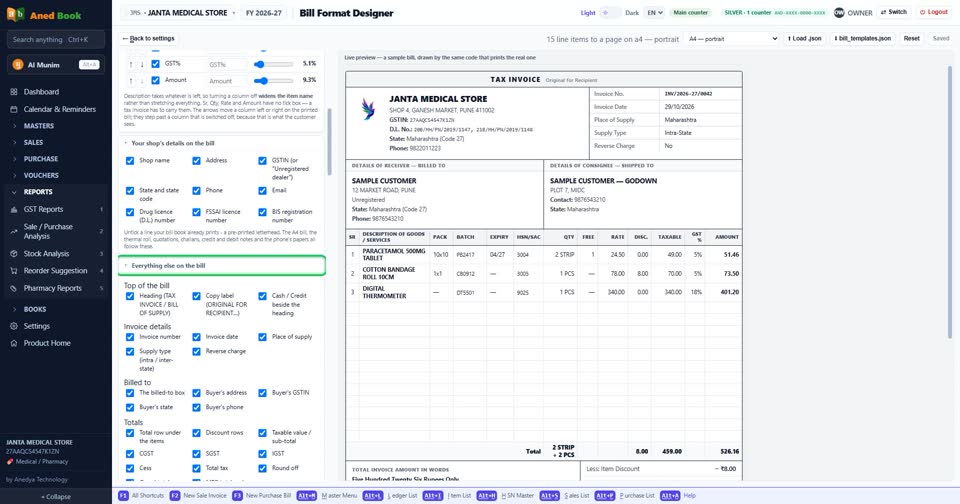
In the designer, find the part “Everything else on the bill”.
 See the whole screen
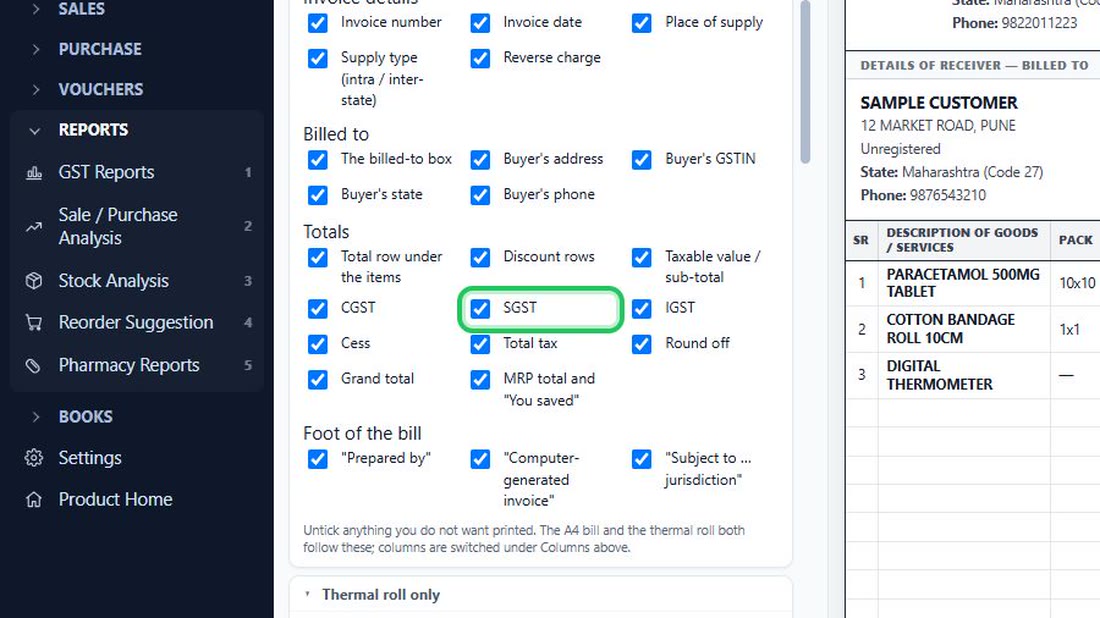
Untick “SGST” to take it off the bill (tick it to print it).
 See the whole screen
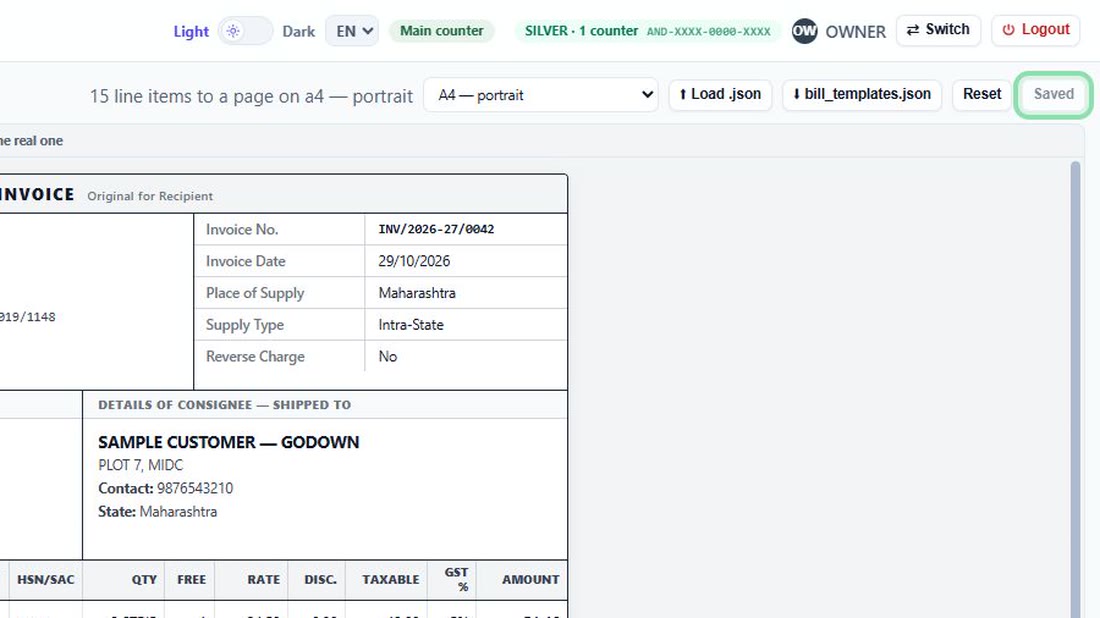
Press “Save format”. The next bill you print shows the change.
 See the whole screen


Every box used here
Opens the bill designer.
Every option on Company profile →
Did this answer your question?
No — ask us on WhatsApp