How do I change “The amount-in-words line”?
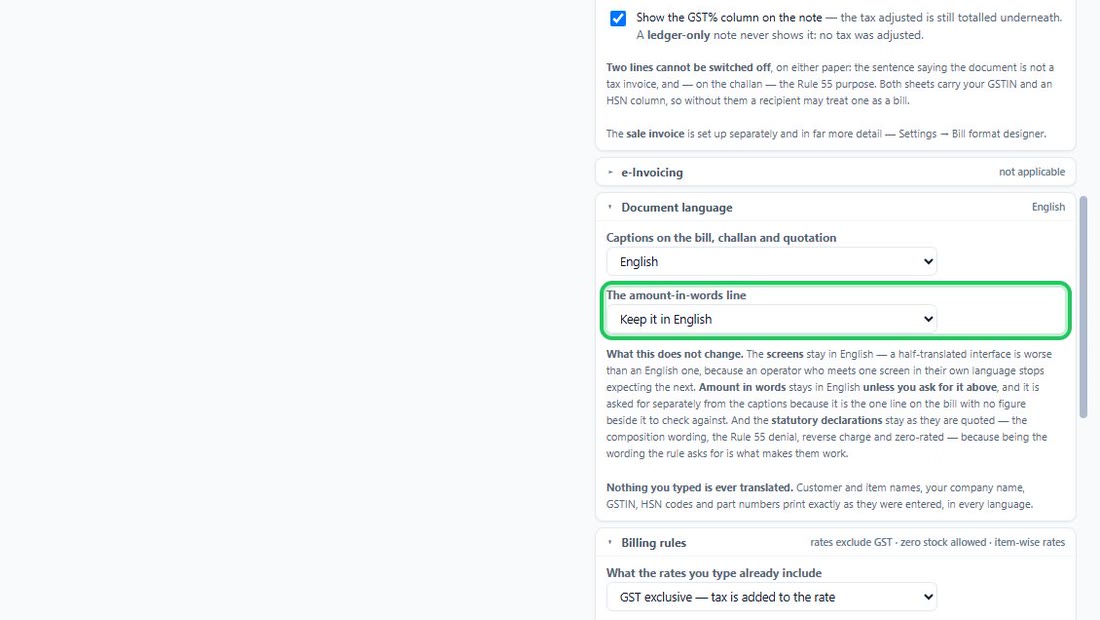
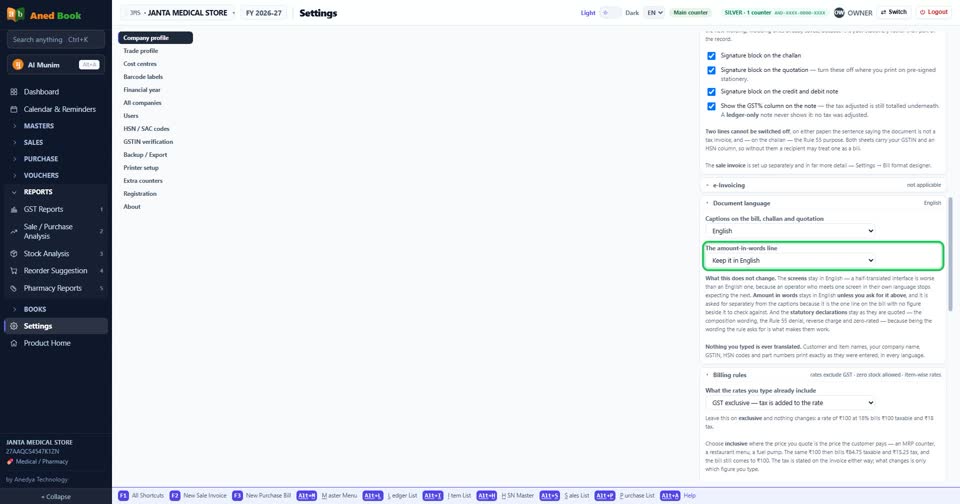
How toShort answerSettings › Company profile: choose in “The amount-in-words line” — Keep it in English · Hindi — हिन्दी · Gujarati — ગુજરાતી · Marathi — मराठी. Rupees Four Thousand Two Hundred Only, in the language you pick. It is asked separately from the captions because it is the one line on the bill with no figure beside it to check against. Leave it in English if you are not sure.
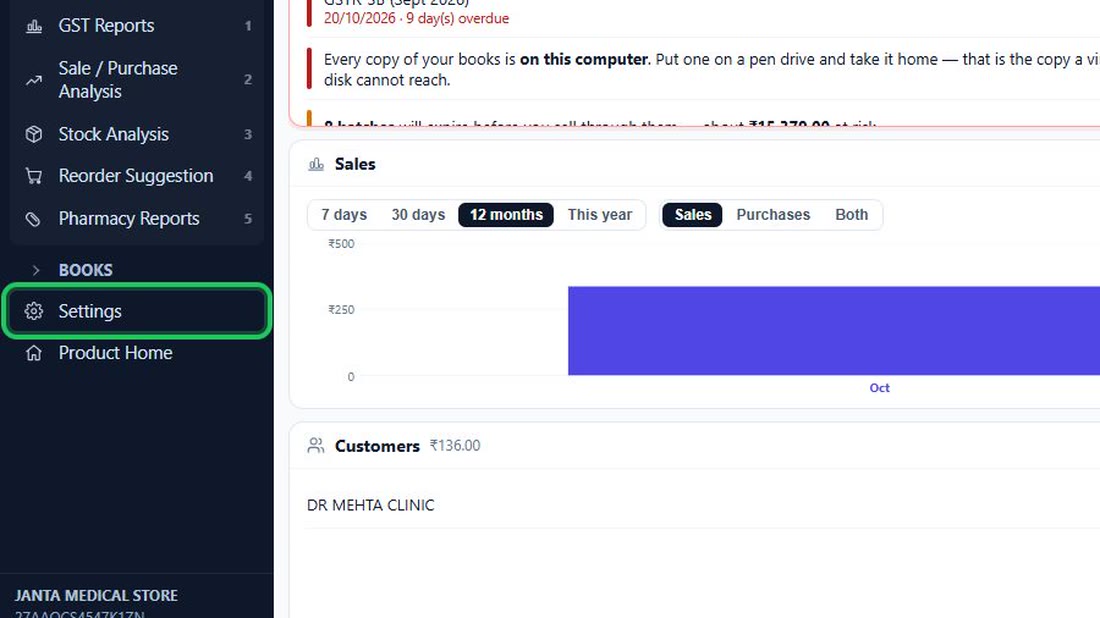
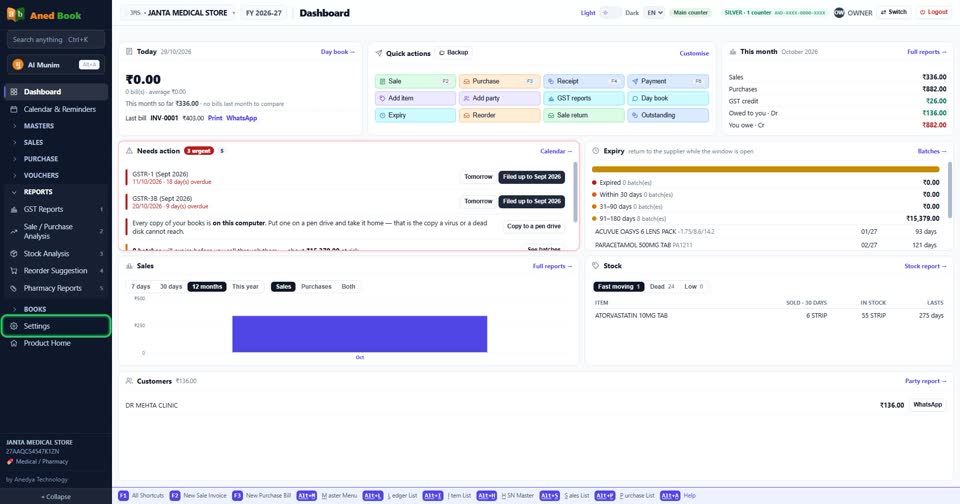
- In the menu on the left, press Settings (near…
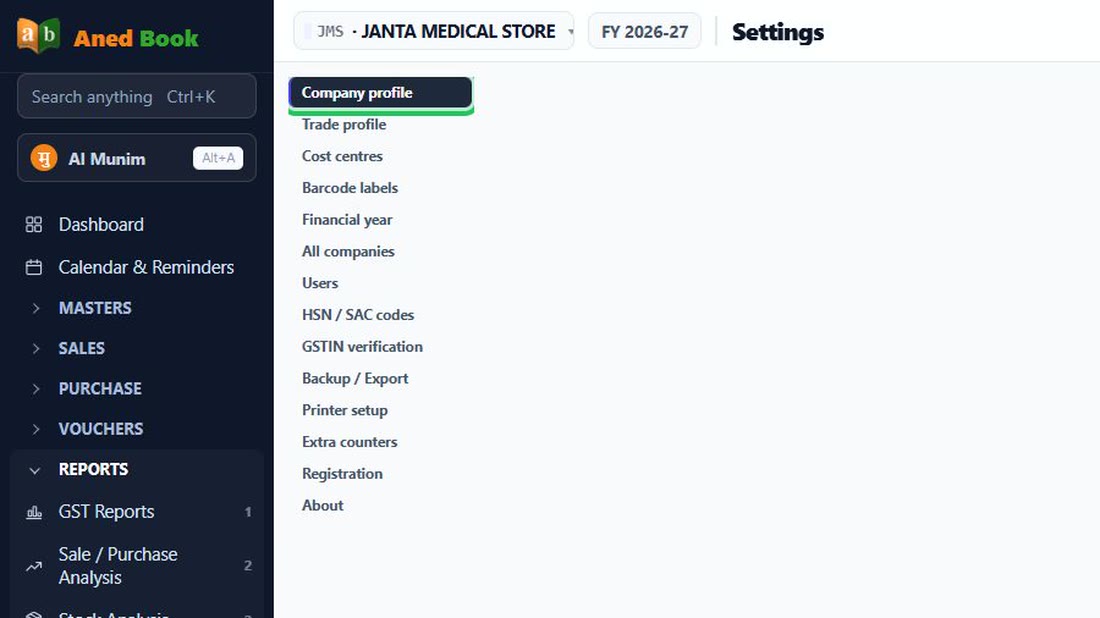
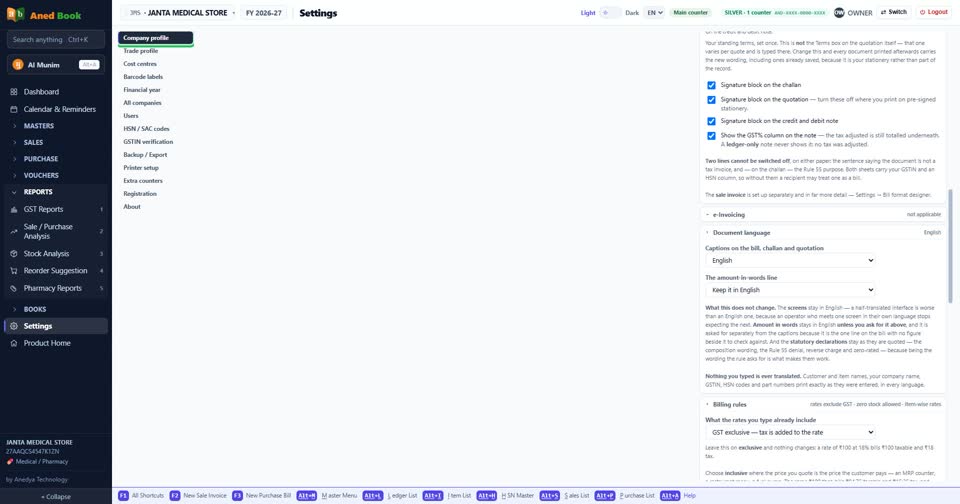
- Choose “Company profile” in the list of…
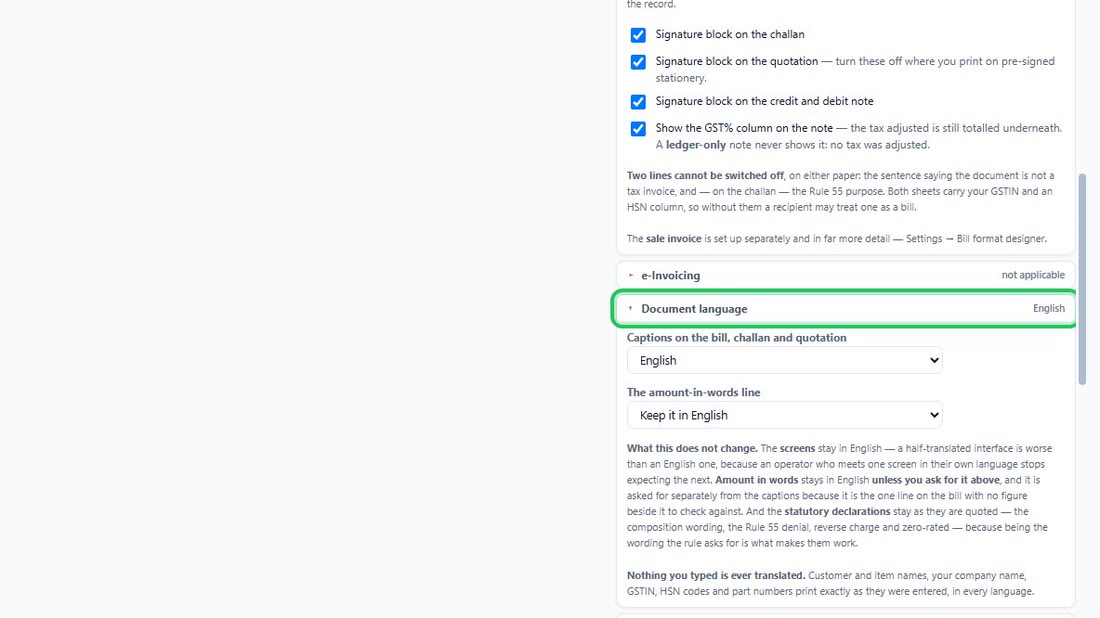
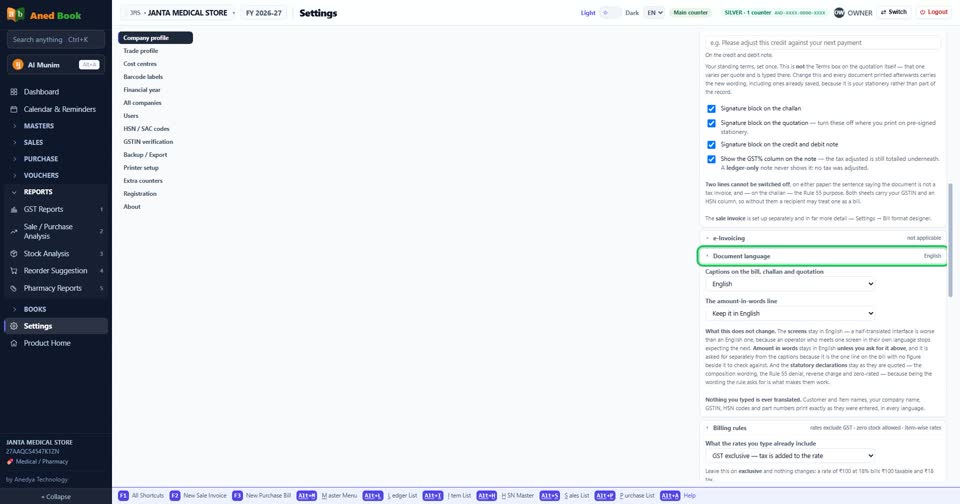
- On the right, open “Document language”.
- Choose in “The amount-in-words line”. It is…
In the menu on the left, press Settings (near the bottom).
 See the whole screen
Choose “Company profile” in the list of Settings.
 See the whole screen
On the right, open “Document language”.
 See the whole screen
Choose in “The amount-in-words line”. It is kept as soon as you change it — there is no Save button to press.
 See the whole screen
Did this answer your question?
No — ask us on WhatsApp