Aned Book help › Video guides › पैसा और खर्चा

Registers और exports — CA के लिए Excel, PDF, Marg, Tally

Basic, Silver और Gold edition में।
  1. CA या accountant को किताब भेजनी है — registers, Excel, PDF, या Marg वाली file — सब Imports and Exports में मिलता है।

    CA या accountant को किताब भेजनी है — registers, Excel, PDF, या Marg वाली file — सब Imports
  2. Books में Imports and Exports खोलिए।

    Books में Imports and Exports खोलिए।
  3. ऊपर From और To — किस तारीख से किस तारीख तक का चाहिए।

    ऊपर From और To — किस तारीख से किस तारीख तक का चाहिए।
  4. Sale Register — हर बिल, GST अलग-अलग, और नीचे कुल। XLSX में, या PDF में।

    Sale Register — हर बिल, GST अलग-अलग, और नीचे कुल। XLSX में, या PDF में।
  5. PDF दबाइए — छपने लायक register खुल जाता है।

    PDF दबाइए — छपने लायक register खुल जाता है।
  6. Purchase Register — हर ख़रीद बिल, उसी तरह।

    Purchase Register — हर ख़रीद बिल, उसी तरह।
  7. Cash Bank Book — हर receipt और payment, और net।
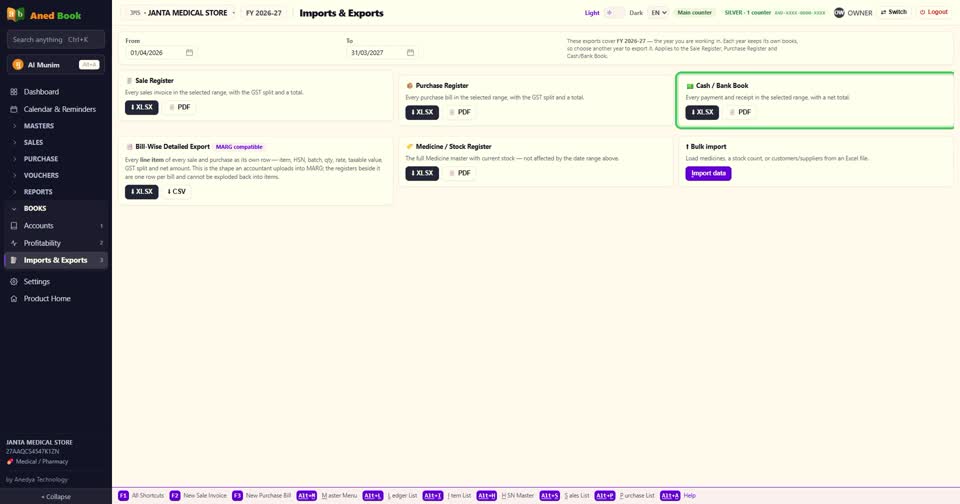
    Cash Bank Book — हर receipt और payment, और net।
  8. Bill-Wise Detailed Export — हर बिल की हर line अलग। यही shape accountant Marg में upload करता है।
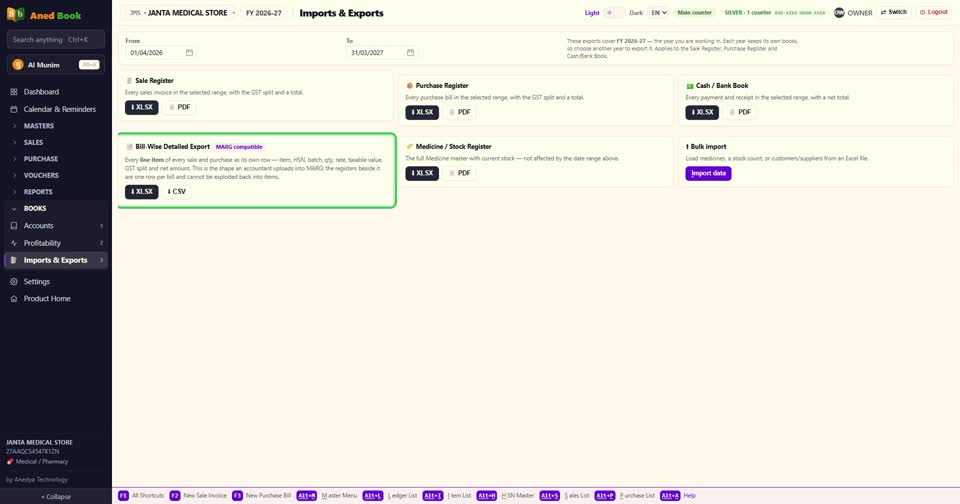
    Bill-Wise Detailed Export — हर बिल की हर line अलग। यही shape accountant Marg में upload कर
  9. Medicine Stock Register — पूरा item master, आज के stock के साथ।

    Medicine Stock Register — पूरा item master, आज के stock के साथ।
  10. Bulk import — Excel से medicines, stock, या customers और suppliers लाने के लिए। इसका अलग video है।

    Bulk import — Excel से medicines, stock, या customers और suppliers लाने के लिए। इसका अलग v
  11. और Tally में काम करने वाले CA के लिए — Silver में AI Munim से कहिए, tally ke liye file banao — महीने के vouchers की file तैयार।

    और Tally में काम करने वाले CA के लिए — Silver में AI Munim से कहिए, tally ke liye file ban
  12. बस। accountant को जो भी चाहिए, एक ही जगह से।

    बस। accountant को जो भी चाहिए, एक ही जगह से।
Still stuck? Press Alt + A inside the software and ask in your own words — it works with no internet. Or talk to us on WhatsApp, phone or e-mail.