Aned Book help › Video guides › Settings और नया साल
बिल का design, सीधे शब्दों में
Basic, Silver और Gold edition में।आपका बिल, आपकी पसंद का। Settings में Bill Format Designer खोलिए।

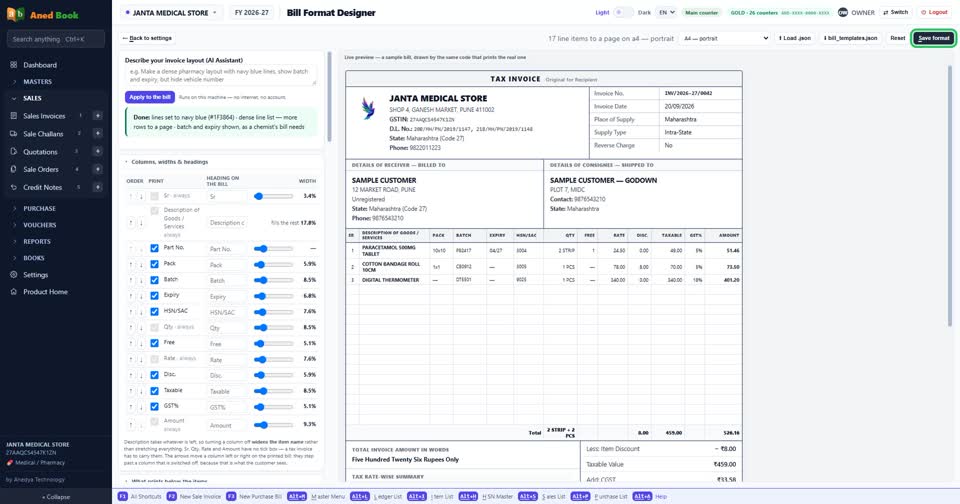
बिल कैसा चाहिए, सीधे शब्दों में लिख दीजिए — dense pharmacy layout with navy blue lines।

Apply दबाइए। बगल में बिल वहीं का वहीं बदल गया — और यही code आपका असली बिल छापता है।

नीचे लिखा आता है क्या-क्या बदला, और जो नहीं हो सका वो भी। चुप्पी नहीं।

पसंद आया? Save format दबा दीजिए। ये सब आपके अपने computer पर — न internet, न कोई account।
Still stuck? Press Alt + A inside the software and ask in your own words — it
works with no internet. Or talk to us on WhatsApp, phone or e-mail.